

A creator case study is a one-page summary of a finished brand deal: what the brand wanted, what you made, what happened, and what you would repeat. Brands reply to it because it answers the question behind every partnership: did this creator's content do anything measurable for a company like theirs? Follower counts cannot answer that. A case study with a baseline, a handful of labelled numbers, and a short lesson can. This guide shows what to collect before the campaign ends, which six numbers matter, a fill-in template, how to present results under an NDA, and where to reuse the finished asset.
What a creator case study is and why brands reply to it
A case study is not a screenshot of a viral post. It is a short, structured account of one campaign written for the next brand you want to work with. It has a context, a goal, deliverables, results against a baseline, and a takeaway. It fits on one page of a media kit or in three paragraphs of a pitch email. Agencies and talent managers call the same document an influencer case study.
It is also different from the campaign report you send the brand you just worked with. That report is private, detailed, and written for one client, and the CreatorsJet guide on what to send a brand after a sponsored post goes live covers it. The case study is the public, one-page version of the same campaign, written for everyone else.
Brands respond to it for a practical reason. The person reading your pitch usually has to justify the spend to someone else. A case study gives them a sentence they can forward: "this creator's Reel drove 2.4 times her usual saves and 310 code uses for a skincare brand." Follower count does not survive that forwarding. A result with a baseline does.
There is a brand-side version of this format too. Marketing teams publish campaign case studies to show other brands what worked, such as the CreatorsJet breakdown of how one brand got 3x ROI using only micro-influencers. Reading one is useful because it shows the numbers a brand cares about. This article covers the creator side: turning your own campaign into proof.
What to collect before the campaign ends
Most case studies fail before they are written, because the creator tries to rebuild the campaign from memory three months later. Stories have expired, the brief is buried in a thread, and the baseline numbers have moved. Collect these while the deal is still open.
- The brief and its goal. Save the brand's original ask in their words: awareness, launch, traffic, sales, content for ads. The goal decides which numbers you report.
- Deliverables and dates. List every piece with its platform, format, and live date. Include revisions and extras you delivered for free.
- Usage rights and exclusivity. Note what the brand licensed and for how long. It becomes part of the result when the brand reused your content in ads.
- Baseline numbers. Before the sponsored post goes live, record the median views, reach, saves, shares, and engagement rate of your last 10 to 20 posts in the same format. A result only means something next to this.
- Tracking assets. Your promo code, tracked link, or affiliate dashboard access. Ask the brand on day one whether they will share code redemptions or sales at the end.
- Screenshots at fixed intervals. Capture analytics at 24 hours, 7 days, and 30 days. Stories need capturing before they expire.
- Comments and messages that show intent. A dozen "where do I buy this" comments are evidence. Keep the text, not the usernames.
If you log every deal in one place, this is already done. A brand deals tracker that stores the brief, dates, deliverables, rights, and final numbers per campaign turns case study writing into a 30-minute job instead of an archaeology project.
The six numbers that matter to a brand
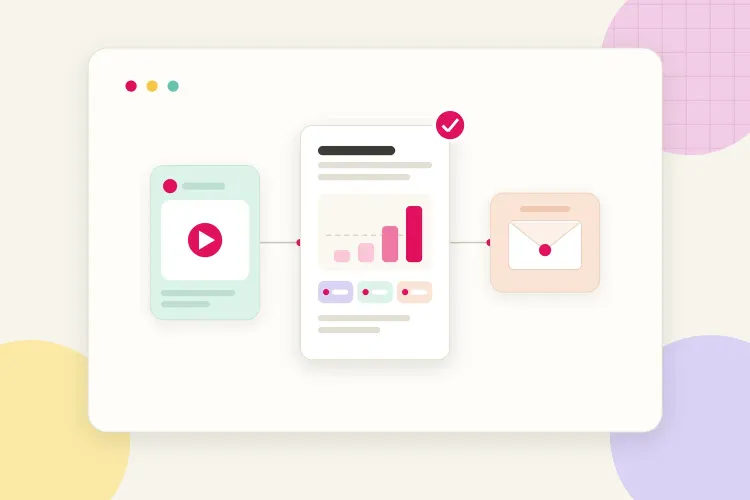
Brands skim results in a predictable order: how many people saw it, how many cared, how many acted. It is the same order they use when deciding what to look for in an influencer before offering a deal. These six numbers cover that order. Report the ones that match the brief's goal and say which ones you cannot share.
| Number and what it tells the brand | Where to read it |
|---|---|
| Reach, the unique accounts that saw the content | Instagram: Viewers in post and reel insights. TikTok: Reached audience in TikTok Studio. YouTube: Unique viewers in the Audience tab. |
| Views, every play or display, repeats included | Instagram: Views in post insights. TikTok: post views in the Analytics overview. YouTube: views in the Overview tab. |
| Engagement rate on reach, against your usual rate | Likes, comments, saves and shares divided by reach. Instagram: interactions per post. TikTok: likes, comments and shares per video. YouTube: Engagement tab. |
| Saves and shares, which brands read as purchase intent | Instagram: saves and shares per post. TikTok: shares and saves per video. YouTube: shares in the Engagement reports. |
| Clicks or code uses, the step the brand paid for | Instagram: link sticker taps in story insights only, so use a code or tracked link for feed posts. TikTok and YouTube: the brand's tracked link or your affiliate dashboard. |
| Conversions or sales, when the brand shares them | Only the brand or an affiliate dashboard has this. Ask for it in the final recap and label it brand-reported. |
Two notes on the platforms. Instagram now reports Views as the number of times content was played or displayed and Viewers as unique accounts, and the Instagram help center on professional account insights explains which metrics each content type exposes and how long they stay available. On YouTube, the Reach tab adds impressions and click-through rate, which matter when the brand paid for a dedicated video and wants to know how many people chose to click it. The YouTube help guide on getting started with YouTube Analytics maps each tab.
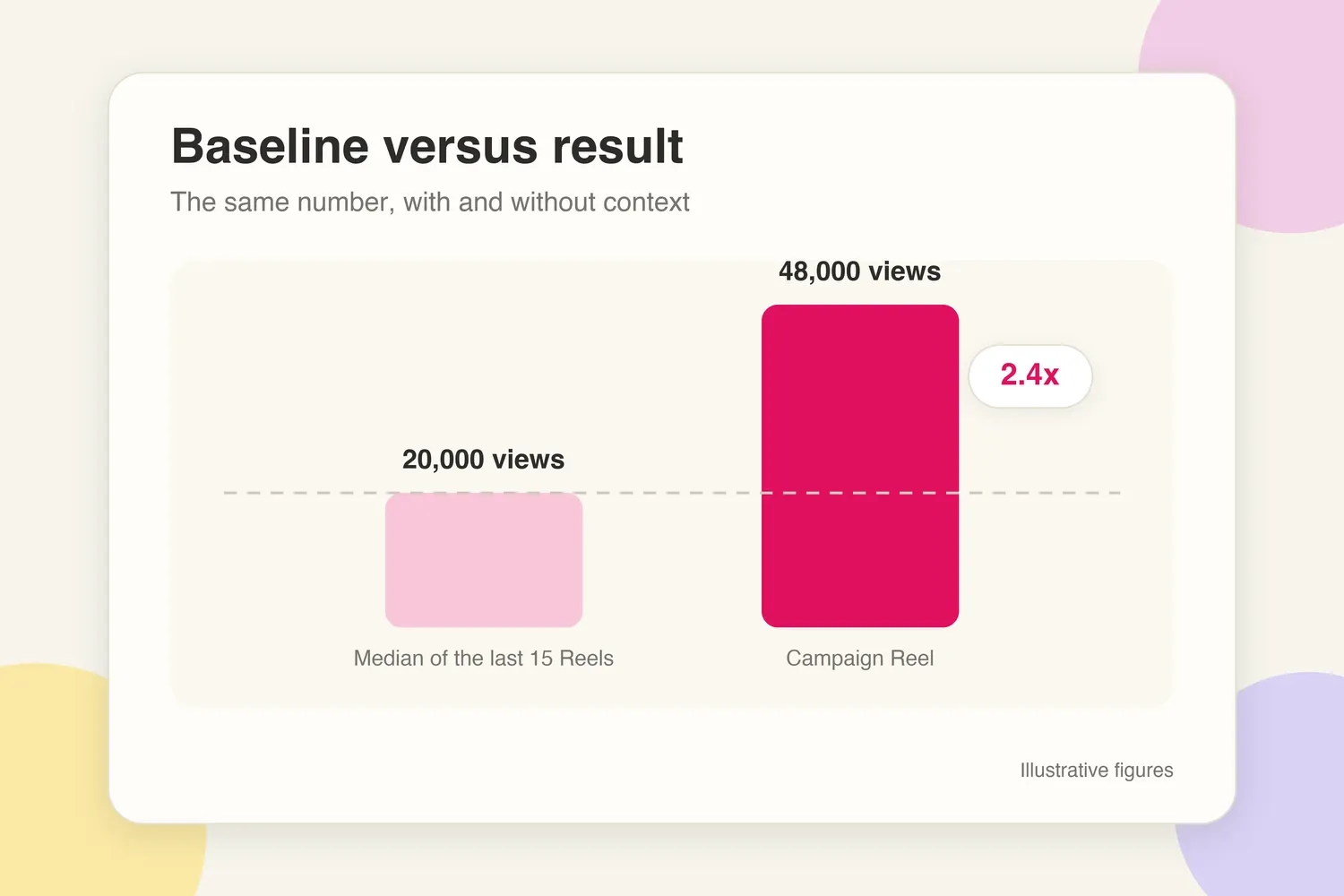
Always pair a campaign number with your baseline from the same format. "48,000 views" means nothing to a brand that does not know your Reels. "48,000 views against a 20,000 median for the previous 15 Reels" is a result.
The one-page case study structure
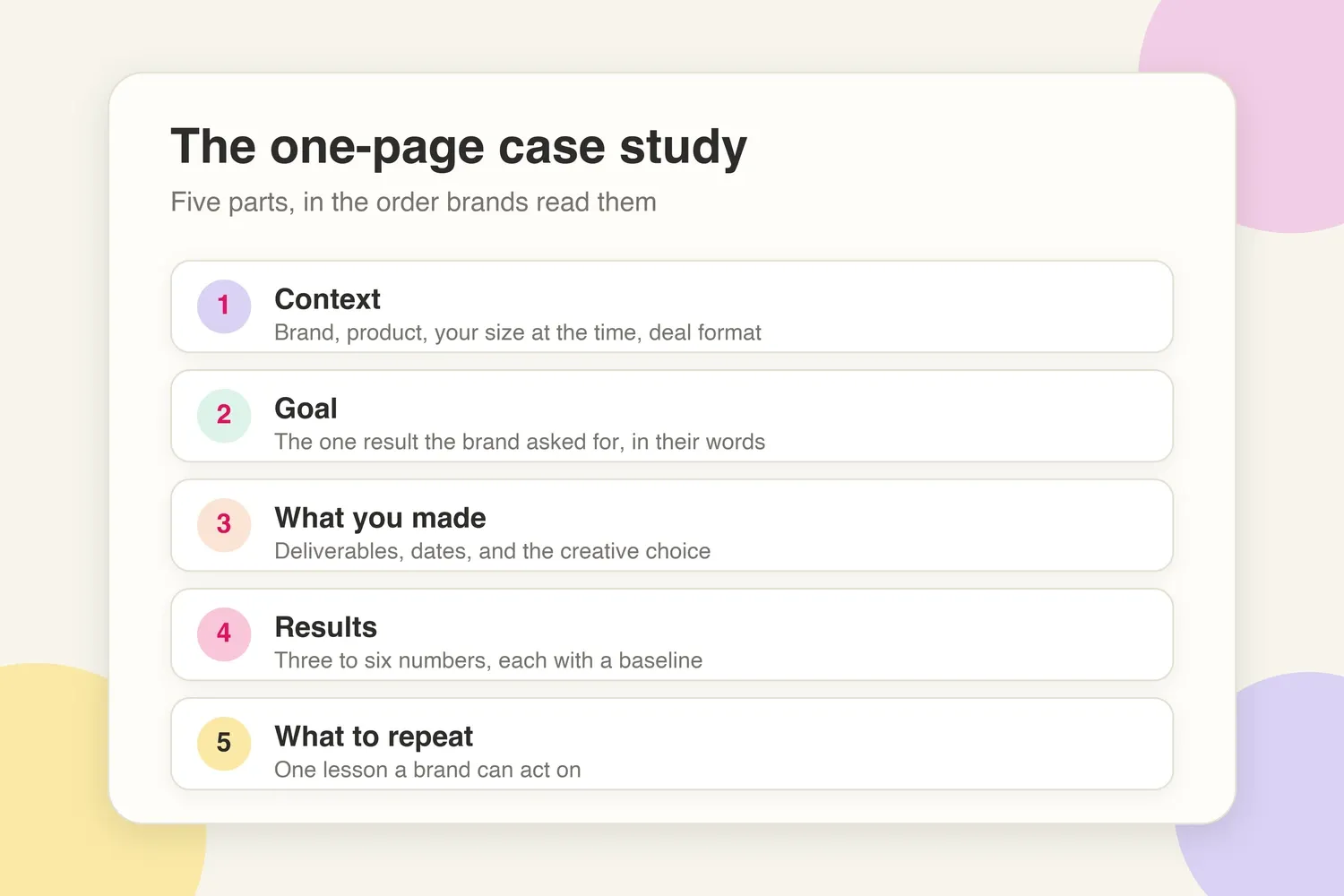
Five parts, in this order. Brands read context first and the takeaway last, so the shape mirrors the way they decide.
- Context. Who the brand is, what they sell, what size you were at the time, and the format of the deal. Two or three sentences.
- Goal. The single result the brand asked for, in their words. One sentence.
- What you made. Deliverables, dates, and the creative decision that made the content work. Three to five lines.
- Results. Three to six numbers with baselines, one line each, followed by anything the brand reported back. Label estimates and illustrative figures.
- What you would repeat. One lesson a brand can act on: a format, a hook, a timing choice, a call to action. Two sentences.
Copy the template below into a document and fill in the brackets. Keep the final version under 250 words.
Context: [Brand] sells [product] to [audience]. In [month, year], at [follower count] followers on [platform], the brand commissioned [number and type of deliverables] for [campaign or launch name].
Goal: [Awareness of the launch / traffic to the product page / code redemptions / content the brand could reuse in ads].
What was delivered: [Deliverable 1, live date], [Deliverable 2, live date], [extra or revision]. The creative choice: [the hook, format, or angle and why it fit the audience]. Usage rights: [what the brand licensed and for how long].
Results after [7 or 30] days:
- Reach: [number] unique accounts, [x] times the median of the previous [n] posts in this format.
- Views: [number], against a [baseline] median.
- Engagement rate on reach: [x%], against a usual [y%].
- Saves and shares: [number], [x] times the usual.
- Clicks or code uses: [number] via [code or tracked link].
- Brand-reported: [orders, sign-ups, or revenue if shared, labelled as reported by the brand].
What to repeat: [The one decision that drove the result and how it would transfer to a similar brand].
Supporting material belongs under the case study, not inside it: one screenshot per key number with the date visible, the live link, and a one-line quote from the brand contact if they agree to it.
How to present results you are not allowed to share
Many contracts restrict what you can publish about a campaign: the brand name, the fee, the sales figures, sometimes the existence of the deal before a date. A case study still works under those limits if you change the level of detail rather than the structure.
- Use relative lifts instead of absolute numbers. "2.6 times the usual saves" and "engagement rate 1.8 points above the account average" tell the next brand what they need without exposing the partner's data.
- Anonymise the brand by category and size. "A direct-to-consumer skincare brand" or "a mid-size meal kit subscription" is enough context. Say the name is withheld under the agreement, which reads as professionalism, not evasion.
- Share your own metrics, not theirs. Reach, views, saves, shares, and clicks on your content are yours to report. Code redemptions and sales belong to the brand unless the contract or a written approval says otherwise.
- Describe conversions as a range or a direction. "Code uses in the low hundreds" or "the brand renewed for a second campaign" carries weight without a figure.
- Ask for a one-line approval. After the campaign, send the brand the exact wording you intend to use in your media kit. Many will approve a version with the name included, and the question itself often reopens the renewal conversation.
Never publish screenshots of the brand's own dashboards, internal emails, or figures they sent you in confidence. One careless slide can end a relationship and the reference that came with it.
Three worked examples
All figures below are illustrative and exist to show the format. Replace every one with your own.
Micro creator, Instagram, product launch. A 14,000-follower home and organisation creator produced one Reel and three Stories for a storage brand's launch, with a 15 percent code. Baseline: 6,000 median Reel views, 180 median saves, 4.1 percent engagement rate on reach. Results at 30 days: 19,500 views, 540 saves, 5.9 percent engagement rate, 212 story link taps, 64 code uses. The brand reported the code as its best creator result of the launch. Repeatable decision: the Reel opened on the problem (a cupboard before) rather than the product, which doubled the save rate compared with product-first posts.
Mid-size creator, TikTok and YouTube, awareness campaign. A 180,000-follower personal finance creator delivered one TikTok and one 60-second integration in a YouTube video for a budgeting app, fee of US$2,400 plus 90 days of paid usage rights. Baseline: 45,000 median TikTok views, 2,300 median shares. Results at 30 days: 162,000 TikTok views, 7,900 shares, 1,100 new app sign-ups attributed by the brand's tracked link, YouTube integration retention within two points of the rest of the video. The brand ran the TikTok as a Spark Ad for six weeks. Repeatable decision: the hook named a specific monthly figure the audience recognised, which drove shares to friends in the same situation.
UGC-only creator, no posting. A UGC creator delivered four 20-second vertical videos and two hook variations to a pet supplement brand for US$1,100, no posting on their own channels. Here the results belong to the brand's ad account, so the case study reports what the creator can see: delivery two days ahead of deadline, one revision round, and the brand's feedback that one hook variation ran as their top ad for five weeks with a click-through rate 40 percent above their account average, shared with permission as a relative figure. Repeatable decision: filming two hooks per concept gave the media buyer something to test, which is the service the brand is really buying.
Notice that the UGC example has no reach or views. A case study reports the numbers that exist for the format rather than borrowing vanity metrics from somewhere else.
Where to use the case study
One finished case study serves four places. Write it once, shorten it for each. Keep the master version to a single page, as a PDF or a section of your media kit, and send a link rather than an attachment so the brand always sees the current version.
- Media kit. The full one-page version, two or three of them if you have the campaigns. In an influencer media kit, a results page with baselines is the section brand managers spend the longest on.
- Pitch email. Two sentences: the context and the headline result with its baseline. A brand pitch email generator can structure the message around one proof point instead of a paragraph of adjectives.
- Follow-up. When a brand goes quiet after a pitch, a fresh result is the most natural reason to write again. The guide on following up with a brand after sending a pitch shows how to lead with new proof rather than a reminder.
- Renewal conversation. A week after the final deliverable, send the brand the one-page version alongside the detailed recap. It makes the renewal conversation concrete and gives their team an internal document that argues for you.
Keep the live versions in sync. If the kit lives in a free media kit maker, update the results page after each campaign. A kit that still shows last year's single campaign while your pitch email quotes a newer one signals that it is not maintained.
Mistakes that make a case study look fake
Brand managers read dozens of these. The following patterns make them discount the whole document.
- Vanity metrics only. Likes and follower growth with no reach, saves, clicks, or conversions. It reads as a campaign that produced applause and nothing else. Follower growth during the campaign belongs next to the six numbers, not in place of them.
- No baseline. A number with nothing to compare it to. The reader cannot tell whether 30,000 views is a win or a bad week.
- Screenshots without context. An analytics crop with no date, no post identified, and no explanation. Add a caption that says which deliverable, which day, and which metric.
- Rounded or suspiciously tidy numbers. "100K reach" and "10x engagement" without the underlying figures. Precise numbers from a real dashboard look like what they are.
- Claims the creator cannot see. Sales figures stated as fact when the brand never shared them. Label brand-reported numbers and never estimate revenue on the brand's behalf.
- Everything was a success. A case study with a candid line about what underperformed and what changed next time reads as a report from a professional, not a highlight reel.
- Mixing campaigns. Numbers from three deals blended into one story. Keep one campaign per case study so the brand can trace every figure to a deliverable.
Turning one deal into the next
A brand deal ends twice: once when the last deliverable goes live, and once when you have written down what it proved. The second ending is where the next deal comes from. Collect the brief, baseline, and tracking assets while the campaign is open, report the six numbers that match the brand's goal, keep the structure to one page, run through the media kit checklist before pitching a brand before the kit goes out, and respect the contract when you present it. Done once, the format repeats for every campaign that follows, and the pitches you send stop asking brands to trust you and start showing them why they can.