


When a sponsored post goes live, the campaign is not really finished. The brand still needs the live link, proof that the content was published correctly, early performance context, and a simple path for what happens next.
The best answer to what to send a brand after a sponsored post is a short post-campaign message that includes the published content link, key metrics, screenshots or report links, useful context, and a clear follow-up question. That message helps the brand save the result internally, judge whether the collaboration worked, and see the creator as someone who can be trusted with future campaigns.
The easiest way to structure it is a 5-part post-campaign recap:
- Live link: where the sponsored content is published.
- Delivered scope: what went live and whether anything changed from the brief.
- Performance proof: the numbers, screenshots, or report link that support the result.
- Audience context: what comments, saves, clicks, replies, or DMs suggest.
- Next step: the follow-up, final report timing, usage-rights question, or renewal idea.
Send the live content link first
Start with the easiest thing for the brand to check: the live sponsored post.
Do not make the brand search through a profile, guess which Reel was sponsored, or scroll through Stories before they disappear. Put the exact URL near the top of the message and label the platform or format clearly.
For example:
- Instagram Reel: direct Reel URL
- TikTok video: direct TikTok URL
- YouTube integration: video URL with the sponsored segment timestamp if useful
- Instagram Stories: Story screenshots, live links if still active, and saved highlights if that was part of the agreement
- Blog, newsletter, or podcast placement: the direct page, issue, or episode link
If the post needs a disclosure, make sure the live content includes it before sending the recap. For video campaigns, Google's official YouTube help page on paid product placements, sponsorships, and endorsements is a useful example of how platforms handle paid promotion signals. The exact rule set depends on the platform and market, but the practical point is the same: check the live post before sending the recap so the brand sees the required sponsorship signal is in place.
Confirm the deliverables were completed
After the link, confirm what was delivered. This sounds obvious, but it removes friction for the brand manager who may be tracking several creators at once.
Keep it factual:
- Published content format
- Posting date and time
- Campaign hashtag, mention, disclosure, or tag
- Agreed add-ons such as pinned comments, link stickers, usage rights, whitelisting access, Spark Ads authorization, or boosting permissions
- Any deliverable that changed from the original scope, with a short reason
This section protects both sides. If the agreement included one Reel and three Story frames, the brand can see that everything went live. If a detail changed, such as a Story link sticker being delayed because the brand sent the URL late, the recap creates a calm written record.
Share the performance results brands actually need
The performance section should be useful, not overwhelming. A brand does not need every number in the platform dashboard. It needs the numbers that explain whether the content reached the right people, created attention, and drove the campaign's intended action.
For most sponsored posts, include:
- Reach or unique viewers so the brand understands how many people saw the content.
- Impressions or views when repeat exposure matters.
- Engagements such as likes, comments, saves, shares, replies, sticker taps, or profile actions.
- Engagement rate if it helps compare the post against the creator's normal content.
- Clicks, taps, promo-code uses, or tracked conversions when the campaign had an action goal.
- Audience context such as top locations, age range, or gender split if it is relevant to the brand's target buyer.
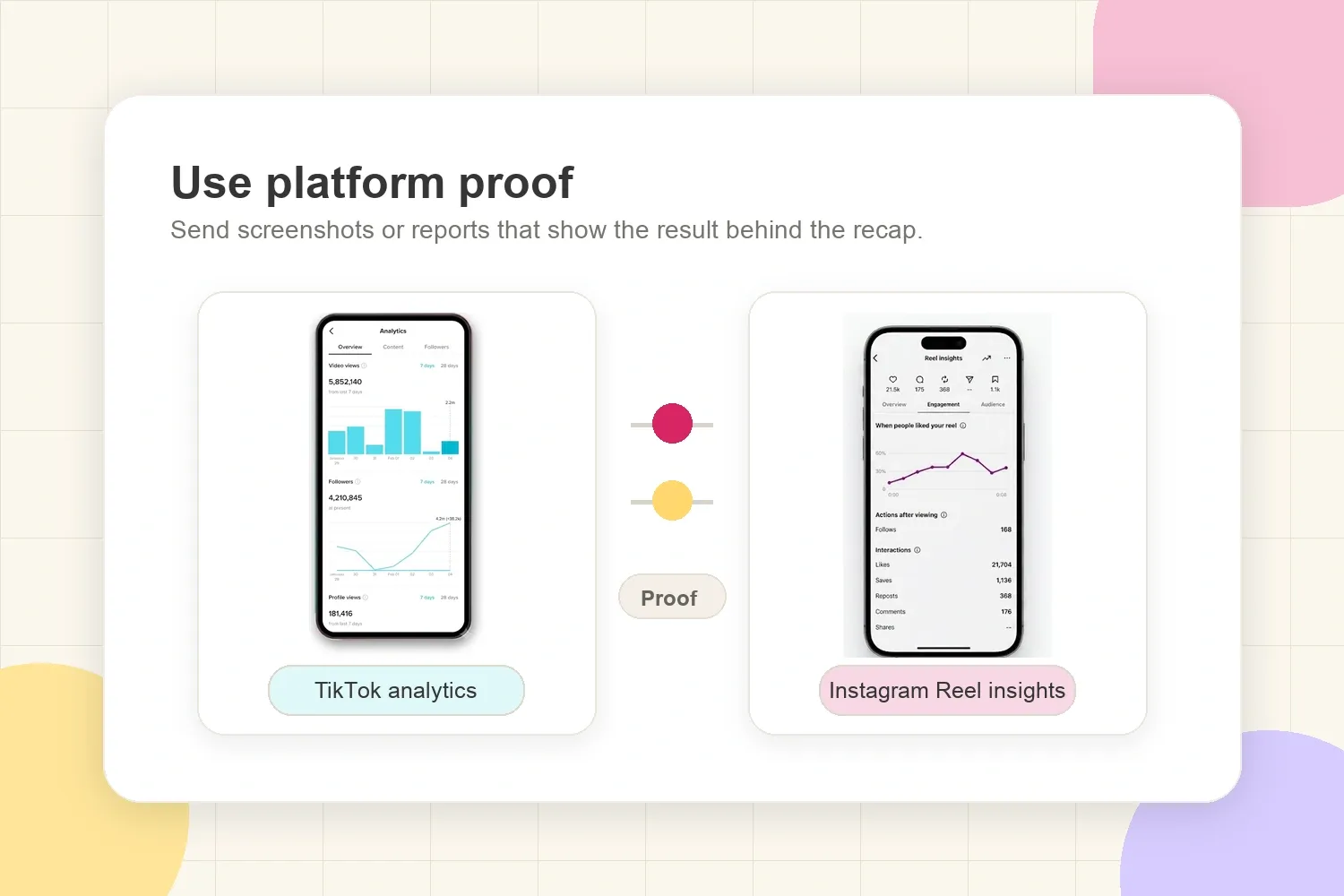
Use the platform's own definitions when possible, then organize the numbers by campaign goal. impact.com's creator reports overview is a useful reference because it separates available post-level metrics by platform and format, including Instagram posts, Reels, Stories, and TikTok videos. That matters because a screenshot or exported report is usually more credible than a manually typed number with no context.
If the campaign was on Instagram, a creator might send:
- Reel reach: 42,800
- Plays: 58,400
- Average watch time: 6.8 seconds
- Likes: 1,240
- Comments: 86
- Saves: 312
- Shares: 174
- Link sticker taps from Stories: 430
For brands, the exact set of metrics matters less than the logic. Awareness campaigns need reach, impressions, views, and audience fit. Consideration campaigns need saves, comments, profile visits, replies, and shares. Traffic or sales campaigns need clicks, code use, UTM results, affiliate data, or landing-page feedback.
For deeper metric framing, CreatorsJet has a separate guide on engagement rate vs reach, which is useful when a creator needs to explain why one post had fewer viewers but better audience response.
Add screenshots or a simple report link
Typed metrics are helpful, but selective screenshots make the recap easier to trust and forward. Brands often need to share campaign results with a founder, marketing lead, agency partner, or client, so give them proof they can save quickly.
Good proof assets include:
- A screenshot of the live post
- Platform analytics screenshots
- Story frame screenshots before they expire
- Link sticker or click screenshots
- Promo-code dashboard screenshots if the brand gave access
- A clean campaign report or media kit update with the sponsored post added
Do not send twenty separate attachments if three screenshots explain the result. A small recap PDF, report link, or live portfolio update is usually easier for the brand to forward.
This is where a professional media kit can help after the campaign, not only before it. A creator can keep recent sponsored work, content examples, audience data, and performance proof in one place instead of rebuilding the same proof folder every time a brand asks for results.
Explain why the post performed the way it did
Numbers alone rarely tell the whole story. The context is what makes a creator sound like a partner instead of a content vendor.
After the metrics, add two or three useful observations:
- The hook performed well because it matched a common audience problem.
- Saves were high because the post included a checklist or routine people wanted to revisit.
- Comments were positive because the product appeared naturally in the creator's real workflow.
- Clicks were lower than expected because the post was published late at night, but Story replies showed high interest.
- The audience fit was especially relevant because most engaged viewers came from the brand's target market.
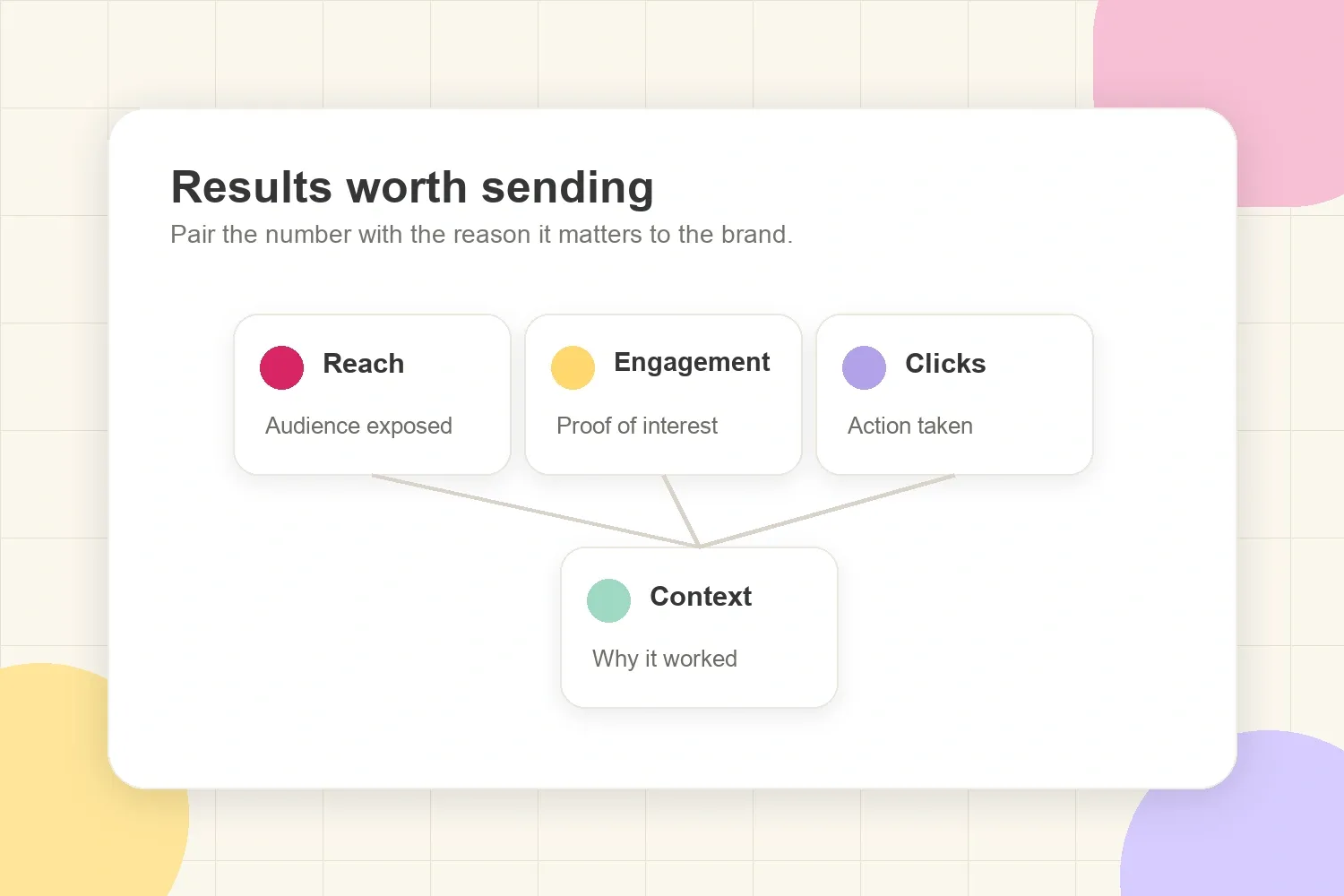
Keep this short. A focused interpretation helps the brand understand what to repeat, what to adjust, and what the creator learned from the audience reaction.
For example, a skincare creator might say that a routine-style Reel drove more saves than a direct product demo because viewers wanted to revisit the morning routine. A fitness creator might explain that a Story poll generated useful product feedback even if the Reel's comments were lighter than usual.
That kind of context is valuable because brands do not always know the creator's audience as well as the creator does.
Mention any audience or comment insights
Brands care about what people did, but they also care about what people said. If the comment section, DMs, replies, or poll results revealed useful buyer feedback, include it.
Useful insights might include:
- Common questions about price, sizing, ingredients, shipping, color, taste, or availability
- Positive phrases people repeated in comments
- Objections that appeared more than once
- DMs asking for a link, discount code, routine, tutorial, or comparison
- Poll results from Stories
- Audience segments that engaged more than expected
Keep this section selective. Do not paste private DMs into a brand recap without permission or identifying details removed. Instead, summarize the pattern: "Several followers asked whether the product works for sensitive skin" is more professional than forwarding personal messages.
These insights can make the brand's next campaign better. They may also make the creator more valuable for a renewal, because the recap is no longer just a numbers report. It becomes customer research from a real audience.
Include anything the brand should do next
A good post-campaign message should end with a clear next step. The mistake is ending with "Let me know what you think" and leaving the brand to decide what the conversation is supposed to become.
Better next steps include:
- Offer to add the final screenshots to the brand's campaign folder
- Confirming whether the brand needs additional usage rights
- Asking whether the brand wants a 7-day or 30-day performance update
- Suggesting one useful follow-up format based on the results
- Open a renewal conversation while the post is still fresh
Keep it calm. The next step should match the campaign outcome. If the post performed well, a renewal conversation is natural. If the campaign is still gathering data, a later update may be better. If comments revealed product questions, the next useful step might be a follow-up Story Q&A.
Creators who manage several collaborations can also track this in a simple deals workflow. A dedicated brand deals tracker makes it easier to remember which campaigns are live, which reports were sent, and which brands need a follow-up.
Use a short post-campaign message template
The message should be easy to skim. A brand manager should be able to understand the link, the result, and the next step in under a minute.
Here is the difference between a weak recap and a useful one:
Weak recap:
The post is live! Let me know what you think.
Better recap:
The sponsored Reel is live here: [link]. It includes the agreed disclosure, brand tag, and link sticker support. Early results are 42,800 reach, 1,812 engagements, 312 saves, and 430 Story link taps. I attached the live post and analytics screenshots. Saves were high because the routine format gave viewers something to revisit, so a follow-up Story Q&A could be a useful next step.
The better version is not longer for the sake of being longer. It gives the brand the link, confirms delivery, shows proof, explains the result, and opens a practical next conversation.
Here is a simple template:
Subject: Sponsored post is live: [campaign / brand name]
Hi [Name],
The sponsored [post format] is now live here: [link].
Quick delivery recap:
- Published on [platform] on [date]
- Included [tag/disclosure/hashtag/link/code]
- Delivered [agreed deliverables]
Early performance:
- Reach/views: [number]
- Engagements: [number]
- Saves/shares/comments: [number]
- Clicks or tracked actions: [number, if relevant]
A few notes: [one or two useful observations about audience reaction, comments, timing, hook, or content format].
I attached screenshots for the live post and current analytics. I can also send a 7-day update once the post has had more time to settle.
Based on the response, [suggest one useful next step, such as a follow-up Story, usage rights conversation, renewal idea, or final report date].
Best,
[Creator name]
For a very small campaign, this can be shorter. For a bigger campaign, add a campaign report, but keep the email itself clean. The point is to make the recap easy to forward.
Wait long enough to report the right results
Creators often rush to send results too early. The right timing depends on the platform, format, and how long the post usually keeps gaining views.
For Stories, capture proof before the 24-hour window closes. For Reels, TikToks, Shorts, and YouTube videos, send the live link immediately, then separate early confirmation from final results if the content keeps growing.
A practical rhythm:
- Send the live link as soon as the post is published.
- Send an early recap after 24 to 72 hours if the brand expects fast confirmation.
- Send a final recap after 7, 14, or 30 days when the platform format has longer tail performance.
Set that expectation in the first message. "Here is the live link and early proof. A 7-day update will follow once the post has more time to collect results" sounds organized and prevents the brand from wondering whether the numbers are final.
Avoid sending a messy recap
A messy recap creates extra work for the brand. The goal is to make the campaign easy to review, not to send every possible screenshot or explain every number twice.
Avoid:
- Sending only "It's live!" with no link or proof
- Attaching a pile of screenshots with no labels
- Reporting vanity metrics that do not match the campaign goal
- Hiding weak results instead of explaining context honestly
- Asking for another deal before confirming the current one was delivered
- Forgetting to include disclosure proof when the campaign required it
- Sending private audience messages without removing identifying details
Professional does not mean making every campaign look perfect. It means making the campaign easy to review. If the results were mixed, say what happened, what might explain it, and what could be tested next.
What brands remember after the campaign
Brands remember creators who make their job easier. A clear post-campaign message gives the brand the live content, the proof, the useful numbers, the audience context, and a sensible next step.
That is why the recap matters. The post may be the deliverable, but the follow-up is often what decides whether the brand sees the creator as a reliable partner for the next campaign.