Create your YouTube media kit
Show sponsors who watches your channel, how your videos perform, and what they can book. Explore real media kit examples and prepare your next sponsorship pitch.
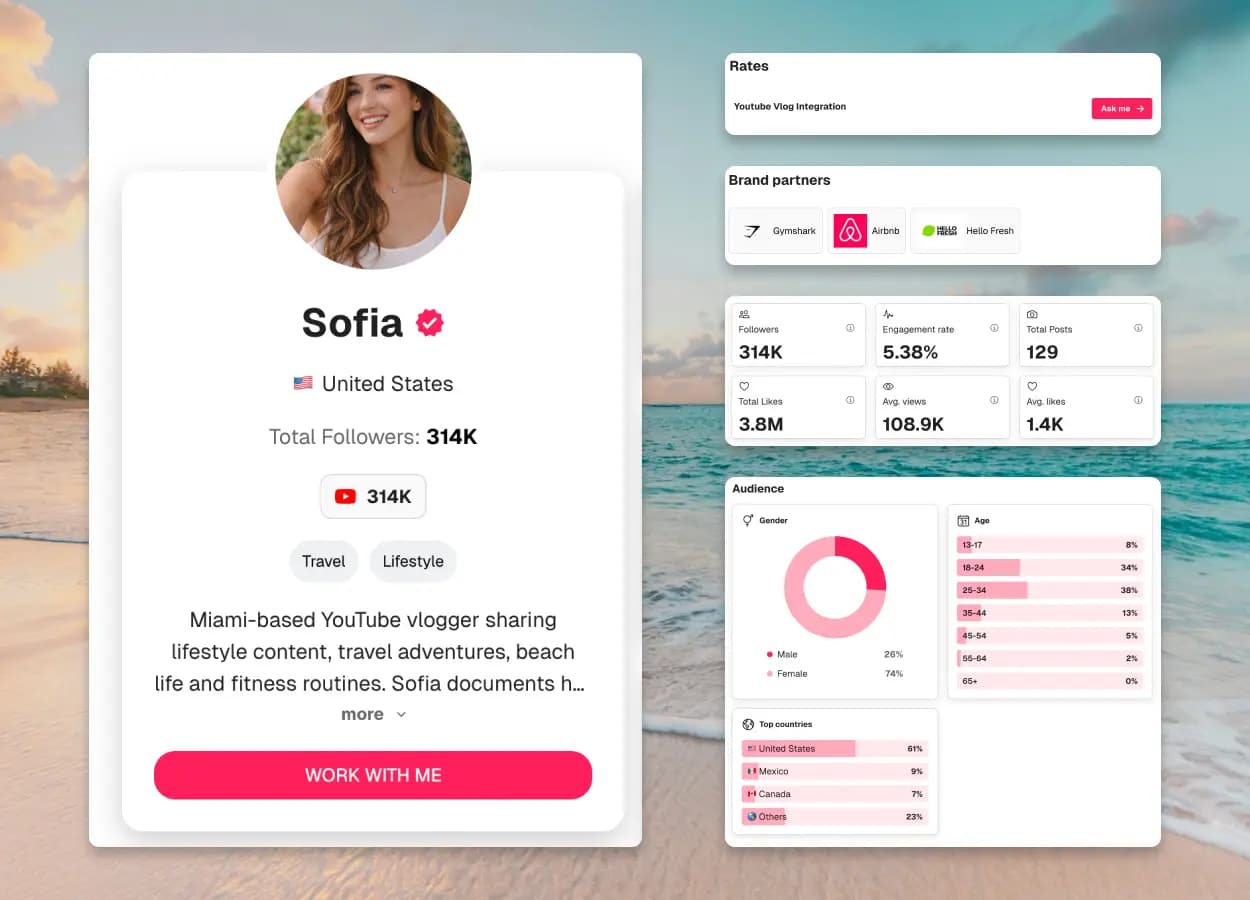
Subscribers
314K
Avg views / video
108.9K
Avg watch time
8m 36s
Monthly channel views
6.2M
Example creator profile and illustrative metrics
What is a YouTube media kit?
A YouTube media kit is a document or shareable webpage that introduces your channel to potential sponsors. It brings together your audience, typical video performance, content examples, and sponsorship options so brands can assess whether your channel fits their campaign.
YouTube Studio also offers a built-in Media Kit for Partner Program channels, downloadable as a PDF from the Earn tab. It is a good snapshot of your channel stats; a CreatorsJet kit adds what sponsors ask for next: your rates, past campaigns, other platforms and a link that stays current.
3 Real YouTube Media Kit Examples
Real creator kits with YouTube data and concrete examples to learn from. Some include several platforms: select YouTube in their statistics to see the relevant data.
CashInColor | Cashmere
Beauty · skincare
@cashincolor
What to look for
Dedicated videos and licensing
Compare a dedicated YouTube video with short-form content and a separately listed paid-media license.
Open YouTube exampletheknottygarden
Gardening · seasonal living
@TheKnottyGarden
What to look for
A specific sponsor integration
Look for the 60–90 second YouTube product-integration offer, supported by channel statistics and recent videos.
Open YouTube exampleAzizdrives
Automotive
@azizdrives
What to look for
Channel performance and content
Open the YouTube statistics to compare video and Shorts metrics and browse recent automotive videos.
Open YouTube exampleWhat to include in a YouTube media kit
Give sponsors a clear view of your channel, your viewers, and the placement they can book.
Your channel and niche
Your channel name, link, subject, and publishing formats. Explain what viewers come to you for.
Your audience
Subscribers, top countries, and available age and gender data. Date your audience snapshot.
Typical video performance
Average or median views from comparable uploads, plus retention or average view duration. State your sample and dates.
Videos and sponsor results
Link to relevant videos or integrations. Include tracked campaign results only when you can explain how they were measured.
Sponsorship formats and rates
Offer integrations, dedicated videos, Shorts, or livestream placements. Explain what each package includes.
Estimate your YouTube sponsorship rateContact and next step
A business email, availability, and a clear way to request a brief or quote.
How to show a YouTube sponsorship offer
Give sponsors a specific placement to discuss. Here’s how a services block in your media kit could look.
Example offer · adapt to your channel
60-second integration in one video
A sponsor segment inside a relevant long-form video.
What’s included
- 1 approximately 60-second sponsor segment
- 1 tracked link in the video description
- 1 round of sponsor-segment edits before publication
Pricing & terms
Rate available on request
Agree on placement, publishing date, and link duration. Quote paid usage rights and category exclusivity separately.
Show the YouTube metrics sponsors can compare
Keep long-form videos, Shorts, and livestreams separate. Subscribers provide context; comparable video performance helps explain the placement.
- Long-form videos
- Typical views · audience retention
- Shorts
- Engaged views · stayed to watch
- Livestreams
- Concurrent viewers · watch time
For example, report on your 10 latest comparable videos. State the date range and compare views at the same age after publishing; label Shorts views and engaged views separately.
- Average interactions per video
- 500
- Average views per video
- 20,000
- Engagement rate
- 2.5%
How is this calculated?
Use YouTube Studio for your source data. For a view-based engagement rate, one common calculation is:
((average likes + average comments + average shares) ÷ average views) × 100
Use the same video sample and reporting window for every input. State whether shares are included and label the view metric used. Keep Shorts and long-form separate; do not substitute subscribers for views.
YouTube Analytics guidanceWhat sponsors look for in a YouTube media kit
Audience fit
Do your viewers’ interests and locations match the campaign?
Realistic exposure
Show typical views for the video format a sponsor is buying.
Viewer attention
Use retention and relevant videos to explain how an integration fits.
A clear placement
Specify the segment, deliverables, usage terms, and next step.
How to make a YouTube media kit in 3 steps
Gather your YouTube Studio data and a few relevant videos, then turn them into a page sponsors can review.
Add your YouTube channel
Introduce your niche and audience. Add your channel alongside any other platforms relevant to sponsors.
Choose your proof and offer
Show comparable video results, relevant examples, and clear sponsorship packages. Personalize your presentation.
Review and share your kit
Check your links and mobile layout. Send the kit with your pitch and refresh the data before major proposals.
Why build your kit with CreatorsJet?
Channel proof in one place
Bring your audience, video examples, and sponsorship offer together.
Make it yours
Personalize your theme, bio, and services for your creator business.
One link for sponsors
Update your kit and reuse the same link in sponsorship conversations.
YouTube Media Kit FAQ
Does YouTube have its own media kit?
Yes. Creators in the YouTube Partner Program can view and download a media kit in YouTube Studio on desktop, through the Earn page. A separate web kit is useful for custom sponsorship offers, other platforms, and one shareable link.
Should I show subscribers or average views?
Show both, but give comparable video views their own context. State the number of videos, format, reporting dates, and time since publication. Subscriber count is not a guarantee of campaign views.
Should I combine Shorts and long-form statistics?
Keep them separate. Their viewing behavior and view metrics differ. For Shorts, label views and engaged views clearly; use the same definition when comparing videos.
What if I have never had a sponsor?
Show relevant organic videos, real channel data, and clearly labeled sample integrations. Explain your production approach without inventing clients or campaign results.
Should I include sponsorship rates?
List a starting rate for a well-defined placement, or offer a quote after the brief. Specify the segment, revisions, timing, and link duration. Price paid usage and exclusivity separately.
Should my YouTube media kit be a PDF or a web page?
A PDF works for attachments and application portals. A web page gives you a stable link that you can update. Use either or both, keep the numbers dated, and check the kit before sending a major pitch.
Keep building your media kit
Guides and examples for the next step, from what to include to the kit maker itself.
A guide to the sections, stats and rates brands expect.
See how creators present audience, past collabs and pricing.
Build a live media kit with stats that update automatically.
Estimate potential YouTube earnings based on views and engagement.
Ready to create your YouTube media kit?
Put your YouTube channel stats, proof, sponsorship options, and contact details in one page sponsors can review quickly.



