Your media kit, ready in minutes.
Give brands everything they need to know about you, in one link that stays up to date.
Create your media kitNo design skills needed. Live link ready in 60 seconds.



Trusted by 17,548 creators on CreatorsJet

TikTok
YouTube
Twitch
X (Twitter)
Threads
Snapchat
Trusted by the Creators You Follow
Join 17,548 creators using CreatorsJet to showcase their work, share their audience stats and pitch brands with one professional media kit.
Creators using CreatorsJet are seeing up to 4× more responses from brands.
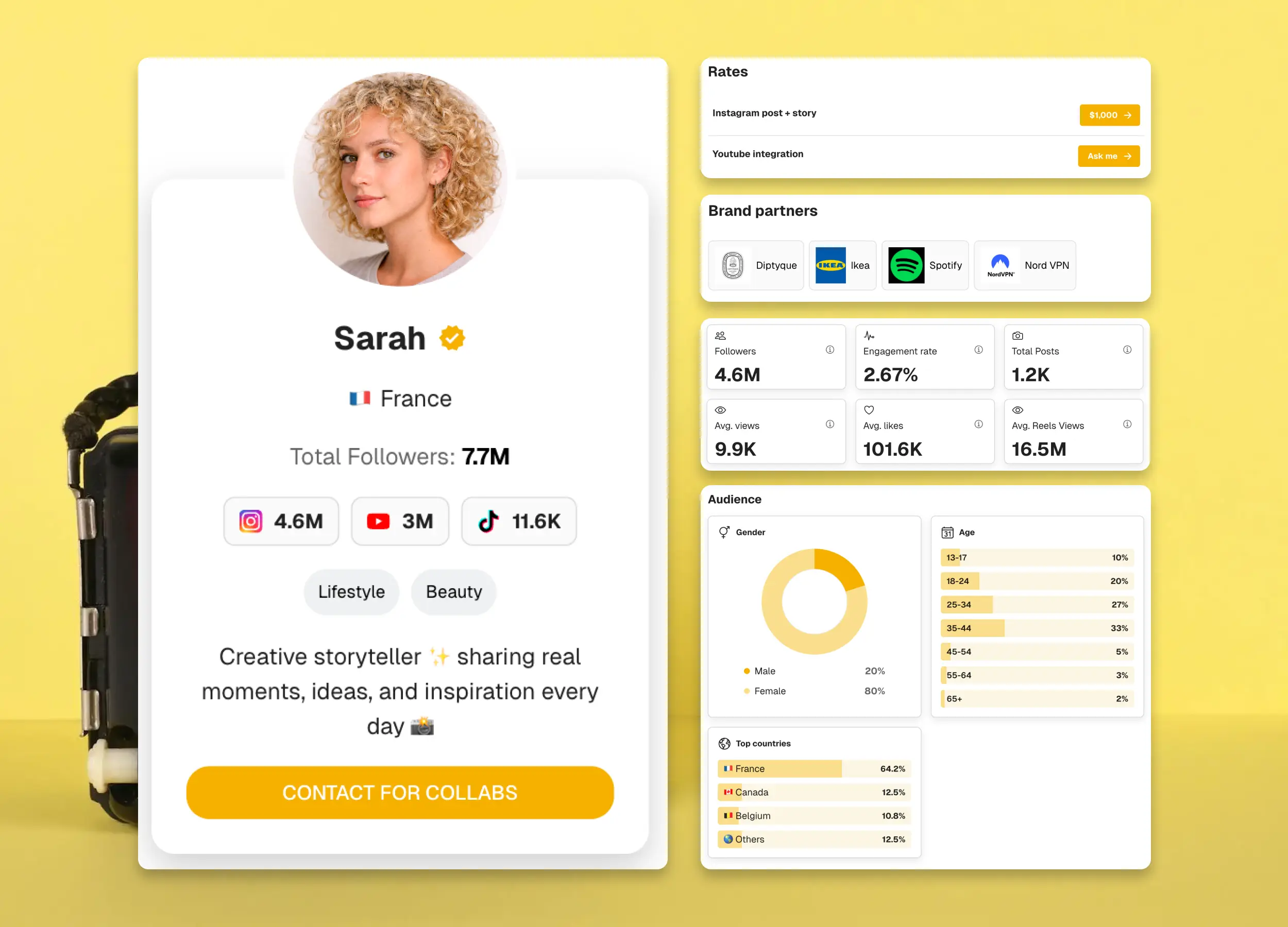
One link for every brand pitch.
Give brands a clear view of your work, audience and rates. Send one professional media kit with the details they need to start a conversation.
Your media kit link
cjet.me/yourname
Share your kit in pitch emails, DMs and partnership applications.
Your media kit, in three simple steps.
Show brands who you are, what you create and how to work with you.
Add your social profile
Start with the social profiles you want brands to see.
Show what sets you apart
Feature your best content, past brand collaborations and campaign results.
Share your link
Add your kit to pitch emails, DMs and your bio.
Why live media kits beat Canva, Notion & PDFs
Unlike Canva exports, Notion pages and PDFs, CreatorsJet stays current, trackable and ready to share from one link.
| Feature | Notion | Canva | CreatorsJet | |
|---|---|---|---|---|
Auto-syncs social statsFollowers, reach, and engagement stay connected to your profiles. | No | No | No | Yes |
Stays fresh before every pitchNo rebuilding the kit when your audience changes. | No | Manual | Manual | Yes |
Tracks brand views and clicksSee interest signals after you share your link. | No | No | No | Yes |
Built-in Work With Me CTAMove interested brands to email, booking, or your next step. | Basic | Manual | Manual | Yes |
One mobile review linkEasy to open, review, and forward on any device. | No | Yes | Yes | Yes |
Rates, collabs, and proofShow packages, past partners, and featured content. | Yes | Yes | Yes | Yes |
Build once, share everywhere, and keep your stats fresh automatically.
Real creators. In their own words.
Take a look at how creators introduce CreatorsJet to their communities.
A few things worth knowing.
Can I create a media kit for free?
Yes. The Free plan includes one customizable media kit with one social account. No credit card is required. Daily statistics updates are included with Starter and Pro.
Who is CreatorsJet for?
CreatorsJet is a media kit builder for content creators, influencers, athletes, musicians, artists, comedians, actors and models. It helps you showcase your content, audience stats, services, rates and past brand collaborations in one shareable link. Whether you’re pitching your first brand deal or managing ongoing partnerships, you can create a professional media kit without design skills.
How do I create my media kit?
Paste your public profile URL or @handle. CreatorsJet imports your profile, content and available stats. Add your rates, services and past brand work, then share your link.
Do I need to log in to my social accounts?
No. You can create your media kit from a public profile without sharing your social media password. You can also connect your social accounts to automatically import audience demographics and more detailed stats, where supported, or add audience information manually.
Which social platforms are supported?
You can add profiles from Instagram, TikTok, YouTube, X, Facebook, Twitch, Snapchat, Threads and LinkedIn. Available statistics vary by platform, and the number of social accounts you can add depends on your plan.
How often do my statistics update?
Starter and Pro include daily social statistics updates. The Free plan does not include recurring refreshes. Available statistics and audience insights depend on the platform and connected account.
How is this different from a Canva or PDF media kit?
Canva is built for flexible visual design. CreatorsJet is built specifically for media kits, bringing your social stats, rates, past work and brand inquiry form into one shareable page, with no design skills required. On Starter and Pro, supported social stats update automatically every day. Unlike an exported PDF, your live kit keeps the same link as you update it, so you don’t need to edit, export and resend a new file.
Can brands contact me through my media kit?
Yes. A built-in brand inquiry form is automatically added to your media kit, so potential partners can send you a collaboration brief directly from your page. You receive email notifications, and incoming deals are tracked in your dashboard.
Can I download my media kit as a PDF?
Yes. CreatorsJet lets you download your media kit as a PDF on the Starter and Pro plans. Use the PDF when a brand requests an attachment or you need an offline copy. The Free plan includes sharing your online media kit link, but not PDF export. A downloaded PDF is a snapshot: export it again after making changes, or share your live link so brands can see your latest kit.
Can I hide my media kit rates or ask brands to request pricing?
Yes. With CreatorsJet, you can display your collaboration rates or show “Ask me” instead of a price, so brands can contact you for a custom quote. You can also password-protect your media kit and share access with selected brands. This lets you discuss pricing based on the campaign scope and deliverables.
Your next brand pitch starts here.
Bring your content, audience and best work together in one media kit. Give brands a clear view of what you can offer.
No credit card required.
No social media password required.



