



These agency workflows require more than individual post scheduling. A social media management tool for agencies must keep each client’s accounts, approvals, and reports separate. It must also let clients connect profiles without sharing passwords. As the client roster grows, the tool’s pricing must remain affordable.
To compare these requirements, this comparison covers 12 established social media management tools for agencies. Each tool supports post scheduling across major social networks. However, the main differences concern plan features, pricing as client and team counts increase, and support for handling publishing failures. Prices reflect monthly billing in October 2026 unless stated otherwise.
The Best Social Media Management Tools For Agencies At a Glance
| Tool and best for | Main advantage | Main limitation |
|---|---|---|
| RecurPost: Small and mid-sized agencies | Approvals, client invites, and white-label reports on one $79 plan | No social listening; teammates past 3 cost $20 each |
| SocialPilot: Budget white-label reporting | 25 accounts and 6 users on Premium | Client features start at the $100 plan |
| Metricool: Agencies that also run ads | Meta, Google, and TikTok ads with organic scheduling | X costs $5 per account; approvals need Advanced |
| ContentStudio: Content curation teams | Discovery feeds and unlimited users on Agency Unlimited | White label is a $50 add-on |
| Sendible: Large teams | Unlimited users on every plan | White label only from the Elite plan, plus an add-on |
| Planable: Review-heavy teams | Per-post comments and multi-level approvals | Each client is a separately billed workspace |
| Buffer: Very small rosters | Simple per-channel pricing and a free plan | Clients need logins; no content recycling |
| Loomly: Structured approval routing | Assignment triggers and approval rules | No X publishing; big jump above 12 accounts |
| Agorapulse: Community management | Broad inbox coverage and ROI reporting | Priced per user |
| Vista Social: Reviews and DM workflows | Review management and multi-network DM automation | X is a $29 add-on; white-label on Scale |
| Sprout Social: Enterprise analytics | Listening, competitor insights, and customer care | $299 per seat for unlimited profiles |
| Hootsuite: Built-in listening | Talkwalker-powered listening and ads across networks | Approvals need the $399-per-user Advanced plan |
How These Social Media Management Tools Were Selected
This comparison assesses how social media management tools support agency workflows after client onboarding. These workflows include:
- Connecting accounts
- Planning content calendars
- Obtaining client approvals
- Publishing posts
- Responding to audiences
- Reporting results
The criteria used in the comparison are based on these workflows:
- Client Separation: Whether the workspaces or the brands keep every client's profiles, calendar, and inbox separate.
- Client Access: Whether clients can link accounts and review content without sharing passwords or needing a paid user seat.
- Publishing Options and Reliability: Whether tools support network-specific features, including comments, Reels tagging, TikTok settings, and Google Business Profile buttons, and how they alert teams when posts fail.
- Reporting: Whether the tools have reports that're good for clients, can send reports on a schedule, and have white-label branding.
- Cost as the Agency Grows: The monthly cost of 20 social profiles and 3 team members, rather than just the advertised starting price.
In addition to all of the above criteria, agencies must have clear account management procedures for their clients. As mentioned in CreatorsJet's guide on scaling an agency from 10 to 100 creators, having proper processes is important once the roster numbers increase. This holds true for agencies handling more social accounts for their clients as well.
1. RecurPost: Best Overall For Small And Mid-sized Agencies
RecurPost's social media management platform bills per social account rather than per seat, and its Agency plan includes client features that most tools reserve for higher tiers. For $79/month ($790 per year), agencies can get 20 social profiles, 3 users, and a workspace per client. This plan also comes with internal and external workflow approvals, password-free client onboarding, and white-label reports. In addition, agencies receive 5 shareable calendars that clients can comment on without logging in.
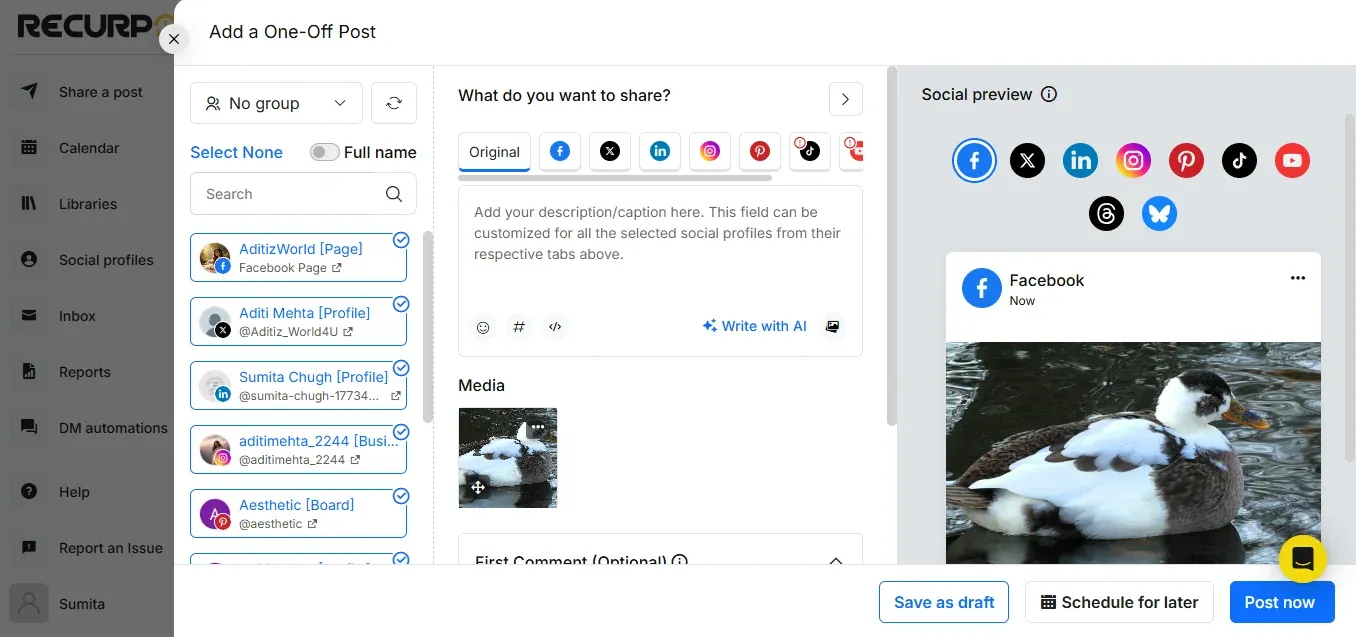
Clients can link to their own accounts through emails or link invitations. Therefore, the agency never stores a client password. After linking, the composer publishes content to 10 networks and allows network-specific settings for every single posting. These settings include:
- First comments on Facebook, Instagram, and LinkedIn
- Instagram collaborator and Reel tagging
- TikTok comment, duet, and stitch controls
- YouTube categories
- Google Business Profile buttons such as Book or Call Now
In addition to these settings, RecurPost handles more than 850 documented platform errors, such as oversized images, rejected video codecs, and tokens incorrectly flagged as expired. It also alerts the team when Google Business Profile rejects a post after initially accepting it.
RecurPost has some limitations in scope and team pricing. RecurPost has no social listening, and its inbox covers Facebook, Instagram, LinkedIn, and Google Business Profile. Teammates past the included 3 cost $20/month each. X charges $0.20 per link post, paid from a prepaid wallet; text-only posts are free.
Choose RecurPost if: Your agency manages around 20 or fewer client social accounts with a small team and requires approvals, client invitations, and branded reports without upgrading to a higher plan.
2. SocialPilot: Best for Budget White-Label Reporting
SocialPilot is an established, low-cost option for agencies. Its Premium plan costs $100/month or $85/month with annual billing and includes 25 social accounts, 6 users, and unlimited client seats. The plan also includes client approval workflows and white-label reports. Together, these features make SocialPilot Premium a suitable option for teams of 4 to 6 people.
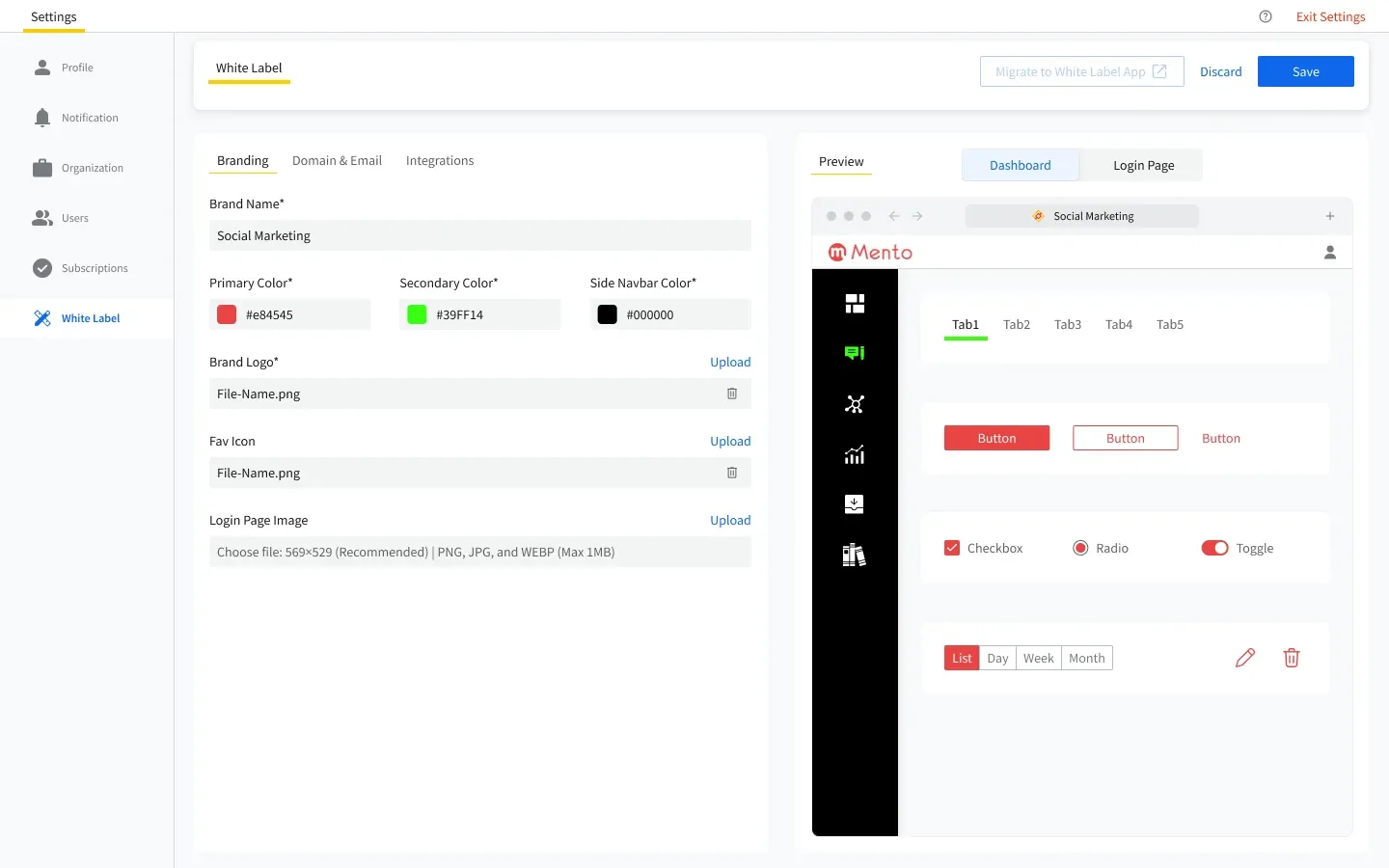
However, SocialPilot’s lower plans include fewer agency features. Essential ($30/month) excludes analytics and the inbox, while Standard ($50/month) excludes client management and white-label reports. For Google Business Profile review management, agencies require the separate SocialPilot Reviews product, starting at $30/month. SocialPilot also does not offer Instagram DM automation.
Choose SocialPilot if: Your team has 4 to 6 people and requires white-label reports at a low price, while review management and Instagram DM automation are outside your service scope.
3. Metricool: Best for Agencies That Also Run Paid Ads
Metricool combines scheduling, analytics, and ad management for Meta, Google, and TikTok in one dashboard. Moreover, it offers competitor analytics and SmartLinks link-in-bio pages, with Looker Studio integration available on higher plans. Together, these features suit agencies whose retainers include paid media.
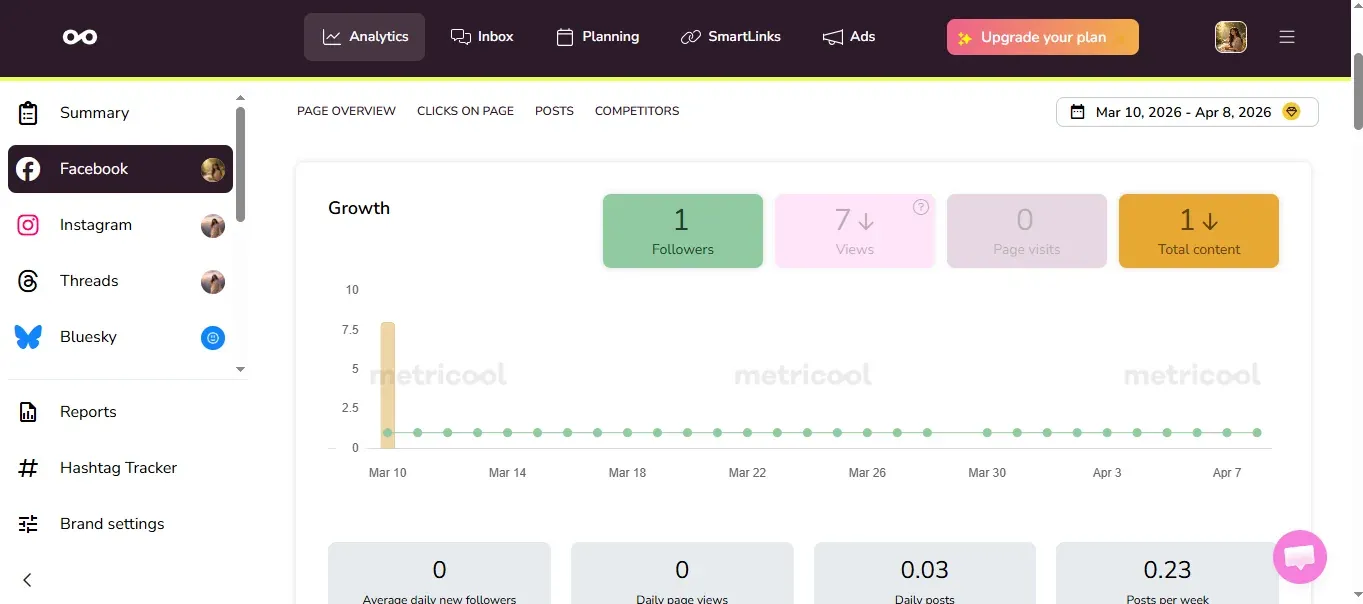
For these workflows, Metricool prices its plans by brand rather than by profile. Starter costs $25/month, while Advanced costs $67/month and is required for client approval workflows. Beyond the plan price, X costs $5/month per account as an add-on, and hashtag tracking costs $25 per network per day. Metricool also limits AI credits per brand and does not offer DM automation.
Choose Metricool if: Paid campaigns and competitor benchmarking matter as much as organic publishing to your agency.
4. ContentStudio: Best for Content Curation Teams
ContentStudio combines scheduling, approvals, analytics, and an inbox with a content discovery engine, RSS autoposting, and a browser extension. For agency teams, its Agency Unlimited plan costs $139/month and includes 25 social accounts, unlimited users, and unlimited workspaces.
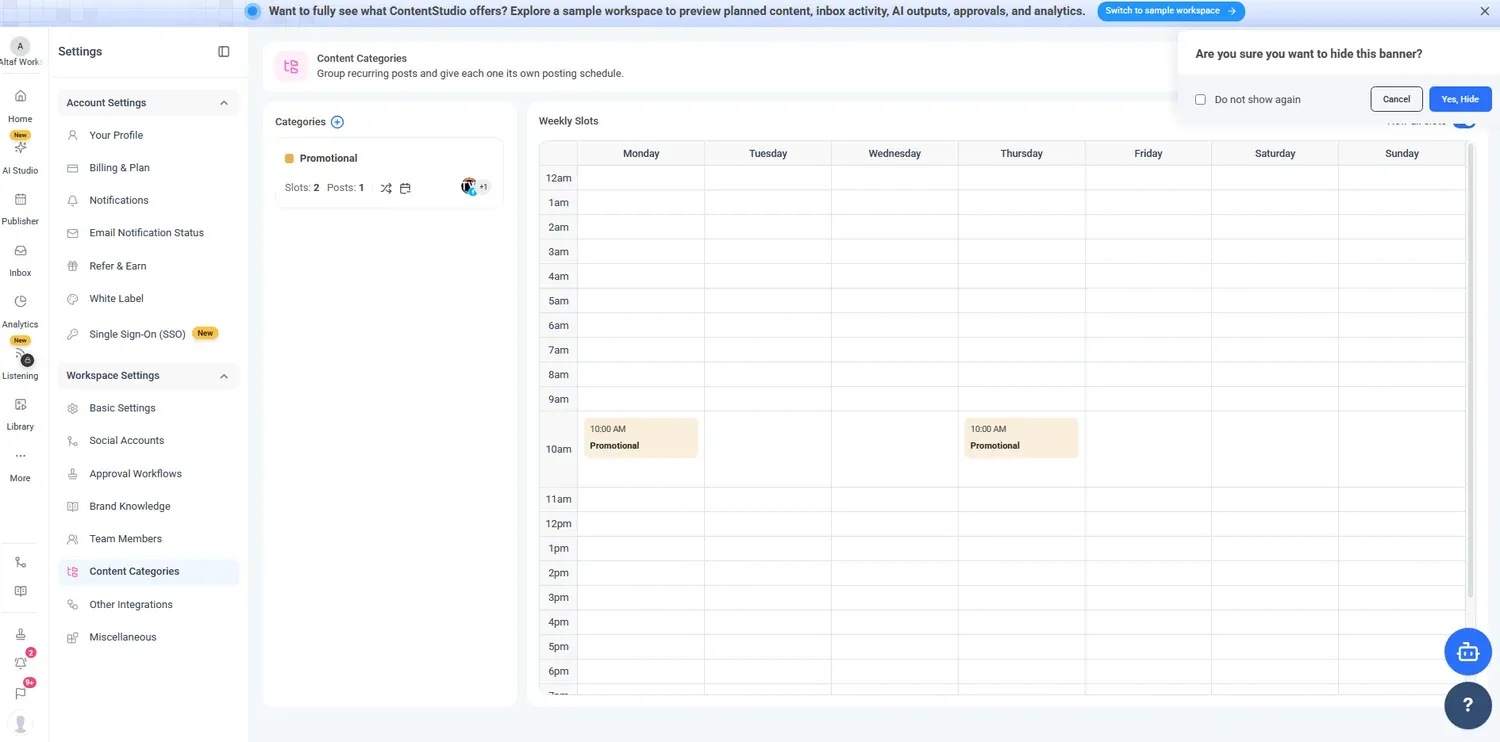
For client workflows, ContentStudio offers approvals on the Advanced plan at $69/month. However, EasyConnect, its password-free client onboarding feature, requires Agency Unlimited. Beyond the plan price, white-label branding costs $50/month, while social listening costs $99 to $150/month as an add-on. Scheduling also follows the workspace timezone rather than a separate timezone for each account.
Choose ContentStudio if: Your agency provides daily article curation or has a team of 9 or more people managing a modest number of social accounts.
5. Sendible: Best for Large Teams Managing Shared Client Accounts
Sendible organizes clients into workspaces and includes unlimited users on every plan. As a result, freelancers and client reviewers do not increase the subscription cost. For account setup, Client Connect lets clients connect accounts without sharing passwords.
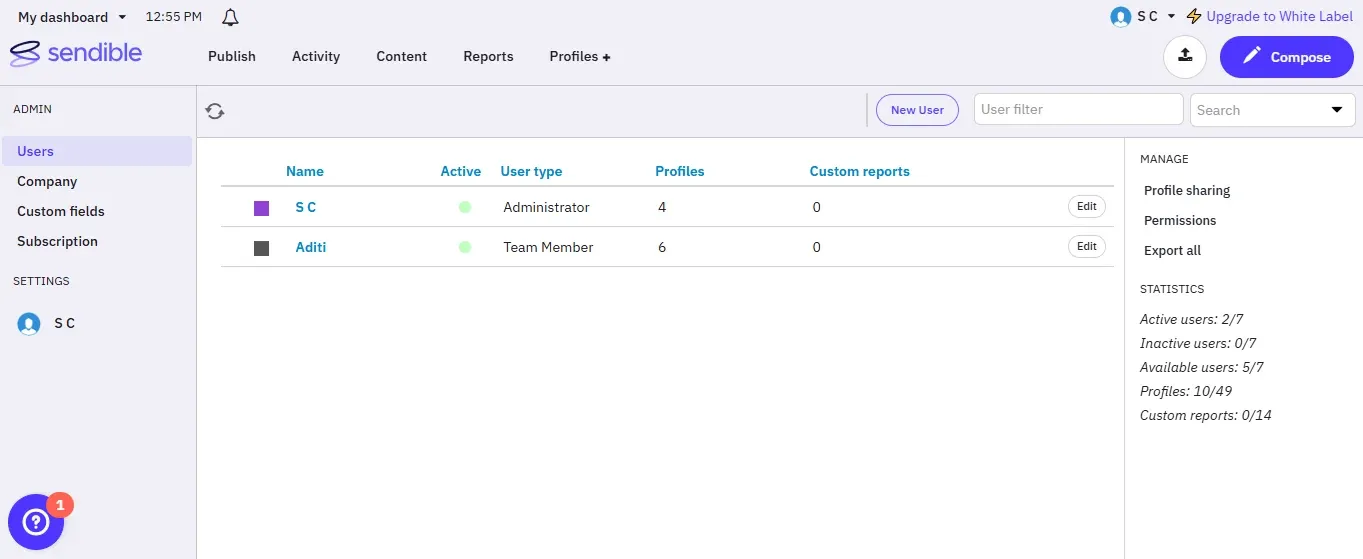
Each Sendible workspace holds 6 profiles. The Plus plan ($99/month) covers 18 profiles and includes approval, while Premium ($199/month) covers 42 profiles and adds content libraries and custom reports. For agencies that require a branded client dashboard, Sendible offers white-label branding as a paid add-on from the Elite plan. However, Sendible’s inbox does not support Instagram DMs, and scheduling uses one dashboard timezone.
Choose Sendible if: Your agency requires access for many users and includes a fully branded client dashboard in its services.
6. Planable: Best for Teams That Require Frequent Content Reviews
Planable focuses on collaborative review through per-post comments, @mentions, and approval settings. On Pro, approvals can be optional or required, while Enterprise supports multi-level approvals. Alongside social posts, Planable also supports planning for long-form content such as blogs and newsletters.
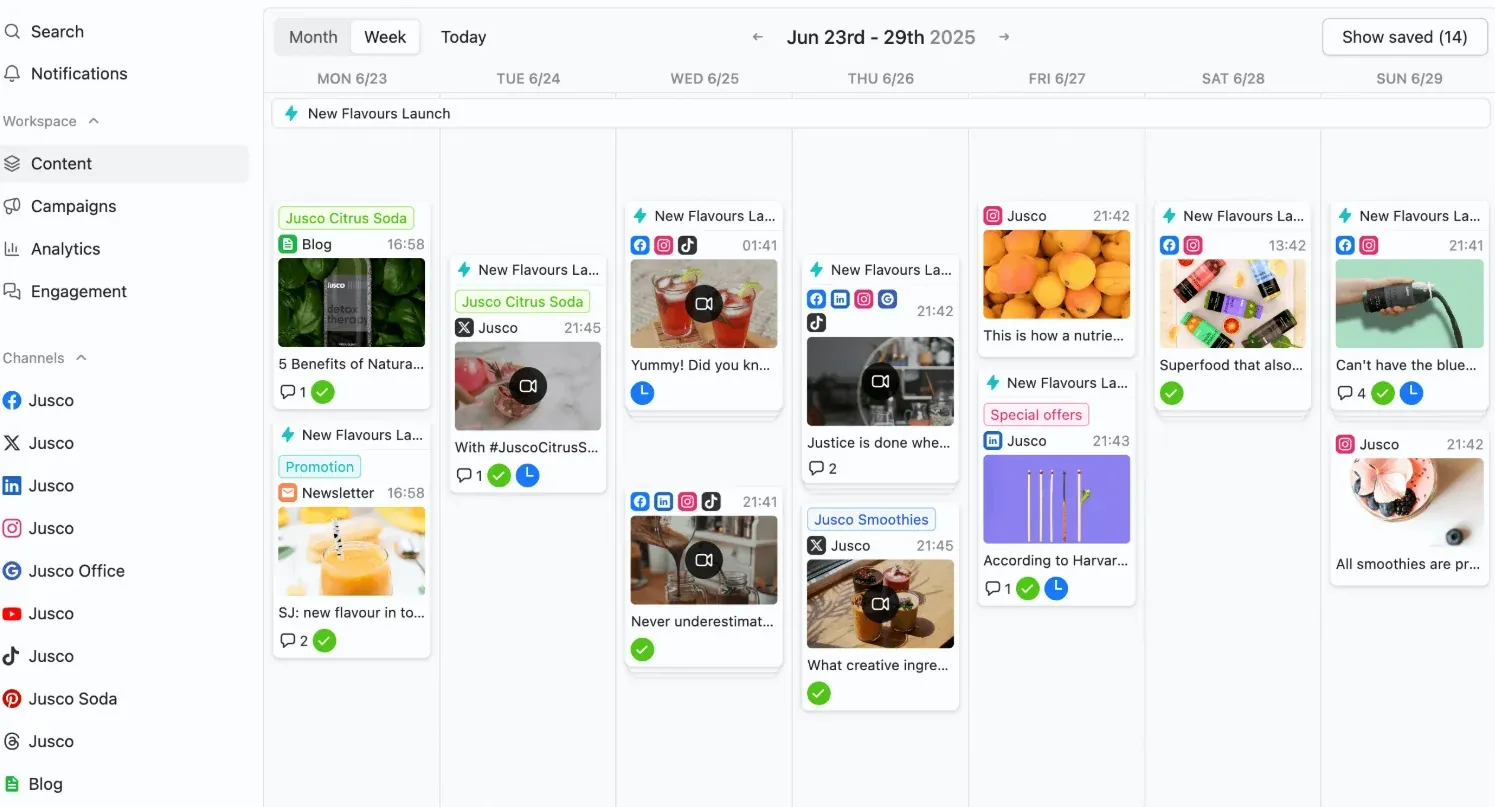
For these workflows, Planable charges per workspace and recommends one workspace per client. Basic costs $39/month and includes 4 pages and 60 posts per month, while Pro costs $59/month and includes 10 pages and 150 posts per month. Analytics ($14/month) and the inbox ($9/month) are separate add-ons for each workspace. However, Planable does not support publishing to Bluesky or posting X threads.
Choose Planable if: Many people review content for one brand, or approval discussions are the main cause of delays.
7. Buffer: Best for Agencies Managing Very Few Accounts
Buffer offers simple scheduling. Its free plan covers 3 channels, while Essentials costs $6 per channel per month. For teams that require approvals, the Team plan costs $12 per channel per month.
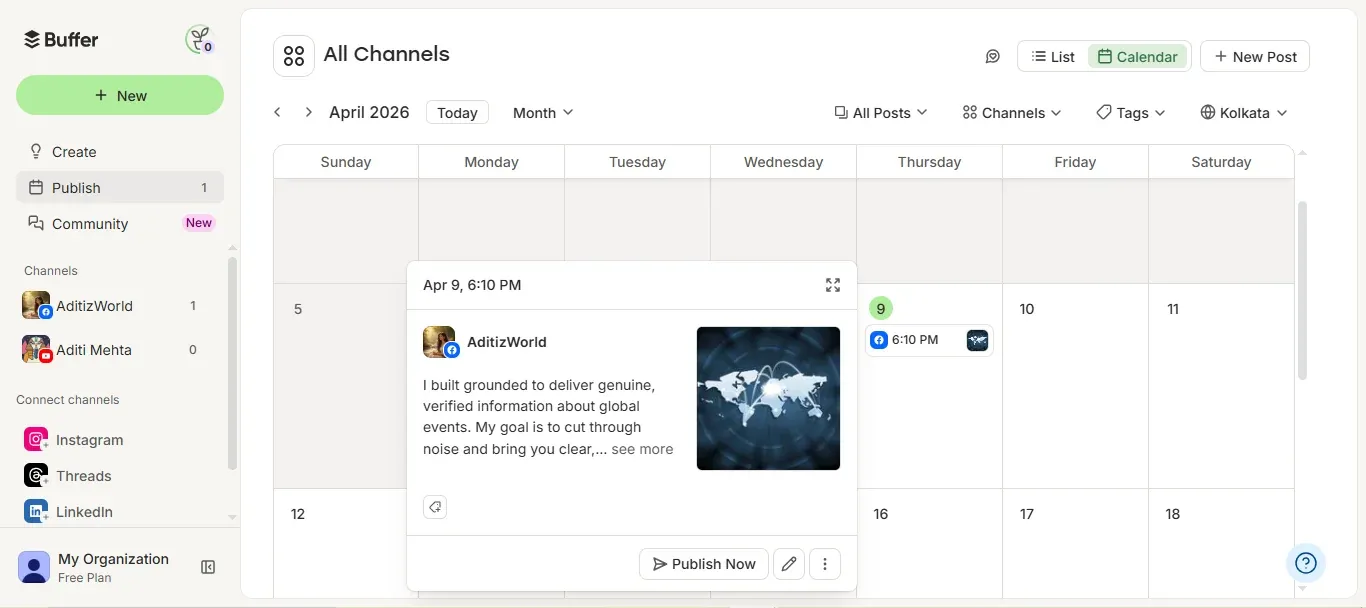
However, Buffer’s per-channel pricing increases costs as an agency adds accounts. For example, 20 channels on Team cost $240/month. For client reviews and approvals, clients require a Buffer login. Buffer’s community inbox also covers only Facebook and Instagram comments, while YouTube publishing is limited to Shorts. In addition, Buffer does not support content recycling.
Choose Buffer if: Your agency manages 3 to 5 accounts and values a simple interface over client workflows.
8. Loomly: Best for Structured Approval Routing
Loomly offers custom roles, assignment triggers, and state guards that prevent posts from advancing until defined conditions are met. Beyond these approval controls, Loomly also supports Snapchat, a platform supported by few schedulers.
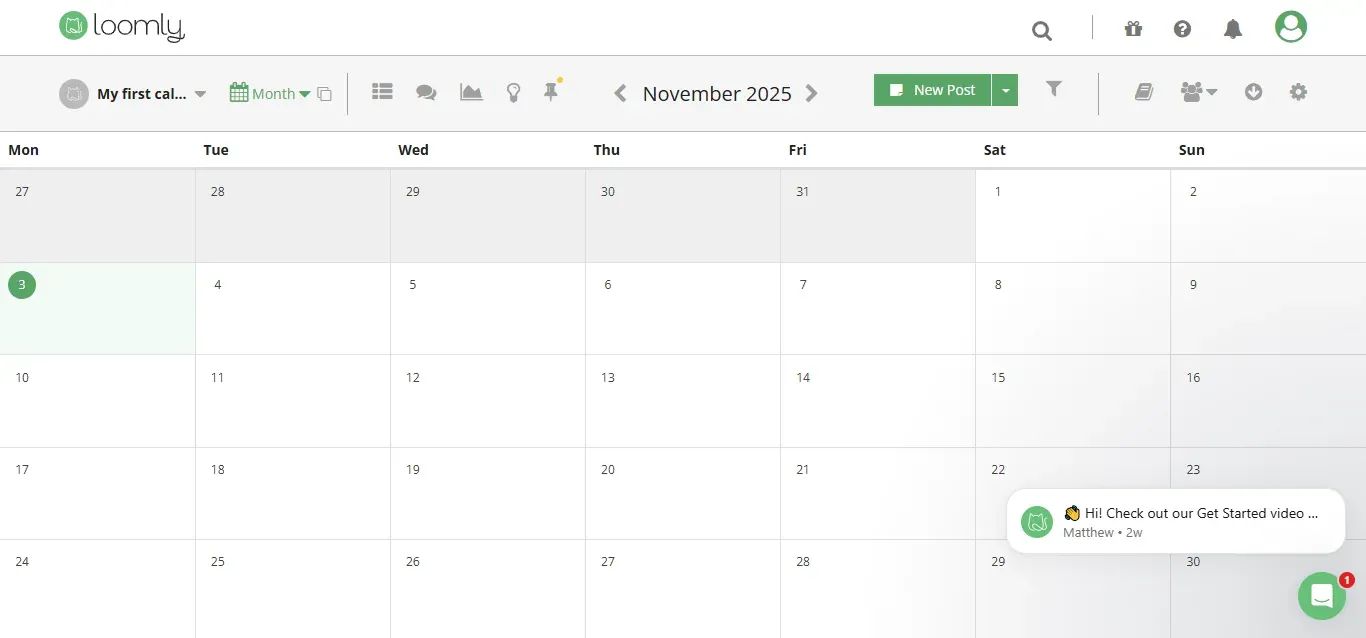
For these workflows, Loomly’s Starter plan costs $65/month for 12 accounts and 3 users. However, the next plan, Beyond, costs $332/month, with no intermediate plan or add-on available. As a result, adding a 13th account increases the subscription price roughly fivefold. Loomly also does not support publishing to X or Instagram DM automation.
Choose Loomly if: Your agency manages fewer than 12 accounts, your clients do not require X publishing, and approval routing rules are essential.
9. Agorapulse: Best for Community Management
Agorapulse offers one of the broadest social inboxes in this comparison. Its inbox covers:
- Comments
- Mentions
- DMs
- Ad comments
- Reviews across Threads, X, TikTok, YouTube, and other major networks
Alongside these engagement features, its ROI dashboard connects social activity to Google Analytics.
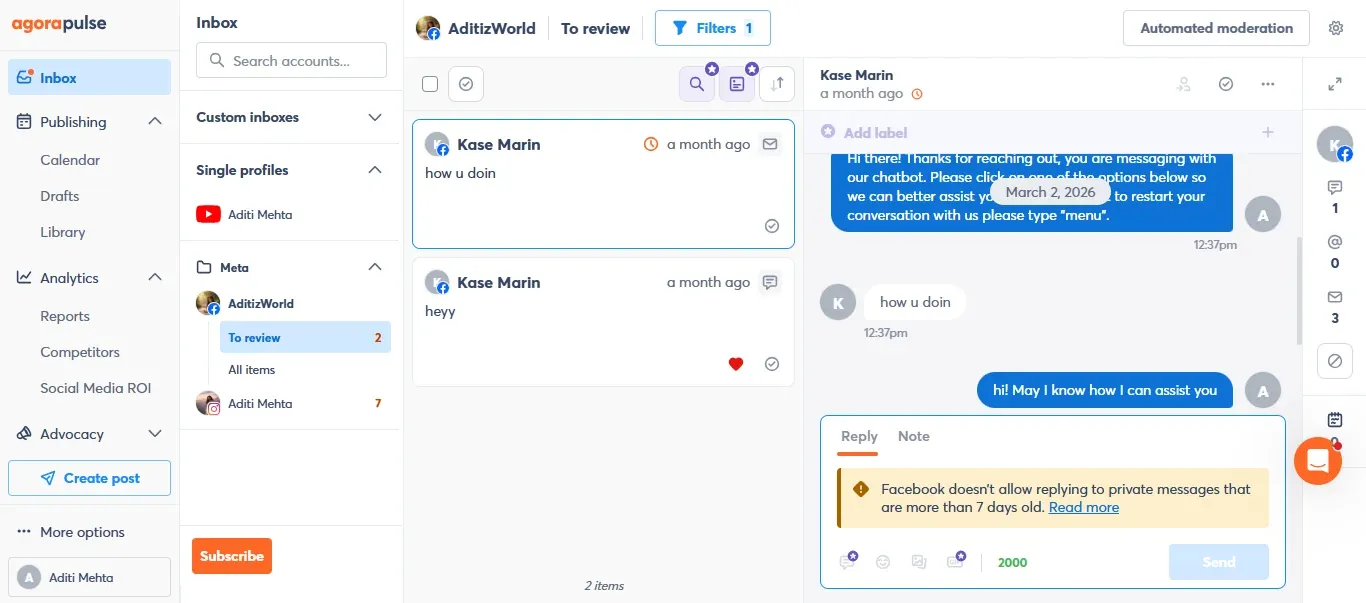
For these features, Agorapulse charges per user. Standard costs $99, Professional costs $149, and Advanced costs $199 per user per month. Each plan includes 10 social profiles, while extra profiles cost $10/month each. As a result, a 3-person team on Standard with 20 profiles pays $397/month. However, live chat, competitor benchmarking, and advanced reports require higher-tier plans.
Choose Agorapulse if: Your agency’s main service is community management, and response times are a priority.
10. Vista Social: Best for Reviews and Multi-Network DM Automation
Vista Social combines publishing with review management and a visual DM automation builder that supports several networks. Alongside these features, it offers Vista Page link-in-bio pages and paid ads on 6 networks.
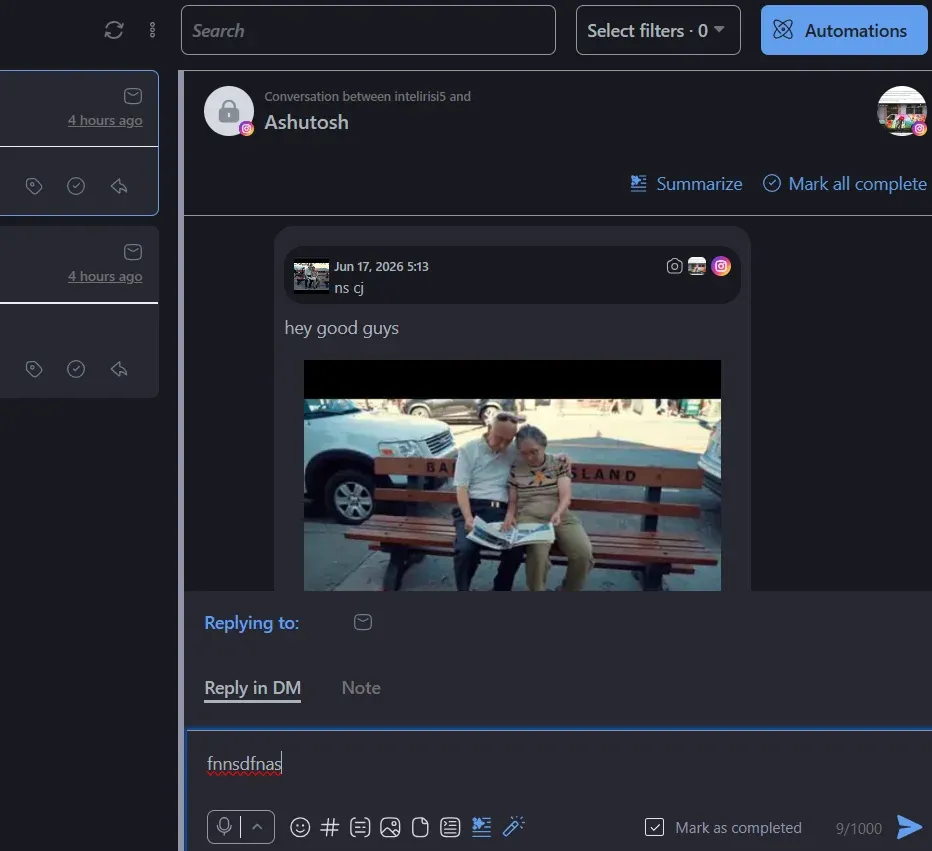
For these workflows, Vista Social offers Professional at $99/month for 15 profiles, Advanced at $199/month for 30 profiles, and Scale at $449/month for 70 profiles. Across all plans, X requires a $29/month add-on, while listening across social media, the web, and news costs $75/month as an add-on. White-label reporting is available on Scale and Enterprise.
Choose Vista Social if: Your clients prioritize review management and lead capture through DMs across several networks.
11. Sprout Social: Best for Enterprise Analytics
Sprout Social focuses on analytics, with competitor insights and paid performance insights. Alongside these features, it offers case management for customer care and review management across 8 platforms. For agencies that require social listening, Sprout Social offers Listening as an add-on.
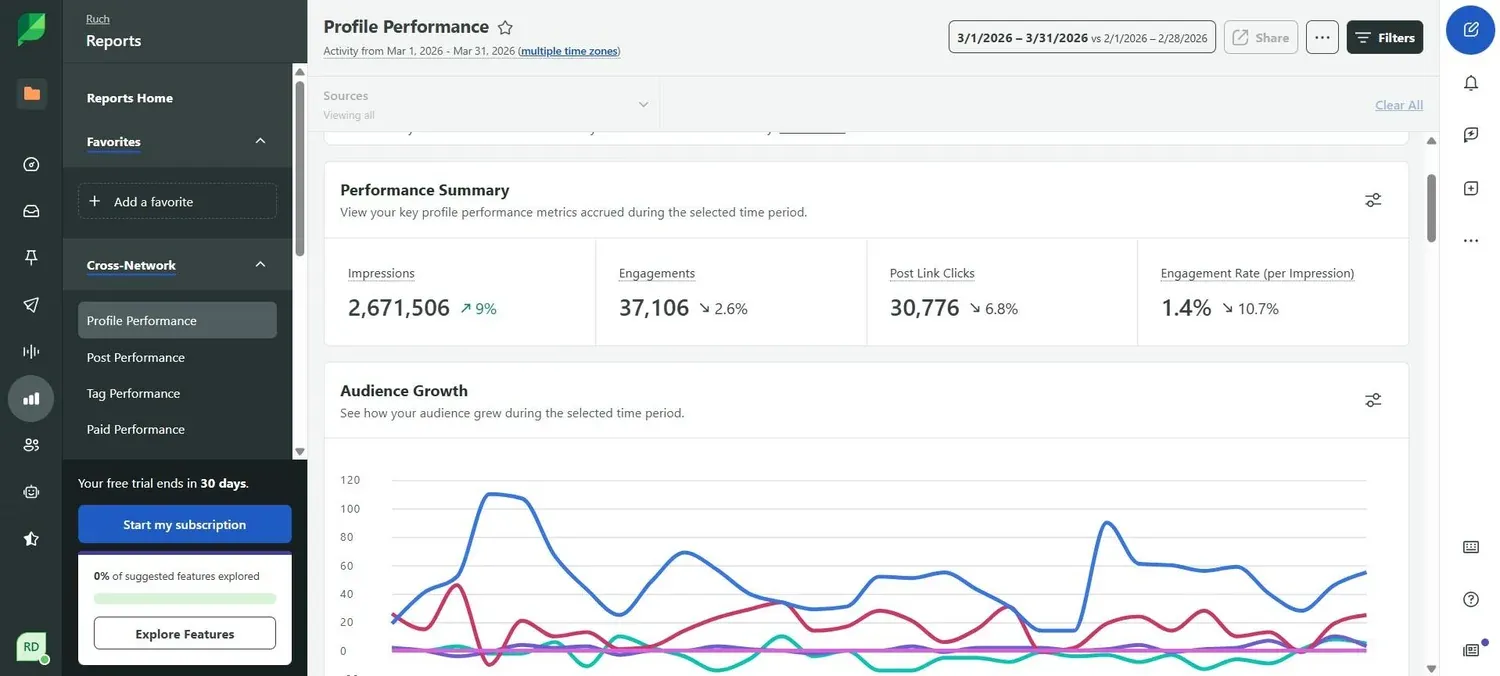
Sprout Social charges per seat with annual billing. Essentials costs $79 per seat per month, while Standard costs $199 per seat per month, and both plans support up to 5 profiles. As a result, most agencies require Professional at $299 per seat per month. 3 seats cost $897/month before add-ons. However, Sprout Social does not offer Instagram DM automation.
Choose Sprout Social if: Your clients pay for analytics, listening, or customer care, and your retainers cover per-seat pricing.
12. Hootsuite: Best for Built-In Listening
Hootsuite includes Talkwalker-powered listening and competitor benchmarking. Alongside these features, it offers ad management across Meta, LinkedIn, and X, plus a large app directory.
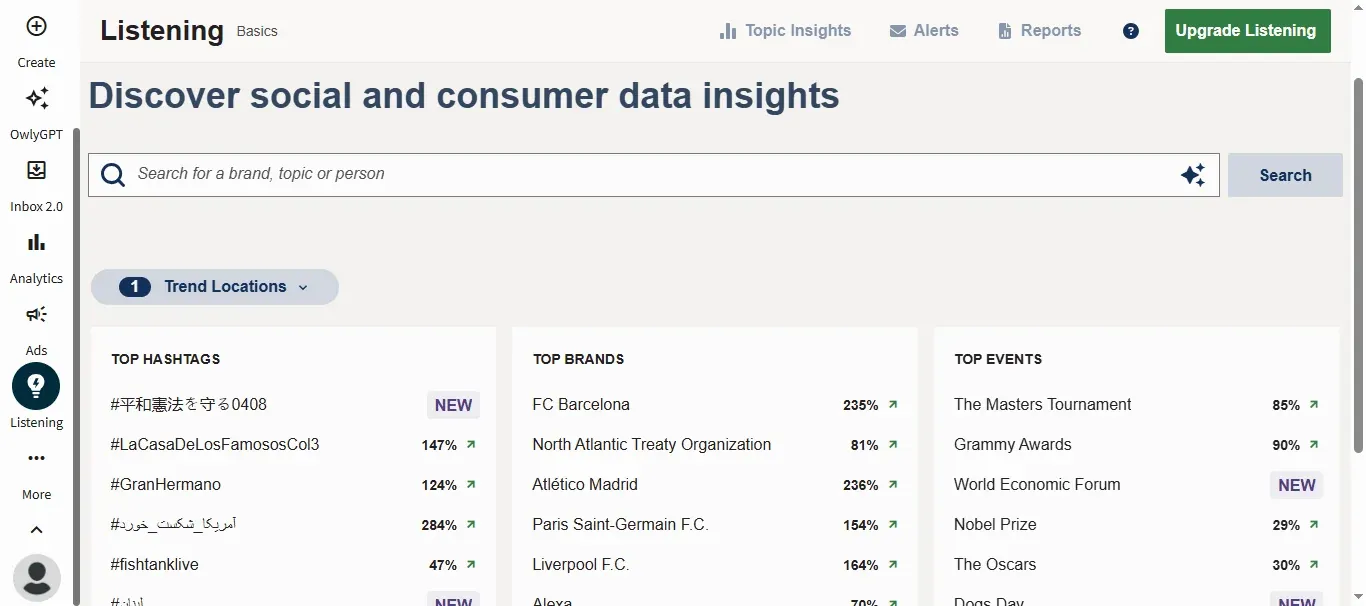
Hootsuite’s Standard plan costs $99 per user per month with annual billing and supports up to 10 accounts. Professional costs $199 per user per month, while approval workflows require Advanced at $399 per user per month. As a result, a 3-person agency that requires client approvals pays $1,197/month.
Choose Hootsuite if: Your agency includes listening and trend data in its services.
What These Tools Cost for a Typical Small Agency
Starting prices do not show the full cost difference between these tools. Therefore, the table below compares costs for one common setup: a 3-person agency with 5 clients, each using Facebook, Instagram, LinkedIn, and X (20 profiles), that requires client approvals, password-free client onboarding, and white-label reports.
| Tool / Plan needed | Monthly cost | Notes |
|---|---|---|
| RecurPost: Agency | $79 | Everything in this setup is included; X link posts cost $0.20 each |
| Metricool: Advanced + 5 X accounts | $92 | $67 + 5 × $5; no DM automation |
| SocialPilot: Premium | $100 | 25 accounts, 6 users; reviews are a separate $30 product |
| ContentStudio: Agency Unlimited + white label | $189 | $139 + $50 add-on |
| Planable: 5 Basic workspaces | $195 to $310 | Higher figure adds analytics and inbox |
| Sendible: Premium | $199+ | White label needs the Elite plan plus an add-on |
| Buffer: Team, 20 channels | $240 | $12 × 20; clients need logins |
| Loomly: Beyond | $332 | Starter caps at 12 accounts; cannot publish to X |
| Agorapulse: Standard × 3 users + 10 profiles | $397+ | Client features sit on higher tiers |
| Vista Social: Scale + X | $478 | $449 + $29; white label on Scale |
| Sprout Social: Professional × 3 seats | $897 | Annual billing; listening extra |
| Hootsuite: Advanced × 3 users | $1,197 | Approvals only on Advanced |
As the team grows, the cost difference increases. Adding a fourth and fifth teammate brings RecurPost’s total to $119/month because each additional member costs a flat $20/month. In contrast, tools with per-seat pricing charge for two additional seats. These two hires add $398/month on Agorapulse Advanced, $598/month on Sprout Social Professional, and $798/month on Hootsuite Advanced.
However, per-seat pricing can suit agencies with different service requirements. Sprout Social, Hootsuite, and Agorapulse price their plans for teams that provide listening, detailed analytics, or high-volume community management. For agencies focused on publishing and reporting for small and mid-sized clients, per-account pricing usually preserves more profit from each retainer.
Social Media Management Tools vs. Influencer CRMs
A social media management tool manages the Pages, profiles, and channels owned by an agency’s clients. In contrast, an influencer CRM manages creator relationships, rates, media kits, and sponsorship pipelines. Agencies that manage both client social accounts and influencer campaigns usually require both tools. For the creator side, the CreatorsJet comparison of influencer CRM tools for agencies and talent managers covers these options.
For talent managers who publish on behalf of creators, account type also affects scheduler selection. Meta limits automatic Story publishing through the Facebook Login API to Business accounts, as explained in the guide to Instagram Creator vs. Business accounts. Therefore, confirm which formats each tool publishes automatically and which require a mobile reminder.
How to Choose the Right Social Media Management Tool
Choose a social media management tool based on the services that earn your agency’s retainers rather than the length of its feature list.
- Choose RecurPost when the team is small and has mid-sized clients and needs approvals, client invites, and white-label reports all in one plan.
- Choose SocialPilot when the team has four to six members and wants low-cost white-label reports.
- Choose Metricool when paid ads and competitor analytics are part of the service offering.
- Choose ContentStudio when content curation is a core service or the team is large in size.
- Choose Sendible when many users need access and a branded dashboard is important.
- Choose Planable when approval conversations keep slowing things down.
- Choose Buffer when the team only manages a handful of accounts.
- Choose Loomly when approval routing rules matter, and X is not needed.
- Choose Agorapulse when community management is the deliverable.
- Choose Vista Social when managing reviews and automated multi-network DMs matters.
- Choose Sprout Social when clients expect enterprise analytics and customer care tools.
- Choose Hootsuite when listening and trend data is part of the service.
To check how those services work in practice, run each trial using an actual client instead of a test account. Connect all of that client's accounts, then plan a week of posts with network-specific settings. After that, go through the approval process for the posts and export the report that the client would receive. Before starting the trial, decide what metrics the report must include. For a starting list, refer to the CreatorsJet guide to five social media metrics worth tracking.
Final Recommendation
RecurPost is the best choice for small and mid‑sized agencies. For $79 per month, the Agency plan lets you set up 20 profiles and work with up to 3 team members, which fits what many growing agencies want. The Agency plan also gives you client approvals, password-free onboarding, and white‑label reports. If you want a cheaper option, SocialPilot and Metricool are the nearest alternatives. Once your team grows beyond 8 people, Sendible or ContentStudio may suit you better.
For agencies that need specialized features, Planable and Loomly work well for teams that handle frequent approvals. Agorapulse and Vista Social are better for teams focused on engagement. Meanwhile, Sprout Social and Hootsuite are ideal for agencies that offer listening and advanced analytics. So the best social media management tool is the one that cuts down on your agency’s tasks and stays affordable as your team and clients grow.