



Most creators check analytics only when a post performs unusually well or unusually badly. That is useful for curiosity, but it is not enough for brand deals. Brands want to know whether a creator can reach the right people, hold attention, drive action, and explain the result clearly.
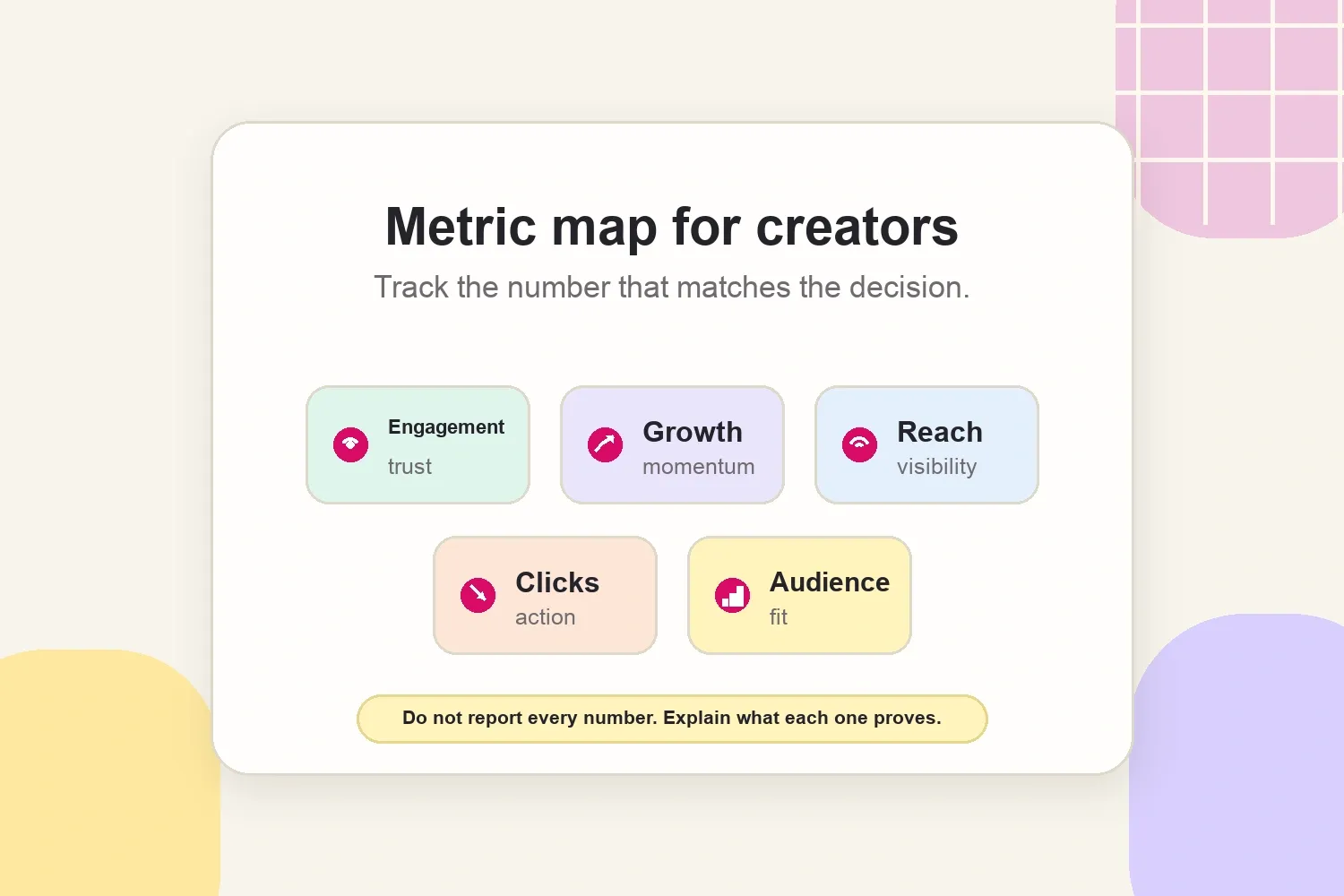
The five social media analytics worth tracking are engagement rate, reach and impressions, audience growth, click-through rate, and audience demographics. Follower count still gives context, but these metrics explain what the audience actually does.
The practical goal is not to collect every number inside Instagram, TikTok, or YouTube Studio. The goal is to know which metrics support content decisions, which ones support a media kit, and which ones belong in a campaign recap.
Use analytics to make decisions, not collect screenshots
Social media analytics become useful when each metric answers a real question. A creator does not need a 20-page dashboard to look professional. A creator needs a short set of numbers that connect performance to a decision.
For example, a beauty creator might use reach to show product discovery, saves to show routine interest, clicks to show shopping intent, and demographics to prove the audience matches the brand’s customer. A fitness creator might care more about watch time, shares, and repeat Story replies because those signals show whether the audience trusts the advice.
The best metric depends on the job the content was meant to do. Awareness content should be judged differently from affiliate content, launch content, or community-building content.
Track engagement rate, but read the quality behind it
Engagement rate is the easiest analytics metric to misunderstand. It is usually calculated as total engagements divided by followers or reach, then multiplied by 100. The exact formula can change by platform or reporting tool, so the useful habit is to compare it consistently, not switch formulas every week.
For creators, engagement rate matters because it shows whether the audience is reacting. Likes are useful, but they are usually the lightest signal. Comments, saves, shares, Story replies, profile visits, and watch behavior can say much more about trust.
When a brand reviews a creator, it is usually asking a practical question: does this audience actually pay attention? A creator with 18,000 followers and consistent comments from real people can look more credible than a creator with 180,000 followers and passive reach.
Use engagement rate to answer:
- Which formats make people respond, save, or share?
- Which topics create useful comments instead of empty reactions?
- Which posts prove that the audience trusts the creator’s recommendations?
- Which content examples should appear in a media kit or pitch?
This is also where context matters. A small creator in a specific niche may have a lower total audience but a highly responsive community. For more detail on how brands compare these signals, the article on engagement rate vs reach explains when each metric matters more.
Think like a brand auditing your account
A useful way to read analytics is to ask a sharper question: would a brand understand why this account is worth hiring?
Modern Millie’s account audit is a good example because it does not stop at follower count. The useful checks are engagement rate, average views compared with follower count, comment quality, audience authenticity, demographics, past collaboration performance, and platform fit. That is the same logic creators should use before sending a pitch or updating a media kit.
The exact benchmark is less important than the pattern. A brand may not choose the creator’s biggest platform by default. It may choose the platform with the best mix of engagement, views, audience fit, and usable content formats. A creator with one platform that drives trust and another that drives exposure can package both instead of treating every channel as equal.
Track reach and impressions to understand visibility
Reach and impressions are often grouped together, but they do different jobs. Reach shows how many unique people saw the content. Impressions show how many total times it appeared. A single person can create multiple impressions.
Reach is useful when the goal is discovery. If a brand wants more people to see a launch, a product feature, or a creator partnership, reach is one of the cleanest top-of-funnel signals. Impressions are useful when the same content keeps appearing or getting replayed, which can show repeat exposure.
Meta’s Instagram help documentation explains that account and content insights can be used to understand performance across posts and profiles: Instagram Insights help. For creators, the important part is not the dashboard itself. It is the pattern behind the numbers.
Read the relationship between reach and impressions like this:
- High reach, low engagement: the topic traveled, but the hook or audience fit may be weak.
- Low reach, high engagement: the existing audience cared, but distribution did not expand.
- High reach, high impressions: the content reached new people and earned repeat exposure.
- High impressions, low clicks: people saw the content, but the next action was unclear.
This is why reach should not be reported alone. A reach number is more useful when paired with engagement, saves, clicks, or follower growth.
Track audience growth to spot momentum
Follower count is a snapshot. Audience growth is the direction of travel. A creator who adds the right followers consistently is building momentum, even if the total audience is still modest.
Track growth weekly or monthly, not obsessively every hour. Short spikes can come from one viral post, a repost, a giveaway, a collaboration, or a platform push. The useful question is whether the new audience matches the creator’s niche and stays engaged afterward.
Creators should look at growth after:
- A collaboration with another creator.
- A post that reached outside the usual audience.
- A brand partnership or gifted campaign.
- A content series, challenge, or recurring format.
- A platform shift, such as posting more Reels, Shorts, carousels, or Lives.
The mistake is treating growth as automatically good. If a food creator suddenly gains followers from a meme that has nothing to do with food, the number may not help future brand deals. Relevant growth is more useful than random growth.
Track click-through rate when the goal is action
Click-through rate, or CTR, measures how often people clicked after seeing a link, sticker, button, profile link, or content card. It is one of the clearest metrics when a brand cares about traffic, signups, purchases, waitlists, downloads, or product page visits.
CTR is not the right metric for every campaign. A creator can do excellent awareness work without driving many clicks, especially if the product is expensive, offline, or not immediately shoppable. But when the collaboration includes a link, code, landing page, or Story sticker, CTR helps show whether the content moved people from attention to action.
YouTube’s help center describes impressions click-through rate as the share of impressions that turned into views from eligible surfaces: YouTube impressions CTR help. The same principle applies across creator reporting: CTR is only meaningful when the creator knows what counted as an impression, what counted as a click, and where the click happened.
Use CTR to improve:
- Hook and thumbnail clarity.
- Story link placement.
- Caption callouts.
- Product explanation.
- Landing page alignment.
- Whether a discount code, product name, or benefit is easy to understand.
For brand deals, report CTR with context. “1,200 clicks” sounds useful, but “1,200 clicks from 42,000 Story views after a product demo” is much easier for a brand to interpret.
Track audience demographics to prove brand fit
Audience demographics explain who is behind the numbers. Age, gender, location, language, and sometimes interests help a brand decide whether a creator reaches the right customer.
This is not about making the audience look perfect. It is about avoiding bad-fit campaigns. A creator may have excellent engagement, but if 70% of the audience is in a country where the product does not ship, the campaign may not make sense. A creator may have a smaller audience, but if the audience is highly concentrated in the brand’s target market, the partnership can be more relevant.
Useful demographic details include:
- Top countries and cities.
- Age ranges.
- Language mix.
- Gender split when relevant to the product.
- Audience interests or category fit when the platform provides it.
Put demographics in a creator media kit when they help the brand understand audience fit. Keep them clean and current. A screenshot from two years ago does not prove much.
Turn weekly analytics into a simple routine
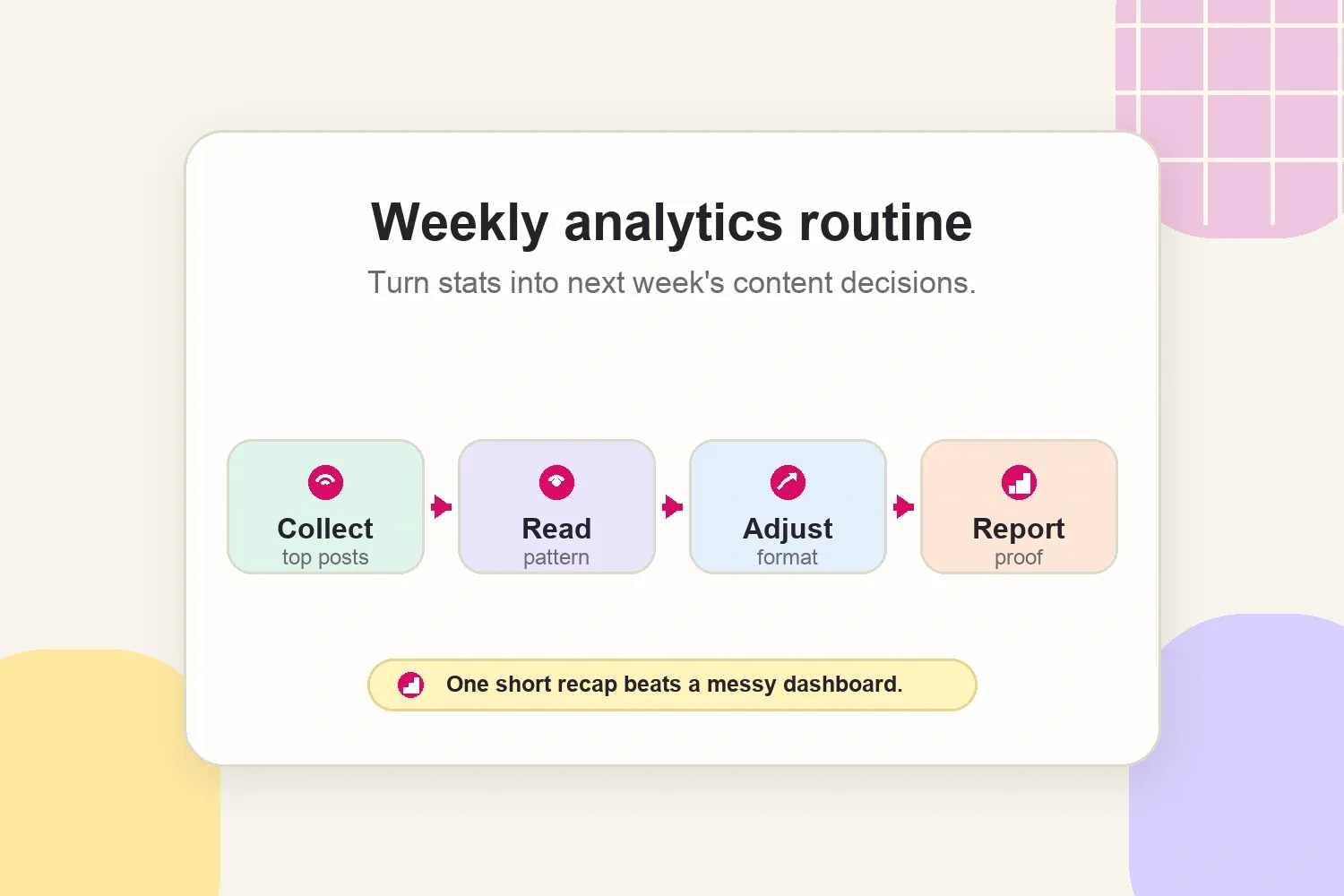
Analytics do not need to become a second job. The most practical rhythm is a weekly review that turns numbers into next steps.
Use this simple routine:
- Collect the top posts by reach, engagement, saves, clicks, and follower growth.
- Read the pattern: topic, format, hook, length, posting time, and audience reaction.
- Choose one adjustment for the next week, such as a clearer hook, more tutorial content, a different Story sequence, or a sharper link callout.
- Save one proof point that could be useful in a pitch, media kit, or campaign recap.
- Ignore numbers that do not support a decision.
The last step matters. A creator can drown in metrics that sound impressive but do not change anything. A short weekly insight is more useful than a long dashboard nobody reads.
Show analytics differently in a media kit and a campaign report
The same metric can be useful in two different places, but the framing should change.
In a media kit, analytics should help a brand decide whether to reply. Keep the numbers stable and easy to scan: average reach by format, engagement rate, audience location, audience age range, past brand examples, and a few standout content results.
In a campaign report, analytics should explain what happened after the post went live. The report should connect the result to the campaign goal: awareness, engagement, traffic, leads, sales, content value, or audience learning.
For awareness campaigns, pair reach with impressions, comments, saves, follower growth, and branded search when available. The guide on how to measure brand awareness goes deeper on that reporting logic.
For performance campaigns, pair clicks with Story views, link placement, product explanation, code usage, and any limitations. If the brand supplied a poor landing page or no tracking link, note that politely. The creator can report what was measurable without pretending every sale was visible.
Common analytics mistakes creators should avoid
The biggest analytics mistake is treating numbers as decoration. Brands do not need a pile of screenshots. They need a clear read on what happened and what it means.
Avoid these habits:
- Reporting follower count without audience fit.
- Reporting reach without explaining the campaign goal.
- Comparing engagement rate with a different formula every time.
- Highlighting one viral post as if it represents normal performance.
- Sending outdated screenshots.
- Ignoring content saves, shares, replies, or watch behavior.
- Reporting clicks without mentioning where the link appeared.
- Hiding weak results instead of explaining what changed.
Good analytics make a creator easier to trust. They show that the creator understands the audience, knows what content is working, and can explain performance without overclaiming.
The useful version of social media analytics
The useful version of social media analytics is not “track everything.” It is track the metrics that explain trust, visibility, momentum, action, and audience fit.
Engagement rate shows reaction. Reach and impressions show visibility. Audience growth shows momentum. CTR shows action. Demographics show fit. When those numbers are reviewed together, a creator can make better content decisions and give brands a clearer reason to say yes.