


An influencer pitch deck is the document a talent agency or manager sends a brand to present a selection of creators from its roster. It works when it follows a fixed order: a short agency intro, a roster overview, one slide per creator with audience, engagement, rates and past brand results, two or three case studies, ready-made packages, and a clear contact slide. It fails when the stats are old, the creator list is too long, or nothing proves results.
This guide covers the structure slide by slide, how to tailor the deck to each brand, the mistakes that get it skipped, and how to keep it current without rebuilding it every week.
What an influencer pitch deck is for
A deck built from your influencer roster answers one question for a brand manager: which of your creators should we book for this campaign, and why? It is a shortlist with evidence, not a company brochure. Solo creators pitching themselves use a one-creator version of the same idea; this guide covers the agency version, where the deck presents several creators at once.
It sits between two other documents agencies already use:
- The creator media kit describes one creator in full: every platform, all demographics, the complete rate card, every past partnership. It is the reference file the pitch deck takes its numbers from, and the guide to the influencer media kit covers what a complete one includes.
- The agency credentials deck describes the agency itself: services, team, clients, process. It is what you send when a brand is choosing an agency, not creators.
The pitch deck borrows from both. It takes a few creators, pulls only the parts of each media kit that matter for this brand, and adds just enough agency context to make the selection credible.
Agencies send one in three situations: in reply to a brand brief, as a proactive pitch when a brand is clearly buying creators in your niche, and before a renewal, when the brand already knows you and wants options for the next quarter. The structure stays the same in all three. The selection and the order change.
The slide-by-slide structure
Ten to fifteen slides is a practical range for a deck featuring five to eight creators. Every slide below has one job, and anything that does not serve that job can go.
| Slide | What goes on it | Length |
|---|---|---|
| Agency intro | Name, positioning line, roster size, and two or three past brands | One slide |
| Roster overview | Photo, name, main platform, followers, engagement rate, and niche for each creator | One slide |
| Creator slides | Audience, engagement, rates, and past brand results for one creator | One per creator, two at most |
| Case studies | Brand goal, content made, and results against the creator's usual numbers | Two or three slides |
| Packages and pricing | Two or three defined offers with deliverables, usage rights, and price | One slide |
| Contact and next step | One contact person, the next step, and the date of the data | One slide |
1. Agency intro
One slide. The agency name, a one-line positioning statement ("we represent food and home creators across the UK and France"), the size of the roster, and two or three brands you have worked with. A brand manager should understand in ten seconds who is pitching and why the creators that follow belong together.
Skip the founding story, the mission statement, and the team photos. They belong in a credentials deck.
2. Roster overview
One slide that shows the selection at a glance before the detail. For each featured creator: photo, name, main platform, follower count, engagement rate, and niche in a few words. A simple grid works better than a paragraph.
This slide is the one many brand managers screenshot and forward internally, so it should make sense without the rest of the deck.
3. One slide per creator
This is the core of the influencer pitch deck. Keep the same layout for every creator so a brand can compare them side by side.
- Who they are. Photo, handle, platforms, niche, location, and a two-line description of the content and its tone.
- Audience. Follower count per platform, top countries, age range, and gender split. Highlight the part of the audience that matches the brand's target, for example "62% of viewers aged 25 to 34, 71% in the US."
- Engagement. Engagement rate, average views or reach per post in the format you are pitching, and saves or shares if they are high. State the period the numbers cover.
- Rates. Either a starting price per deliverable or a "from" price for a package. Some agencies leave rates out of cold pitches and share them on request; in reply to a brief with a budget, include them.
- Past brand results. Two or three relevant collaborations with one number each: views against the creator's usual, clicks, code uses, or a renewal. A brand logo alone is not a result.
Here is what a filled-in creator slide can look like as text, before any design work, for a deck sent to a food brand:
| Field | Example |
|---|---|
| Creator and niche | @weeknight.kitchen, quick family recipes, based in Austin, Texas |
| Audience match | 118K on Instagram and 64K on TikTok, 58% aged 25 to 44, 74% in the US |
| Engagement | 4.1% engagement rate on Reels and 38K median views per Reel, last 90 days to October 1 |
| Proposed idea | Three Reels using the brand's sauces in 15-minute weeknight dinners |
| Rate | From $2,400 per Reel with 30 days of organic usage rights |
| Past brand result | Meal kit brand, 2.3 times the usual saves, renewed for a second quarter |
If a creator needs more than two slides, link to their full media kit instead.
4. Case studies
Two or three campaigns told in a short, consistent format: the brand and its goal, what the creator made, the results against the creator's usual numbers, and what the brand did next. Pick campaigns close to the brand you are pitching in category, budget, or objective.
A good case study is short enough to read in thirty seconds. The guide on how to turn brand deal results into a creator case study covers what to collect during a campaign and how to present numbers when a contract limits what you can share.
5. Packages
Brands buy faster when they can choose between a few defined options instead of building an offer from a rate card. Two or three packages are enough:
- Single creator. One creator, a set of deliverables, a price, and a timeline.
- Multi-creator campaign. Three to five creators from the deck posting within the same window, with a combined reach estimate.
- Always-on. One or two creators over three to six months, with a monthly deliverable count and a lower unit price.
State what each package includes: deliverables, usage rights duration, exclusivity, number of revisions, and reporting. Unclear usage rights are one of the most common reasons a deal stalls after the first reply.
6. Contact and next step
One name, one email, one phone number or booking link, and the next step in a sentence: "Reply with the creators you want to shortlist and we will confirm availability within 48 hours." Add the date the deck was prepared so the brand knows how fresh the numbers are.
How to tailor the deck to each brand
A generic roster deck sent to every brand reads as a catalogue. Tailoring does not mean rebuilding the deck. It means changing four things:
- The selection. Start from the brief or, without one, from the brand's recent creator partnerships. Keep only creators whose audience matches the brand's market and whose content would plausibly carry the product. Five to eight creators is enough for most briefs.
- The order. Put the closest match first. Brand managers often read the first two creator slides closely and skim the rest.
- The highlighted numbers. A skincare brand wants the age and gender split and saves; a software brand wants clicks and the share of the audience in its target countries. Lead each creator slide with the metric this brand will judge the creator on.
- One idea per creator. A single line on how this creator would feature this product: "a 30-day routine series on TikTok" or "an integration in the weekly grocery haul video." It shows the deck was built for this brand.
Tailoring is wasted if the deck lands with the wrong person. Send it to whoever runs influencer marketing or creator partnerships at the brand, not to a generic inbox. The brief usually names that person; when it doesn't, a contact directory like Find Sponsors shows who holds that role at a given brand.
The deck rarely travels alone. Pair it with a short email that names the brief or the reason for reaching out and the two creators you most want the brand to look at first. A brand pitch email generator gives you a first draft to adapt with the creators and numbers from the deck.
Mistakes that make brands skip an influencer roster deck
Brand managers receive many decks for every campaign. These are the patterns that get one closed after the first slide.
- Outdated stats. Follower counts from six months ago, engagement rates from a viral month, demographics from before a creator changed format. Brands check, and one wrong number makes them distrust every other figure in the deck.
- Too many creators. A deck with 25 creators tells the brand the agency did not read the brief. It also pushes the work of selection back to the brand, which is the work they expected the agency to do.
- No proof. Only follower counts and logos, no results. Without views against a baseline, clicks, or renewals, the deck asks the brand to take the agency's word for it.
- Inconsistent creator slides. Different metrics, periods, and layouts for each creator make comparison impossible and look assembled in a hurry.
- Missing rates or rights. When a brand has shared a brief and still cannot estimate the cost or what it is allowed to do with the content, the deck goes to the bottom of the pile.
- A heavy attachment. A 40 MB PDF that bounces or a link that requires a login. Send a light PDF or a link that opens directly.
Building the deck manually
Most agencies start in Google Slides, Canva, Keynote, or PowerPoint. The manual process looks like this:
- Build a master template with the six sections above and a fixed creator slide layout.
- Collect stats from each creator, either by asking for screenshots or by reading the native analytics: Instagram Insights, TikTok Studio, and YouTube Analytics for audience and view data.
- Copy the numbers into each creator slide, with the date of the data.
- Duplicate the master for each brand, remove the creators who do not fit, reorder, and adjust the highlighted metrics and ideas.
- Export to PDF and send it with the pitch email.
This works for a handful of creators and a few pitches a month. It breaks as soon as the roster grows. Every pitch needs fresh numbers, so the stats collection repeats, creators get chased for screenshots, several versions of the same deck circulate with different figures, and nobody is sure which file is current. Once the roster passes a few dozen creators, updating decks can take more time than pitching. The guide on how agencies can scale from 10 to 100 creators shows where this kind of manual work becomes the bottleneck.
Keeping every deck updated automatically with a talent agency CRM
The alternative is to store creator data once and generate decks from it. That is what a talent agency CRM like CreatorsJet does for rosters, media kits, and pitch decks.
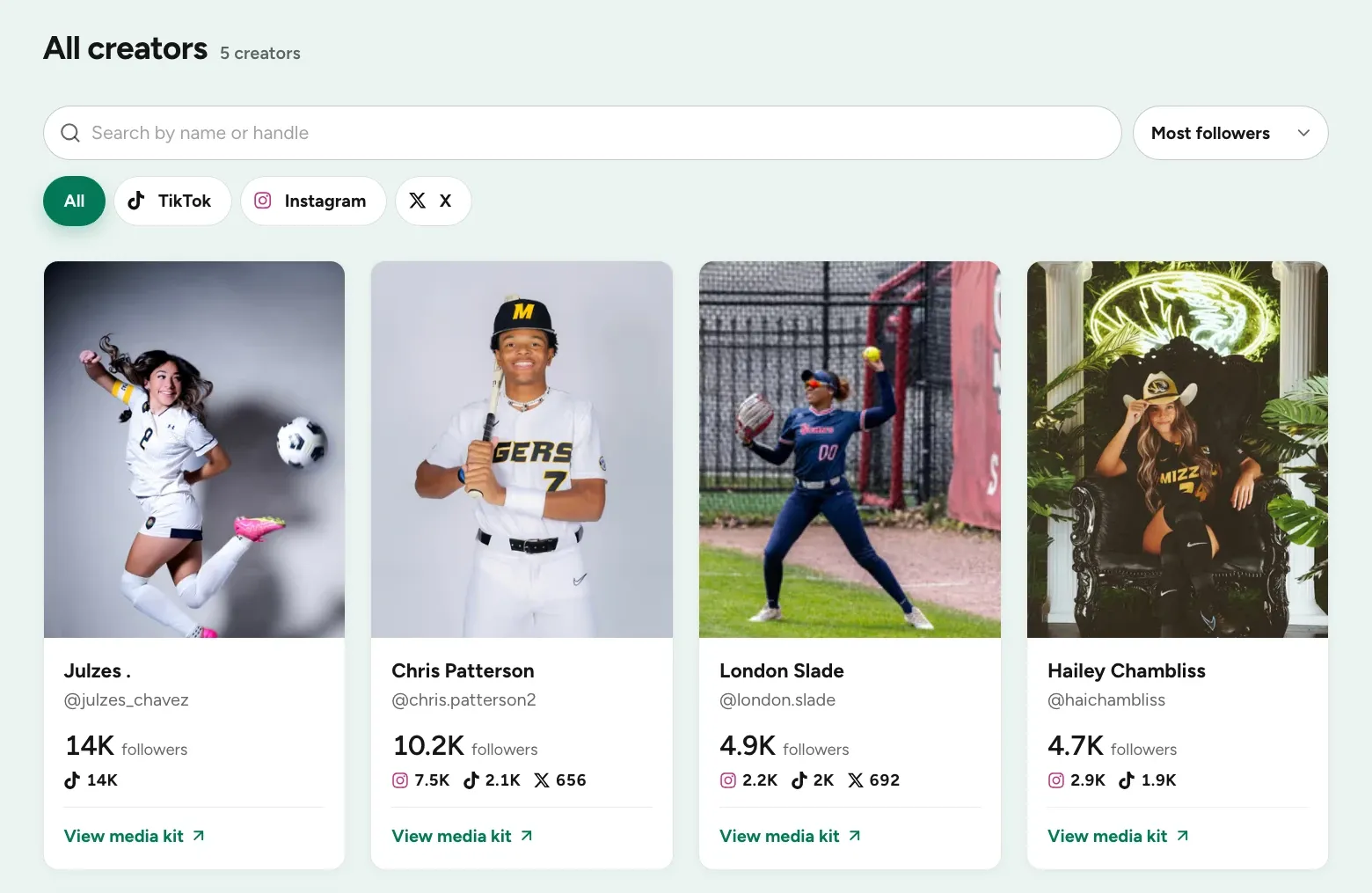
One live influencer roster. Each creator's profile, connected social accounts, top content, and past collaborations live in one place. Stats refresh daily instead of when someone remembers to ask, and the whole roster can be shared with brands as a public page.
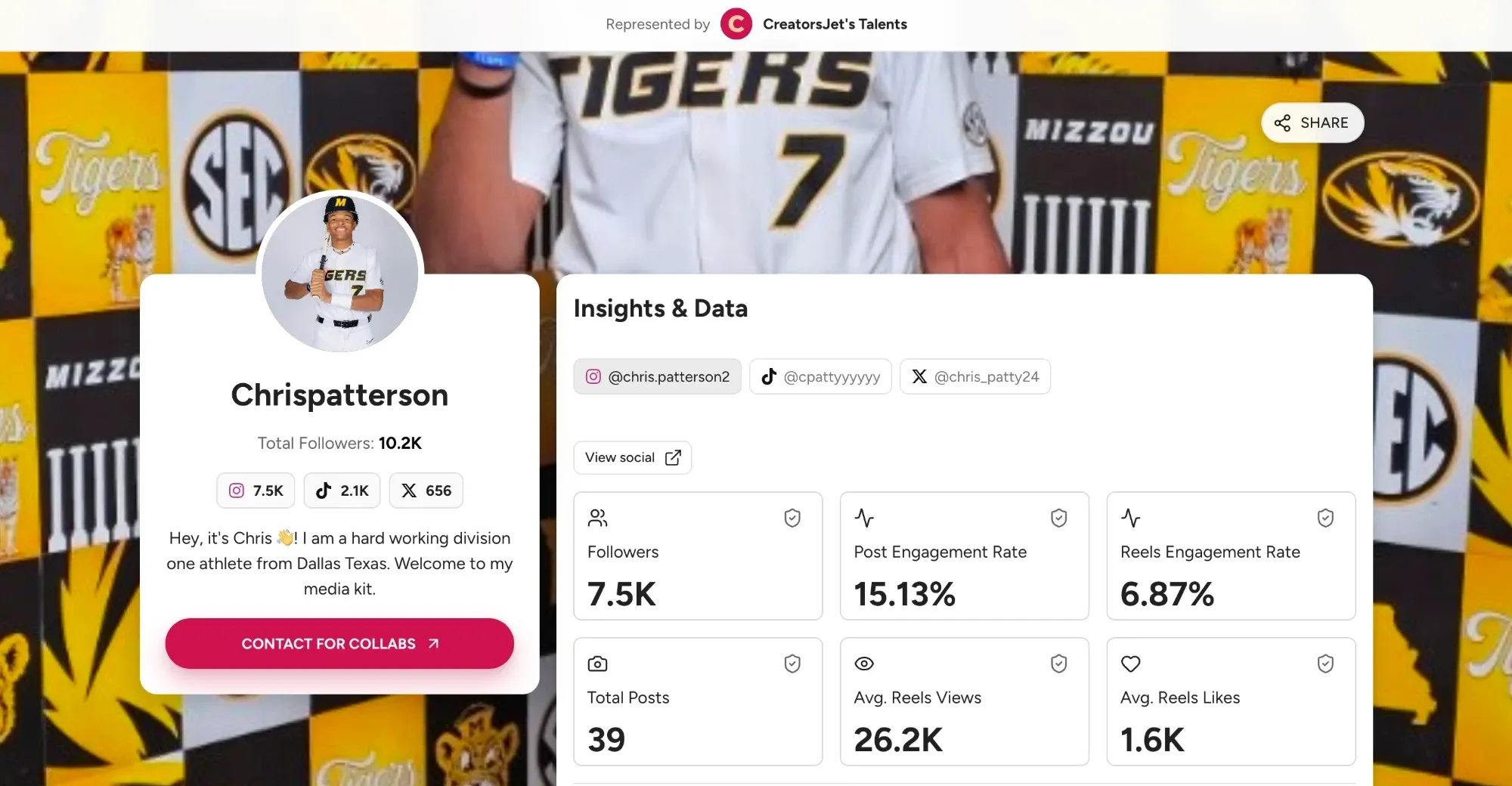
A media kit per creator. Every creator on the roster gets a media kit that updates from the same data, so the full reference file and the deck never disagree.
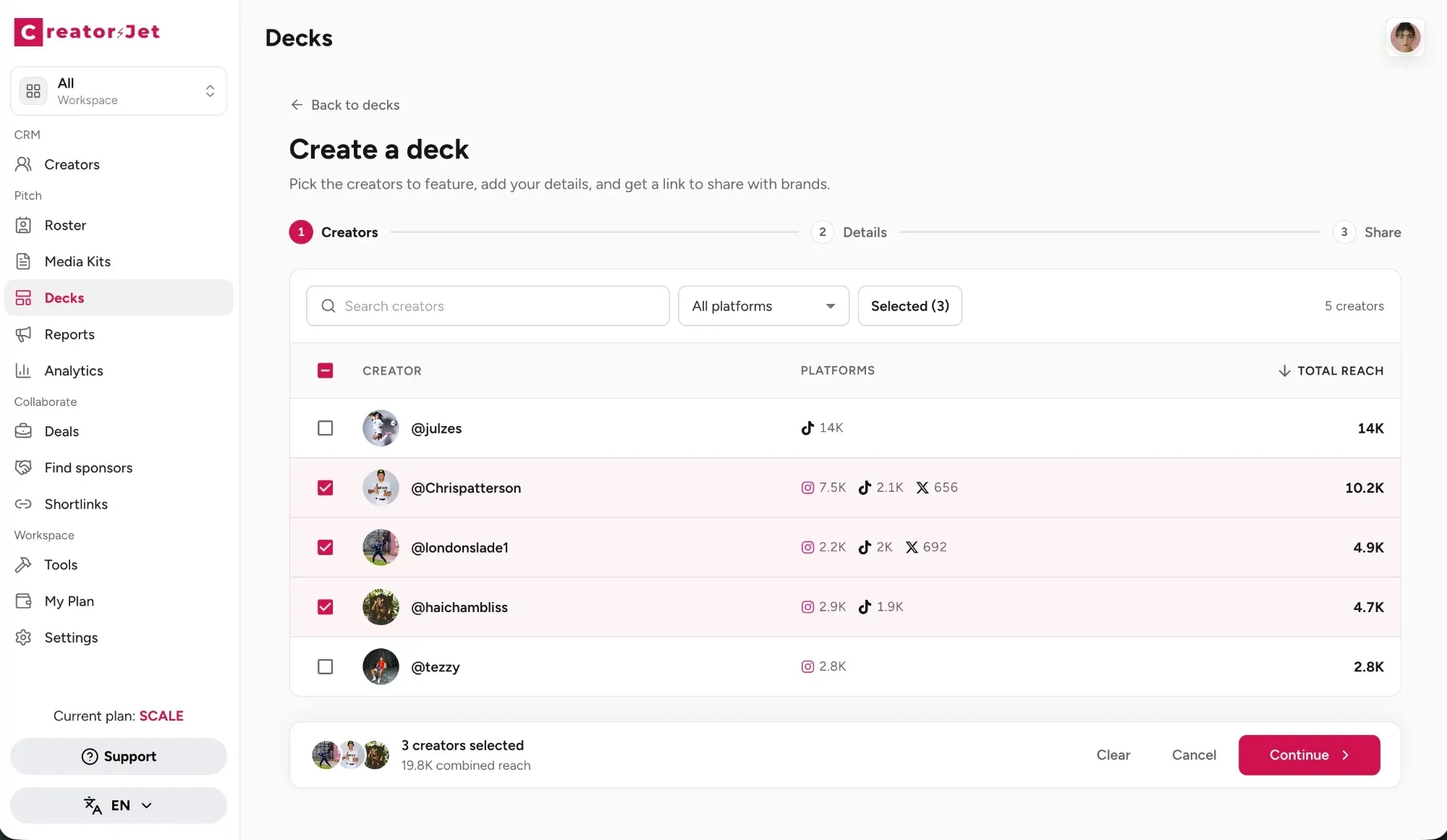
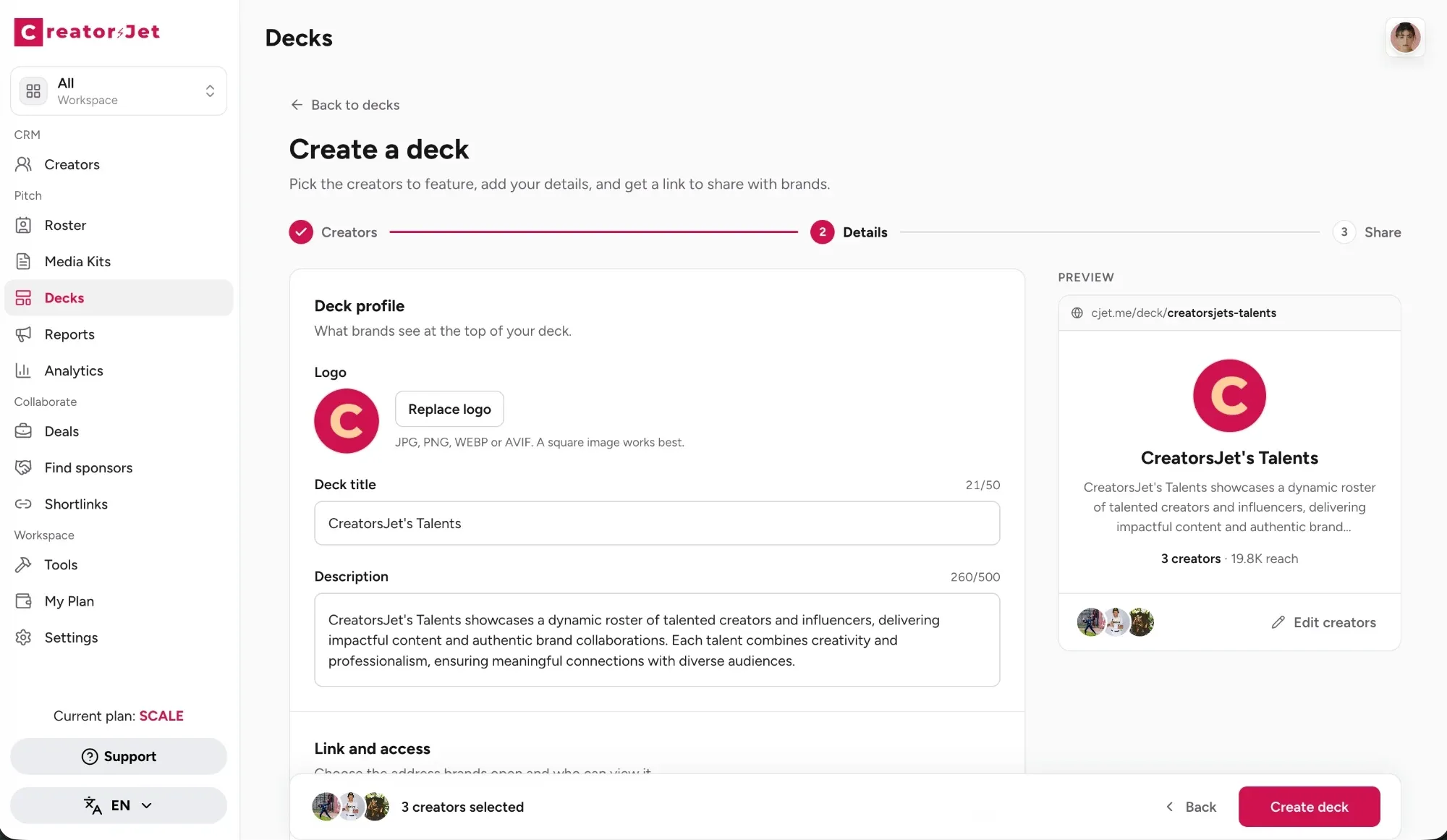
Decks built from the roster. Creating a deck takes two steps: pick the creators for this brand, then add the deck details. The first step lists every creator on the roster with their platforms and total reach, so the selection is made on current numbers.
The second step sets what the brand sees at the top of the deck: the agency logo, a deck title, a short description, and the link and access settings that decide the address brands open and who can view it. A preview shows the result before you create the deck, and the link is ready to send as soon as you do.
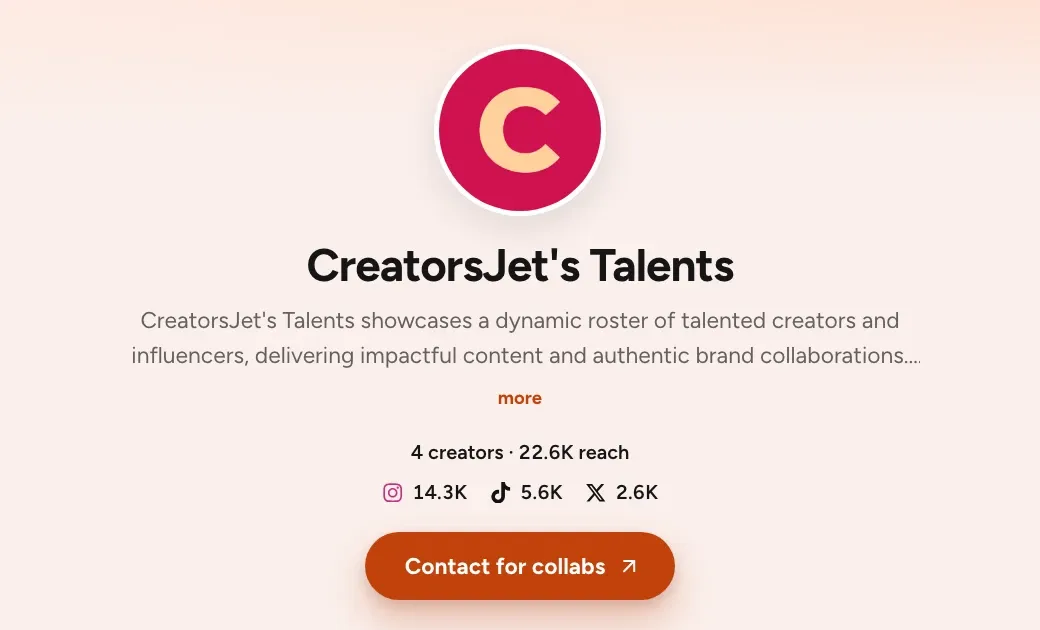
A link that stays current. The brand receives a link rather than a frozen file. The deck shows the selected creators with their followers per platform, a link to each creator's media kit, and a button to contact the agency. When a creator's stats change, the deck the brand opens next week shows the new figures. Access can be restricted with a password when a roster is confidential, and when a brand asks for an attachment, each creator's media kit can be downloaded as a PDF.
One deck per brand without extra work. Because the data is shared, a tailored deck for each brand is a new selection, not a new file to maintain.
Compared with the slide structure above, the live deck covers the agency intro and the roster overview. The creator detail lives in each media kit, past collaborations included, and the deck ends on the contact button. Packages and the case studies picked for this brand go in the email that carries the link.
The manual steps that disappear are the ones that cause most of the mistakes above: collecting screenshots, copying numbers, and keeping versions in sync. What remains is the part that wins deals: choosing the right creators and explaining why they fit. For agencies comparing options, the overview of the best creator CRM tools for agencies covers what else to look for.
Conclusion
A roster pitch deck earns a reply when it reads like an answer to the brand's brief: a short agency intro, a clear overview, comparable creator slides with current audience, engagement, rates and results, a few relevant case studies, simple packages, and one obvious next step. Keep the selection small, lead with the numbers each brand looks at first, and date every figure. Whether the deck lives in Google Slides or in a creator CRM, the rule is the same: a brand should never find a number in your deck that is older than the campaign it is planning.