
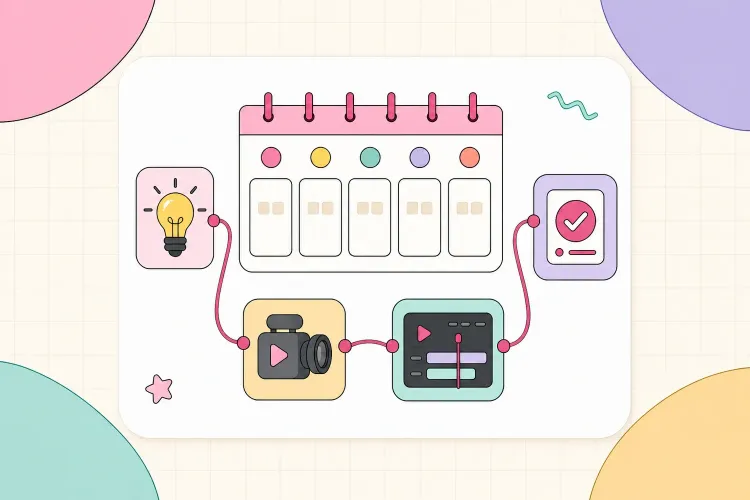


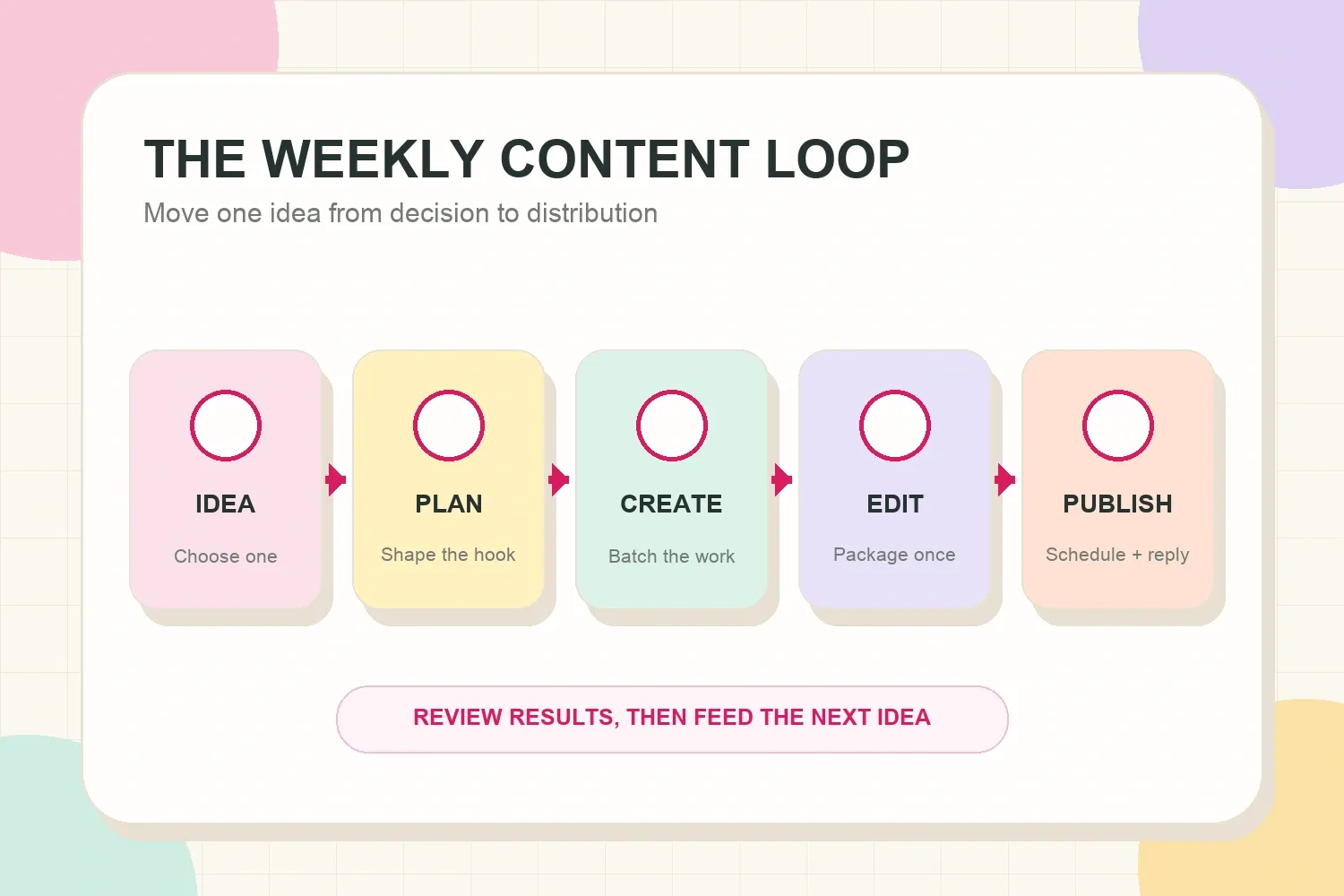
Solo creators rarely run out of ideas. The harder problem is turning those ideas into finished, useful posts without letting content work consume the entire week. A weekly content workflow for solo creators solves that by giving every stage a place: choose the idea, shape the angle, create in batches, edit once, publish, and review what happened.
The goal is not to post every day. It is to build a repeatable rhythm that matches the creator’s available time, platforms, and energy.
What a weekly content workflow actually needs
A useful workflow is smaller than most content calendars. It does not need 30 color-coded fields or a different tool for every platform. It needs enough structure to answer five questions:
- What is being created this week?
- Who is it for, and what problem does it solve?
- Which format will carry the main idea?
- When will each production stage happen?
- What result will decide whether the idea is worth revisiting?
That last question matters. A content system should not only push posts out. It should make the next week easier by preserving useful hooks, audience questions, production notes, and performance signals.
Start with one content objective for the week
Before choosing topics, decide what the content needs to do. One week might focus on reaching new viewers. Another might build trust with existing followers, answer sales questions, support a launch, or create proof for future brand conversations.
Pick one primary objective. A solo creator can still publish several formats, but each piece should contribute to the same outcome. This prevents the calendar from becoming a pile of unrelated ideas.
Useful weekly objectives include:
- Reach: introduce the creator to people who do not follow yet.
- Trust: explain a process, opinion, lesson, or behind-the-scenes decision.
- Conversation: invite replies, comments, questions, or community input.
- Conversion: help an interested viewer understand an offer, product, or next step.
- Proof: show a result, case study, transformation, collaboration, or finished project.
For example, a food creator focused on reach might build the week around “three fast lunches under ten euros.” The short video demonstrates one recipe, a carousel saves all three, and Stories collect the audience’s favorite. The formats differ, but the idea and objective stay connected.
Monday: choose one core idea
Monday is for deciding, not producing. Review the idea bank, recent comments, search suggestions, client questions, platform trends, and posts that earned meaningful responses.
The best weekly idea usually sits at the overlap of three things:
- Audience relevance: the topic answers a real question or desire.
- Creator credibility: the creator has experience, proof, taste, or a useful point of view.
- Production fit: the idea can be made well with the available time and resources.
Do not confuse trend research with copying. The TikTok Creative Center can help identify recurring formats and angles, but the final idea still needs a specific creator perspective.
Turn the chosen topic into a one-sentence content brief:
For [specific audience], explain or demonstrate [useful idea] so they can [practical payoff].
A fitness creator might write: “For people returning to the gym after a long break, demonstrate a simple first-week routine so they can train without trying to do too much.” That sentence is specific enough to guide the hook, examples, visuals, and caption.
Keep the unused ideas. Rejecting an idea for this week does not make it bad; it may simply need more proof, a different season, or a lighter production week.
Tuesday: shape the hook and outline
Tuesday turns the content brief into something a viewer can understand quickly. Start with the payoff, then decide what the audience needs to see or hear to believe it.
For short-form video, write:
- One opening hook.
- Three to five beats or shots.
- One clear ending or takeaway.
For a carousel, write:
- One promise for the first slide.
- One idea per slide.
- One final summary, example, or decision rule.
For a newsletter or long-form video, outline the problem, context, steps, example, caveat, and conclusion. The structure should be detailed enough to remove hesitation during production, but not so rigid that the creator sounds scripted.
When the opening feels vague, the TikTok hook templates can help separate curiosity, problem, proof, identity, and utility angles. The useful move is choosing the right intent, not forcing every idea into the same viral sentence.
Set a limit for planning. Thirty focused minutes is often more useful than two hours of rewriting a hook that has not met an audience yet.
Wednesday: batch the creation work
Creation becomes slower when setup costs repeat. Changing clothes, moving lights, preparing products, arranging a desk, testing audio, or finding files can take longer than recording the content itself.
Batch work by production mode, not only by platform. Film all talking-head sections together. Capture all product shots in one setup. Record voiceovers in one quiet block. Take thumbnail photos before putting equipment away.
A practical creation block might look like this:
- Prepare the set, props, notes, and reference shots.
- Record a complete first take without stopping for small imperfections.
- Capture alternate hooks and short pickups.
- Film supporting B-roll or screen recordings.
- Back up the files and label the usable takes.
Solo creators should protect a clear stopping point. More footage does not automatically create a better post. Once the planned beats are covered and one clean version exists, extra takes often create more editing decisions without adding much value.
Thursday: edit once and repurpose the angle
Editing day is for making the main asset clear, then adapting the underlying idea for other formats. This is different from reposting the exact same file everywhere.
Keep the message, but change the delivery:
- A short video uses a fast hook, demonstration, and concise payoff.
- A carousel slows the idea down into steps, examples, or screenshots.
- A newsletter adds context, tradeoffs, and a fuller lesson.
- Stories can show the process, ask a follow-up question, or share a quick result.
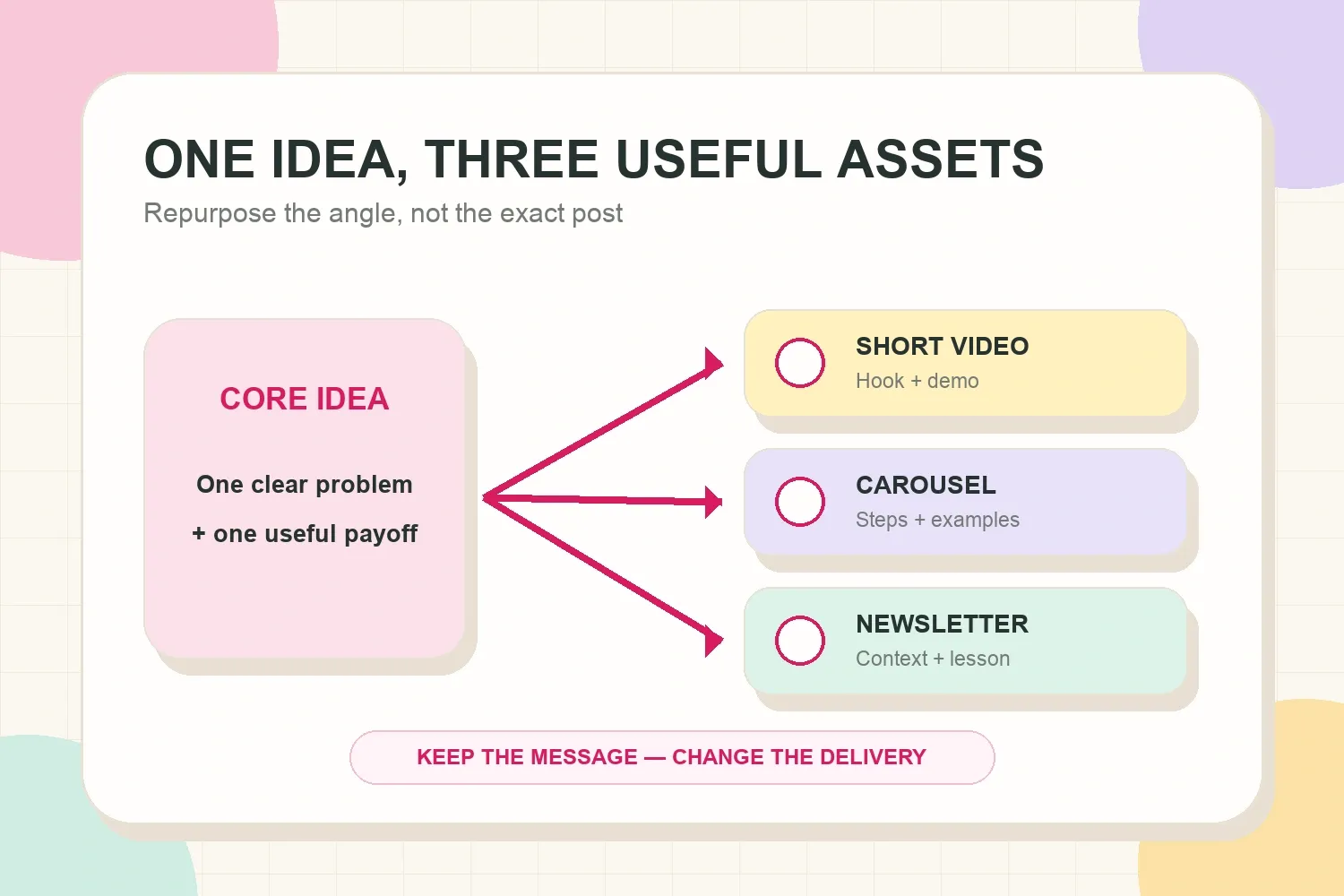
For example, a travel creator’s core idea might be “how to choose a neighborhood for a first trip to Lisbon.” The short video compares three areas visually. The carousel lists who each neighborhood suits. The newsletter explains tradeoffs around transport, noise, budget, and trip style.
The subject stays consistent, but each format earns its place. That is more useful than stretching one caption across every platform.
Create reusable editing defaults where possible: caption style, audio levels, export settings, thumbnail proportions, and a small folder of approved brand elements. Templates should remove repetitive decisions without making every post look identical.
Friday: schedule, publish, and leave room to respond
Publishing should not happen five minutes after the export finishes. Use Friday to check the final package, schedule what can be scheduled, and reserve time for audience responses.
Before publishing, check:
- Does the first frame or sentence make the topic clear?
- Is the most useful point easy to find?
- Are captions, links, tags, disclosures, and credits correct?
- Does the asset look right on a phone?
- Is there a natural question worth answering in comments?
Scheduling creates breathing room. YouTube, for example, supports scheduled publishing through Studio, and its upload schedule guidance recommends choosing a frequency that is sustainable over time. The same principle applies across platforms: consistency is useful only when the production rhythm can survive busy weeks.
If timing matters, use audience data instead of a universal posting-time claim. The CreatorsJet best time to post on Instagram tool can help turn account activity into a more specific publishing window.
Leave at least one short response block after publishing. Early comments often reveal confusion, objections, useful wording, and follow-up ideas. That feedback belongs in the next week’s idea bank.
Use a workflow that matches the available time
The same system can work with two hours or ten hours. The difference should be production scope, not whether a workflow exists.
A two-hour weekly version
- 15 minutes: choose one audience question.
- 20 minutes: write the hook and three beats.
- 35 minutes: record one simple video.
- 35 minutes: edit, caption, and package it.
- 15 minutes: schedule and note one follow-up idea.
This version favors one primary asset and perhaps one lightweight adaptation, such as Stories or a short text post.
A five-hour weekly version
- 30 minutes: research and choose the angle.
- 45 minutes: outline the main asset and adaptations.
- 90 minutes: batch filming, photography, or screen capture.
- 90 minutes: edit the main asset.
- 45 minutes: create one adapted format.
- 30 minutes: schedule, quality-check, and prepare response time.
The calendar should describe reality. A plan that assumes five uninterrupted hours when only two are available will produce guilt, not consistency.
Track only the fields that help decisions
A simple content tracker can use one row per core idea. Useful fields include:
- Working title or topic.
- Audience problem.
- Weekly objective.
- Primary format and platform.
- Current stage: idea, planned, created, edited, scheduled, or published.
- Publish date.
- Hook or opening.
- Result worth reviewing.
- Follow-up idea.
Do not track every available metric. Match the result to the objective. Reach content might be judged by non-follower views or profile visits. Trust content might earn saves, thoughtful comments, replies, or longer watch time. Conversion content might be evaluated by link clicks, inquiries, or sales.
The tracker should also preserve proof. Creators preparing for brand conversations need an organized record of good examples, audience response, and results. The guide on looking professional as a small creator explains why clarity and presentation can matter before a creator has a large audience.
Common workflow mistakes
Most content systems fail because they ask for too much or hide the real bottleneck.
Planning too many posts
A calendar full of ideas can feel productive, but unfinished posts do not help the audience. Plan around the creator’s reliable production capacity, then keep optional ideas in a backlog.
Mixing every task into every day
Constantly switching between research, filming, editing, and publishing creates friction. Separate modes when possible, even if each block is only 25 minutes.
Treating every platform as a new project
Platform-native adaptation is useful. Rebuilding the strategy from zero for every channel is not. Start with one core idea and decide what each platform genuinely needs.
Skipping the review
Without a review, the workflow becomes a conveyor belt. A ten-minute check can reveal which hook earned attention, which section lost viewers, which question kept appearing, and which format was easiest to produce well.
Building a system for an imaginary future
Complex databases, automations, and approval stages can help a team. A solo creator often needs a clear list, protected production blocks, and consistent file names. Add complexity only when a repeated problem justifies it.
End the week with a ten-minute review
The weekly review closes the loop. Look at both performance and production.
Ask:
- Did the content achieve the objective?
- Which hook, example, or visual earned the clearest response?
- Where did production slow down?
- What can be reused next week?
- Which audience question deserves a follow-up?
Record one lesson and one next idea. That is enough to make the workflow cumulative. Over time, the creator builds a library of tested angles, efficient setups, reusable assets, and audience language.
Final thoughts
A reliable weekly content workflow does not depend on daily posting or a complicated content calendar. It depends on giving each stage a clear place and choosing a scope that one person can sustain.
The practical rhythm is simple: decide the objective, choose one core idea, shape the hook, batch production, adapt the message, schedule the work, and review the result. The workflow should make publishing calmer and the next useful idea easier to find.