

The best Instagram Story ideas give followers a reason to tap, reply, or vote, not just watch. Below are 60 Instagram Story ideas sorted by the job they do: starting conversations, letting followers shape your content, showing your process, teaching something quickly, sharing everyday life, designing cleaner frames, building community, promoting your posts, and running brand deals. Each idea says what to post and gives a line you can adapt, and several sections include real Stories from creators.
How to choose the right Story idea
Before you open the camera, decide what the Story should do today. One clear job per Story set works better than trying to sell, teach, and chat at once.
| What you want today | Where to start |
|---|---|
| More replies and sticker taps | Ideas that start conversations (1 to 9) |
| A decision on your next post | Ideas that let followers shape your content (10 to 15) |
| More trust from new followers | Behind-the-scenes and everyday ideas (16 to 22, 30 to 38) |
| Saves and "thank you" DMs | Ideas that teach something quickly (23 to 29) |
| Stories that look more put together | Design and layout ideas (39 to 42) |
| A closer, more active community | Community-building ideas (43 to 48) |
| Views on a new Reel or video | Ideas that promote your content (49 to 54) |
| Sponsored Stories that perform | Brand deal and monetization ideas (55 to 60) |
A practical mix for most creators: one interactive frame for every three or four passive frames, and no more than one promotional set per day.
Instagram Story ideas that start conversations
1. A two-option poll
The simplest Story there is: one question, two answers, one tap. Keep both options genuinely appealing, otherwise the result tells you nothing.
Try: "Morning workout or evening workout?"
2. A poll with three or four options
The poll sticker accepts more than two answers. Use it when the honest answer is not binary, such as picking between three colors, three recipes, or three destinations, and number the options on the photo so people can match them.
Try: "Which one goes in the living room? 1, 2, or 3"
3. A quiz about your niche
The quiz sticker lets you set one correct answer, and viewers see right away whether they got it. It works for myths, prices, and "guess the before" moments.
Try: "How long does a cast-iron pan take to season? A: 10 min, B: 1 hour, C: overnight"
4. The emoji slider rating
The emoji slider asks people how much they feel something rather than which option they pick. Use it to rate a product, an outfit, or a hot take.
Try: "How badly do you need this lamp?" with the 😍 slider
5. A question box on one topic
An open question box gets more useful replies when it is narrow. "Ask me anything" works for big accounts; most creators get better answers with a specific topic.
Try: "What do you want to know about filming with just a phone?"
6. Ask for recommendations
People love to recommend things. Ask for a paint color, a book, a restaurant in your city, or a tool, then share the best answers the next day.
Try: "I'll take all the white paint color recommendations"
7. Answer one question per frame
Take the best question-box replies and answer them one by one, with the question sticker on screen and your answer as text or a short video. One question per frame keeps it easy to follow.
Try: Reshare the question, then answer in two or three sentences
Here is what the last two ideas look like in practice: an open question sticker asking for recommendations, and a question from an "Ask me anything" box answered in a single frame.
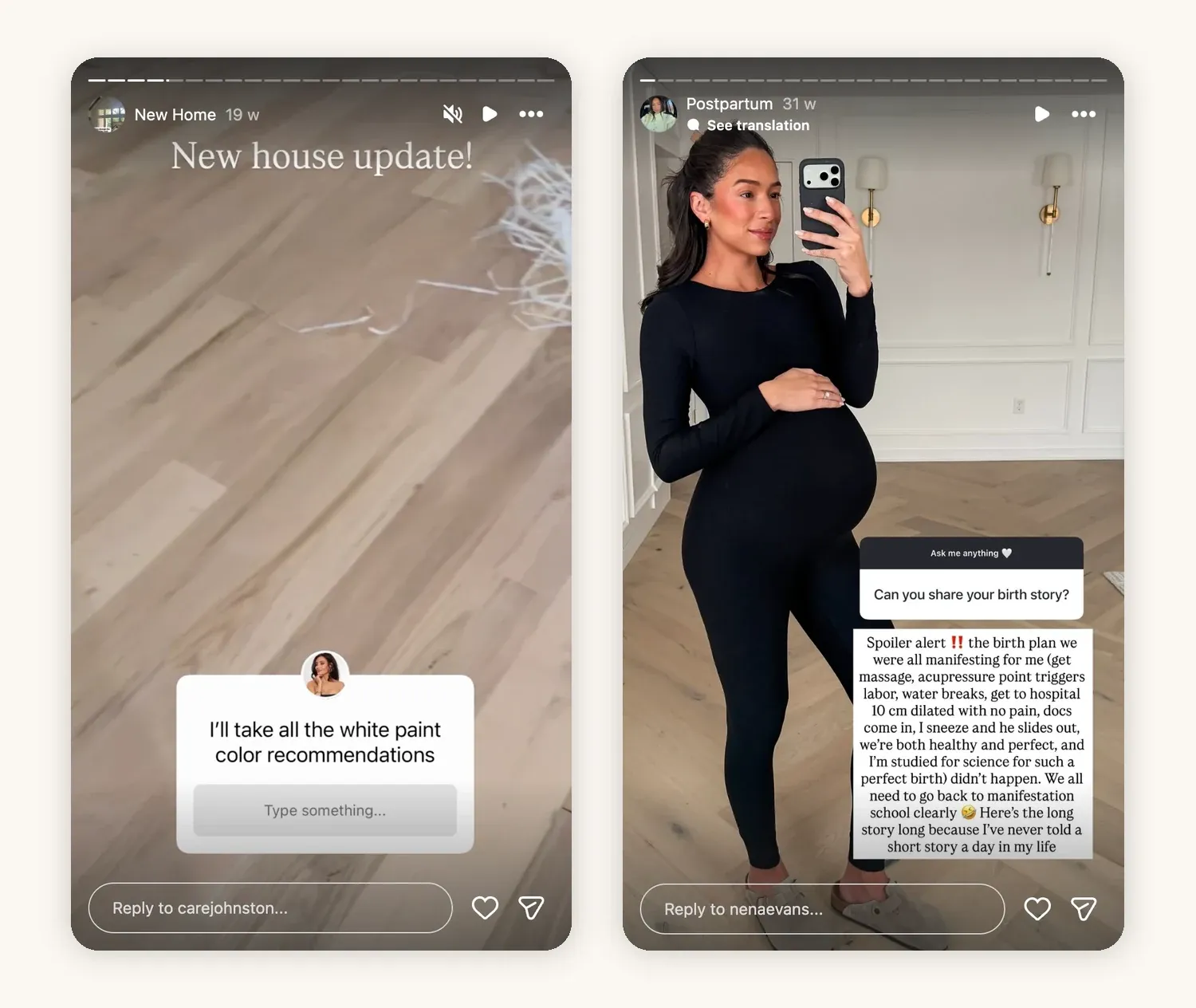
Left: @carejohnston asks followers for paint color recommendations. Right: @nenaevans answers a question from an "Ask me anything" box.
8. Share a hot take and let people react
State a mild, defensible opinion about your niche and add a poll with "Agree" and "Disagree." Keep it about the topic, not about people.
Try: "Unpopular opinion: you don't need a ring light. Agree or disagree?"
9. Start an Add Yours prompt
The Add Yours sticker invites followers to post their own Story in response, and every response links back to the prompt. Choose prompts that are easy to answer with a photo already in the camera roll.
Try: "Show your desk setup right now"
Instagram Story ideas that let followers shape your content
10. Let followers vote on your next post
Offer two concrete topics and post the winner within a few days, so followers see their vote change something.
Try: "Next Reel: my full morning routine or my grocery haul?"
11. Test two hooks before you film
Write two opening lines for the same video and ask which one makes people want to keep watching. It costs nothing and often saves a reshoot.
Try: "Which would make you watch? A: 'I quit coffee for 30 days' B: 'What 30 days without coffee did to my sleep'"
12. Ask followers to help you choose a purchase
Show the options you are actually deciding between, such as carpet samples, two cameras, or three sofas, and number them. People enjoy helping with real decisions more than hypothetical ones.
Try: "Which carpet color? 1, 2, or 3"
13. Vote between two layouts or looks
Put two versions side by side in one frame, such as two outfits, two room layouts, or two plating styles, and add a two-option poll.
Try: "Stacked or not stacked?"
Both of these Stories use the poll sticker for a real decision: three numbered carpet samples, and two layout options for a laundry room.
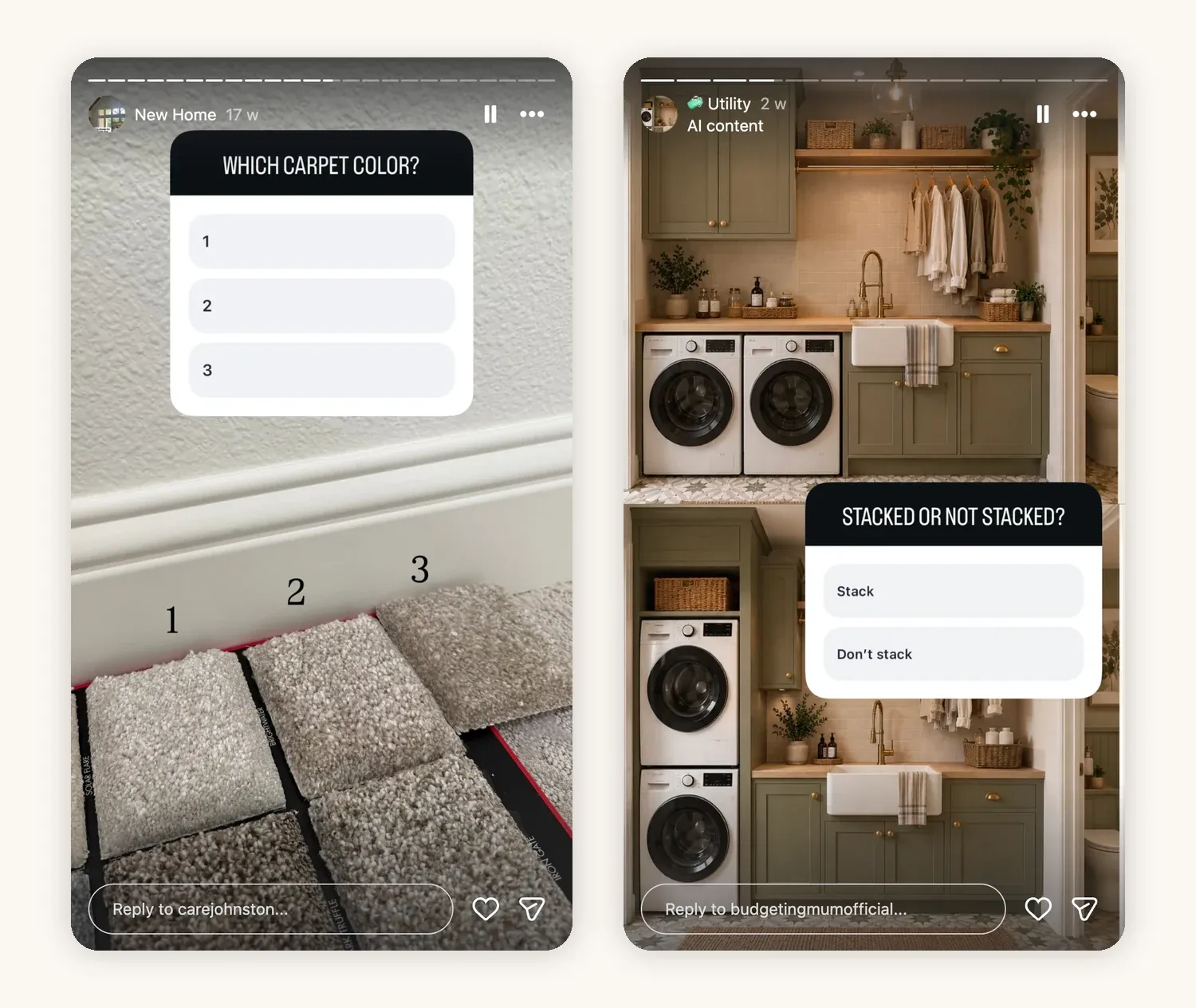
Left: @carejohnston asks followers to choose between three carpet samples. Right: @budgetingmumofficial asks whether to stack the washer and dryer, using AI mockups of both layouts.
14. Pick the next episode of a series
If you run a series, let followers choose the next subject: the next city, the next dupe to test, the next recipe from a book.
Try: "Next week's dupe test: lip oil or setting spray?"
15. Show the result of the vote
Close the loop. Post a frame with the poll results and a preview of what you made because of them. This is what makes people vote again next time.
Try: "You picked carpet 2. Here's how it looks in the room."
Behind-the-scenes Instagram Story ideas
16. Tour your setup
Show where the content gets made: the desk, the corner of the kitchen, the lights, the phone stand. People are curious, and it answers "what do you film with?" once and for all.
Try: "Everything I film with, under $200"
A setup tour does not need a voiceover. One well-lit frame of the desk as it really looks, saved to a Highlight, answers the question for every new follower.
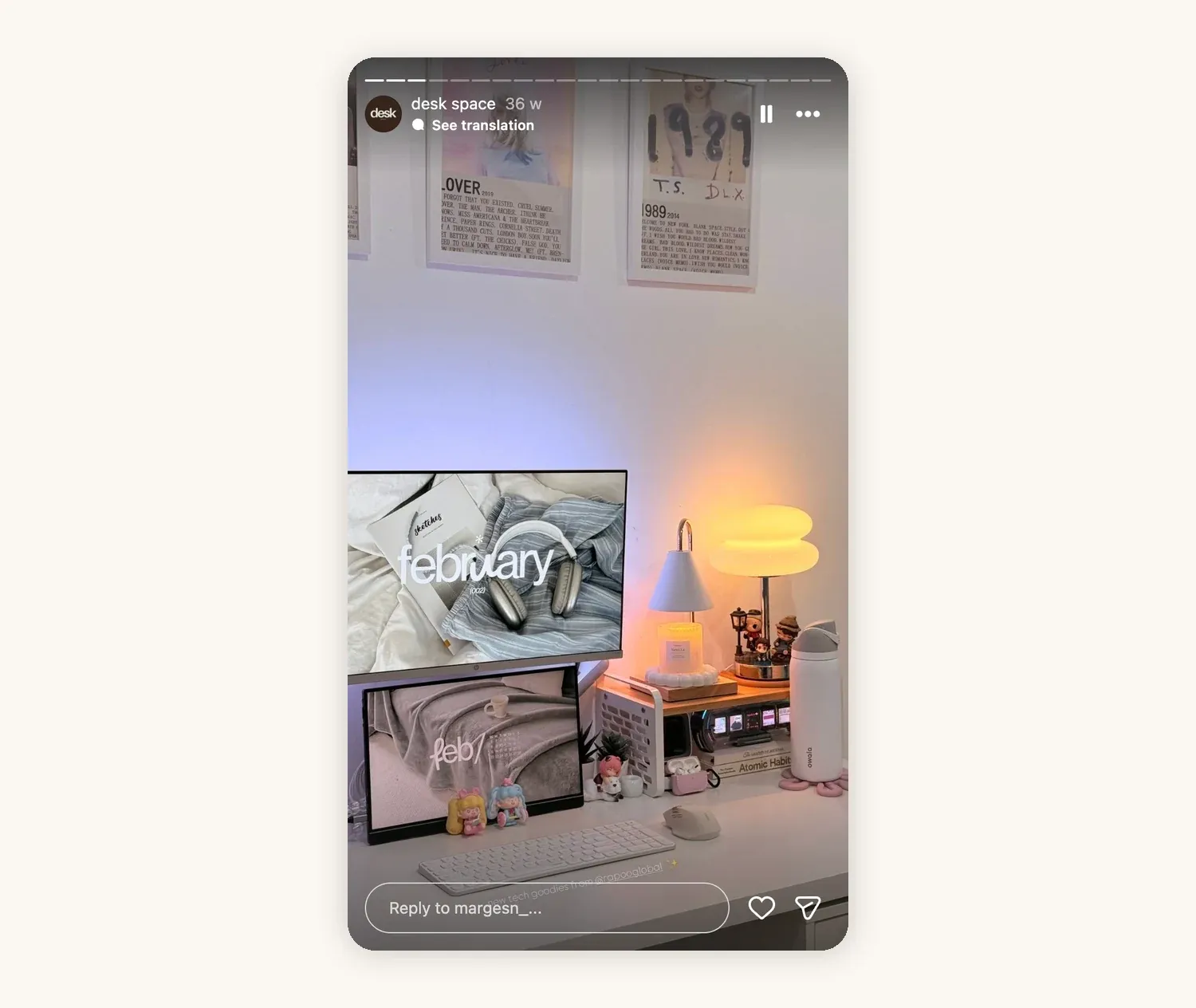
@margesn_ shows a desk setup in a "desk space" Highlight.
17. Show the first draft next to the final version
Post the rough cut, the first thumbnail, or the outfit you almost wore, then the version that went live. It shows the thinking behind the finished post.
Try: "Version 1 vs. the one I posted"
18. Share the outtakes
Bloopers, failed takes, and the shot that did not work are often more watched than the polished result.
Try: "Take 14. We got there eventually."
19. Film a shoot day in a few frames
Show the prep, one moment during the shoot, and the wrap. It works for brand shoots, recipe days, and travel content alike.
Try: "Shoot day: 6 outfits, 2 locations, 1 very tired photographer"
20. Time-lapse your editing session
A sped-up screen recording of an edit shows how much work goes into 30 seconds of video, and it is easy to film while you work.
Try: "3 hours of editing in 15 seconds"
21. Plan your content week out loud
Show your notes app, calendar, or whiteboard with the week's ideas (blur anything private) and ask which one people want first.
Try: "Here's what's coming this week. Which one first?"
22. Show the tools behind one result
Pick one finished piece and list what made it: the app, the light, the product, the settings. Followers save these frames.
Try: "How I got this shot: phone, window light, one reflector"
Instagram Story ideas that teach something quickly
23. One tip in three frames
Frame one names the problem, frame two shows the fix, frame three shows the result. Narrow tips work best: one shortcut, one technique, one setting.
Try: "Your Reels look dark? Change this one setting."
24. "You asked for it" tutorial
When followers keep asking how you did something, answer with a short tutorial in Stories: the steps written on screen over a video, then the result. Save it to a Highlight so the question answers itself in the future.
Try: "YOU ASKED FOR IT: my heatless curls, step by step"
This tutorial uses two frames: the full list of steps written over the video, then the result with the product named.
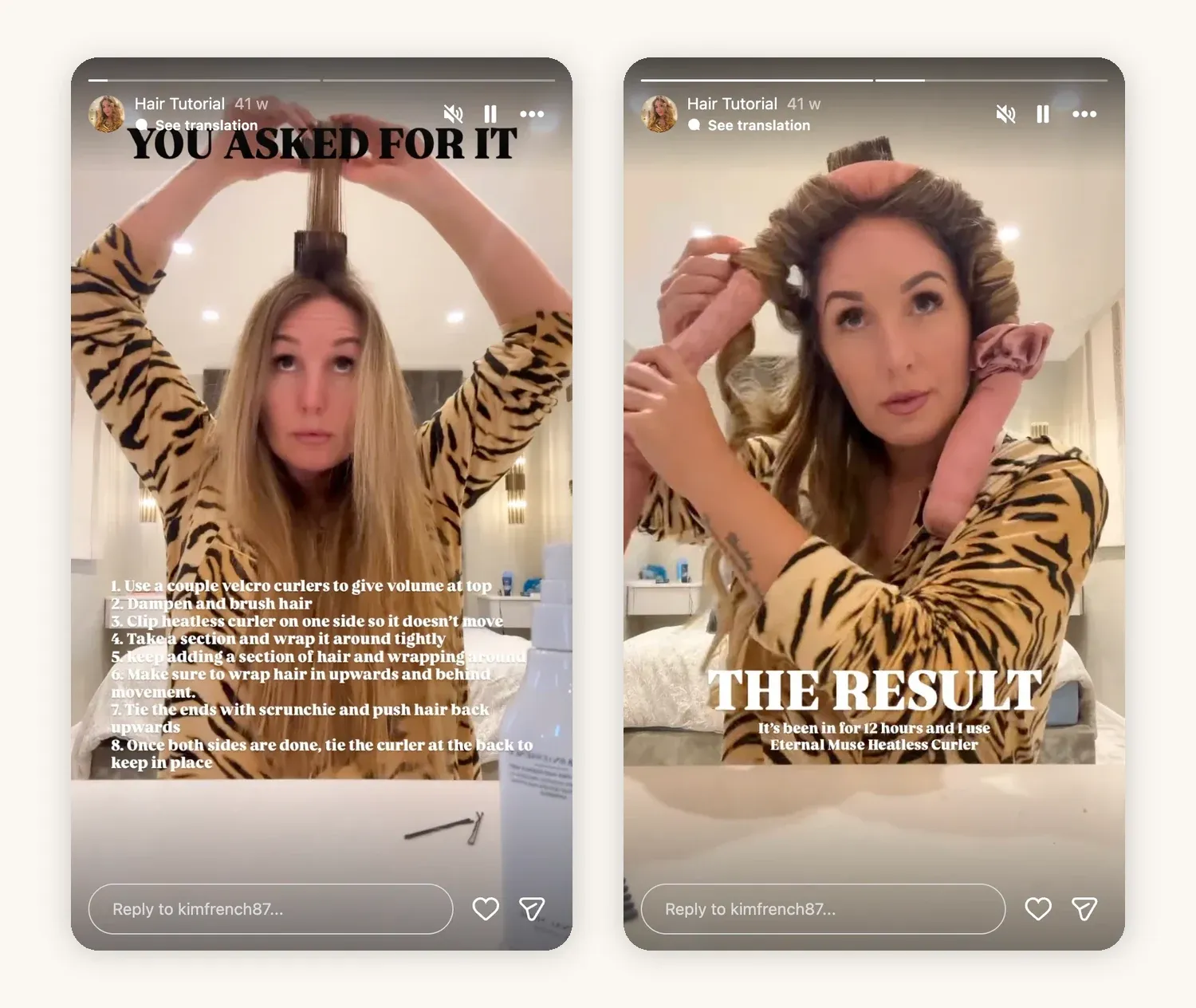
@kimfrench87 answers follower requests with a two-frame heatless curls tutorial.
25. Before and after
Show the starting point and the finished result, with one line explaining the main change. Rooms, skin, budgets, edits, and gardens all work.
Try: "Same room, $150, one weekend"
26. Myth or fact quiz
Use the quiz sticker to test a common belief in your niche, then explain the answer in the next frame.
Try: "Myth or fact: you need to post every day to grow?"
27. Walk through a process with screenshots
For apps, budgets, or editing, a few screenshots with arrows and short notes are faster to follow than a voiceover.
Try: "How I track every brand payment, in 4 screenshots"
28. A mistake and how you fixed it
"I used to do this, it caused this problem, now I do this instead." It is credible because it gives a takeaway, not just a confession.
Try: "I used to film everything at 60fps. Here's why I stopped."
29. A checklist frame people can screenshot
Put a short checklist on one frame, such as packing, filming, or a skincare order, and tell people to screenshot it.
Try: "Screenshot this before your next shoot"
Personal, everyday, and seasonal Instagram Story ideas
30. A day in the life, in five frames
Pick five moments, not fifty. Morning, work, one surprise, dinner, the end of the day. Add one line of text to each.
Try: "A real Tuesday: 5 frames, no filter"
31. A throwback with the Frames sticker
The Frames sticker shows a photo like an instant print that viewers shake their phone to reveal, with the photo's date. It suits old photos, first posts, and "one year ago" moments.
Try: "Shake to see where this started"
32. Your current favorites
Share what you are reading, using, eating, or listening to this month. It is personal without being private, and it often sparks recommendations back.
Try: "5 things I can't stop using this month"
33. Local recommendations
Share a café, a running route, a shop, or a weekend spot in your city, with a location sticker. Local followers will add their own.
Try: "My favorite coffee in Austin, and it's not the one you think"
34. A recurring weekly series
Choose a slot you can repeat, such as "Friday finds," "Sunday reset," or "Monday goals." Recurrence lowers the planning effort and gives people a reason to come back.
Try: "Friday finds, week 12"
35. An honest life update
Moving, a new job, a slower month, a new pet. Share what is changing and how it affects your content, without oversharing.
Try: "New house update! Floors are in."
36. A song of the week with Add Yours Music
The Add Yours Music sticker lets you share a song and invites followers to answer with their own. It is a light way to show taste and get responses.
Try: "Song stuck in my head this week. Add yours."
37. A small win or milestone
A finished project, a personal record, a first brand deal. Keep it short and thank the people who helped.
Try: "First half marathon done. Thank you for the playlist ideas."
38. A seasonal or holiday series
Tie a short series to the calendar: a holiday gift guide, a back-to-school setup, a summer packing list. Plan it a couple of weeks ahead, because seasonal brand deals are often booked early.
Try: "Gift guide, day 1: everything under $25"
Design and layout Instagram Story ideas
39. Several photos in one frame with Layout
The Layout option in the Story camera splits one frame into a grid of photos. It suits outfit roundups, before-and-after pairs, and photo dumps from a trip or a day out.
Try: "4 looks, 1 pair of jeans"
Both of these Stories use a four-photo Layout grid: one shows a hairstyle from four angles with a link sticker to the tutorial, the other sums up a day off in four moments.
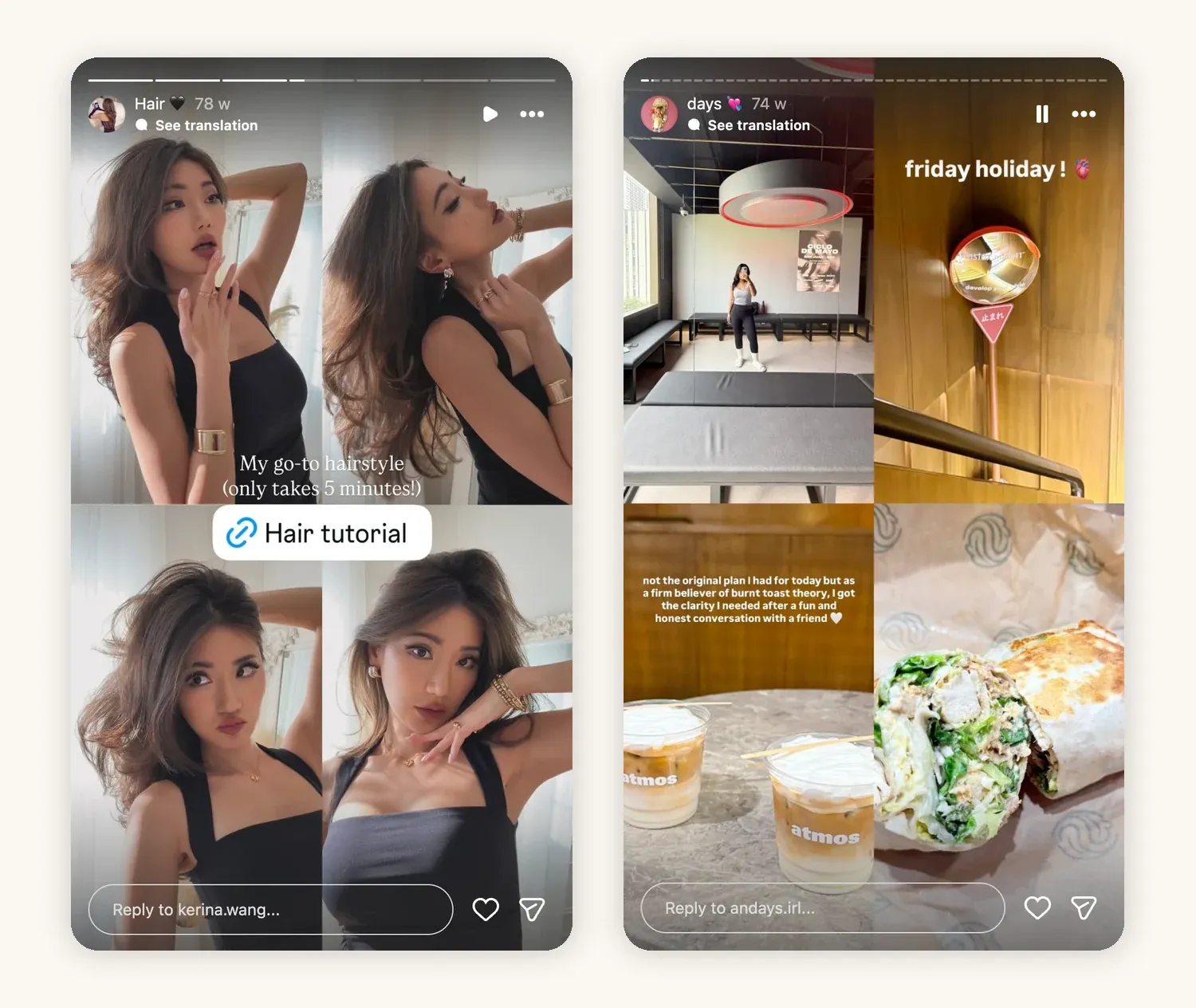
Left: @kerina.wang shows one hairstyle from four angles and links to the tutorial. Right: @andays.irl sums up a Friday off in four photos.
40. A cutout sticker from your own photo
The Cutouts sticker lifts one subject out of a photo, such as a product, a pet, or an outfit, so you can place it on another Story. Saved cutouts stay in your sticker tray for later Stories.
Try: Cut out the product you are reviewing and place it next to your verdict
41. A text-only frame on a solid color
Not every Story needs a photo. A short thought, a quote, or a list on a plain background is quick to make and easy to read. Use one of your brand colors so these frames look like part of the same account.
Try: "One thing I learned from 100 brand pitches:"
42. One photo on a clean background
Add a photo with the photo sticker on top of a solid color, and leave space around it for a short caption. The frame looks deliberate and keeps attention on the one image that matters.
Try: A product photo on a beige background with "Worth the hype? Full review tomorrow"
Community-building Instagram Story ideas
43. Turn a comment into a Story
Share a follower's comment on top of your answer or the Reel it was left on. It shows you read comments and turns one person's question into content for everyone. Blur the username if the comment is personal.
Try: Share a "We need a tutorial" comment, then post the tutorial
44. Repost follower content
When followers try your recipe, use your preset, or wear your recommendation, reshare their Story or post (with credit). It rewards them and shows proof to everyone else.
Try: "You made it! Here are 5 of your versions."
45. Shout out another creator
Recommend one creator in your niche or a nearby one, with a mention and one reason to follow. It builds goodwill and often gets returned.
Try: "If you like my budget recipes, you'll love @creator's meal prep"
46. Host a Story takeover
Hand your Stories to another creator for a day, or take over theirs, around a shared theme. Agree on the format and timing first.
Try: "@creator is taking over today to show their studio"
47. Turn a follower milestone into a question
Instead of a "thank you for 50k" frame, ask people what they want more of next, or share the first comment you ever got.
Try: "50k! What should I make more of?"
48. Post to Close Friends first
Close Friends Stories are only shown to the people on your list, marked with a green ring. Use the list for early looks, unfiltered updates, or perks for your most engaged followers.
Try: "Close Friends get the first look at the new series"
Instagram Story ideas that promote your content
49. Share your new Reel to Stories
Reshare every new Reel or post to your Story. Viewers see a "Watch Full Reel" link at the top. Add a line about why it is worth watching rather than just "new post."
Try: "This took 6 tries to film. Worth it?"
50. Tease a post before it goes live
Cover most of the image with a sticker or blur, and tell people when it drops. Curiosity does the work.
Try: "Big reveal tonight at 7"
Here is what sharing a Reel to Stories looks like: the "Watch Full Reel" link appears at the top, and the second example also adds a follower's comment to the frame.
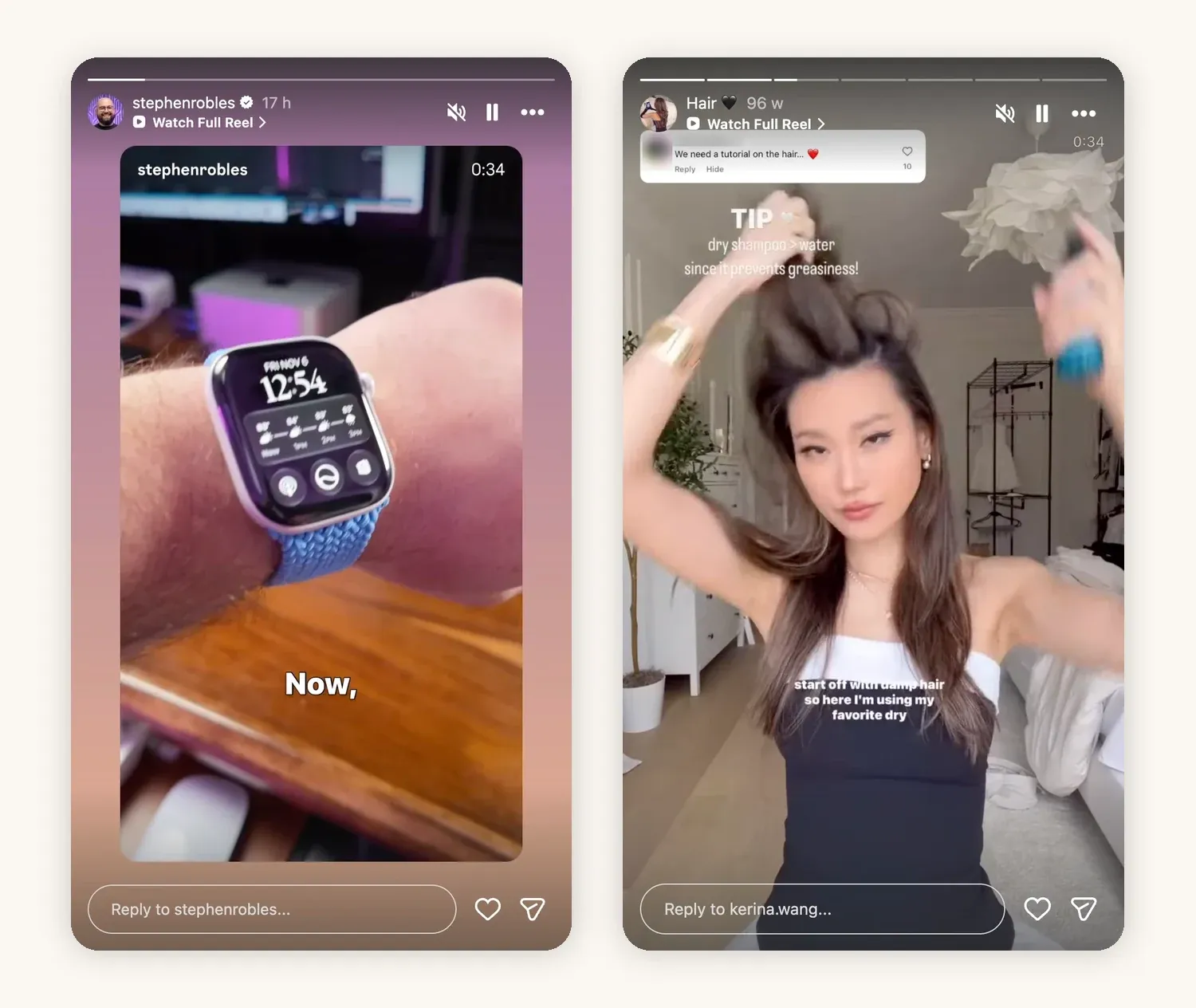
Left: @stephenrobles shares a new Reel to Stories. Right: @kerina.wang shares a hair Reel with a follower's tutorial request on top (the follower's name is blurred here).
51. Count down to a launch or live
The countdown sticker lets followers tap to get a reminder when it ends. Use it for a product drop, a YouTube premiere, or a live session.
Try: "Live Q&A Sunday. Tap to get reminded."
52. Hide something behind the Reveal sticker
The Reveal sticker blurs a Story until a viewer sends you a DM. Use it for a code word, an early look, or a freebie, and reply to the DMs it brings.
Try: "DM me to see the new collection before anyone else"
53. Link to your long-form content
The link sticker sends viewers to a YouTube video, newsletter, podcast, or shop. Explain what they get on the other side, not just "link here."
Try: "The full 20-minute version is on YouTube"
54. Share a carousel and tease one slide
Share a new carousel to your Story, but show only one slide, the first or the most surprising one, and say what the rest covers. People who want the full set tap through to the post.
Try: "Slide 4 is the one everyone asks about"
Brand deal and monetization Instagram Story ideas
Brands usually buy sponsored Stories as a package of three to five frames rather than a single one, so most of the ideas below are planned as short sequences. If you are putting a price on them, this breakdown of how much brands pay for Instagram Stories gives current rates by follower count.
55. A sponsored Story sequence with the paid partnership label
Plan sponsored Stories as a short sequence: the context, the product in use, and a clear next step. Turn on Instagram's paid partnership label and add a visible #ad. The FTC's disclosure guide for influencers asks for disclosures that are hard to miss, so do not hide them among hashtags.
Try: Frame 1, the problem. Frame 2, the product in use. Frame 3, the link.
56. Shoppable picks with a link sticker
Share a product you use with a link sticker to the product page or storefront. Say why you picked it, and mark it as an ad or affiliate link.
Try: "My everyday brushes. Shop here."
This sponsored Story shows the paid partnership label under the creator's name, brand mentions, a link sticker to a storefront, and a visible #ad.
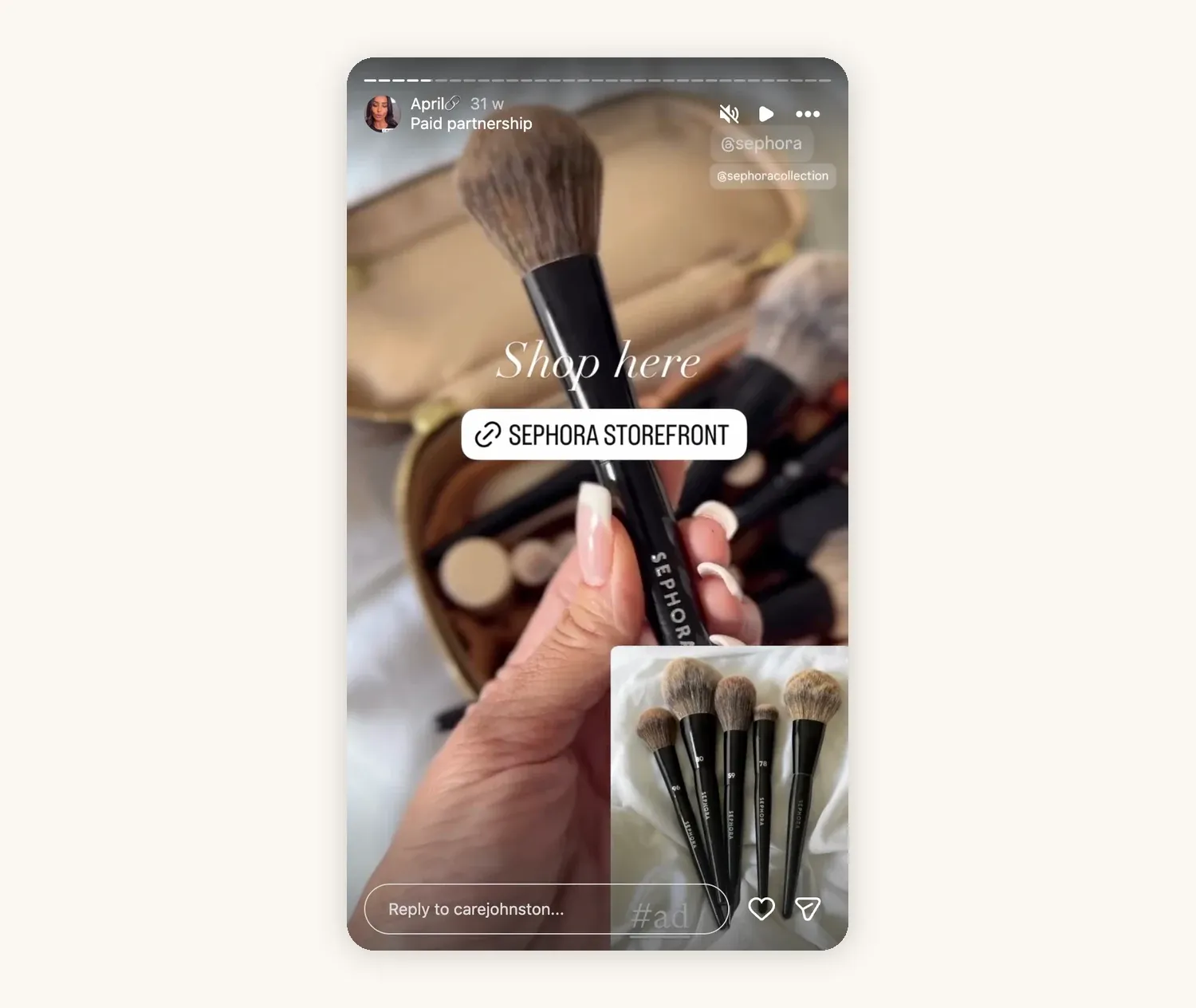
@carejohnston's paid partnership with Sephora, with a link sticker and #ad.
57. A product test over several days
For a brand deal, show day one, a mid-point check-in, and a final verdict. It feels more honest than a single frame and gives the brand several moments of visibility instead of one.
Try: "Day 1 of testing this serum. Final verdict Friday."
58. Remind people about a discount code
Codes get forgotten. Share a reminder before the code expires, with the code large on screen and the link sticker.
Try: "Last 24 hours for 20% off with code ANNA20"
59. Take followers to a brand event
Show the event, the people, and one product moment, with the right disclosure if the brand invited or paid you.
Try: "Come with me to the launch tonight"
60. Unbox a PR package, with disclosure
Brands often send products before, or instead of, a paid deal. A short unboxing shows what arrived and your honest first reaction, and a well-made one can lead to a paid brief later. Free products still count as a brand relationship under the FTC guidance above, so mark the Story as gifted.
Try: "Gifted by @brand: first impressions, no script"
How to turn one idea into a Story sequence
A single frame rarely does much on its own. Most of the ideas above work best as a short sequence of three frames:
- Hook: a frame that earns the next tap, such as a question, a before photo, or a surprising line.
- Value: the answer, the tutorial, the result, or the story itself.
- Next step: one interaction, such as a poll, a question box, a link, or "reply with yours."
For example, a food creator could open with "Which version would you make?", show the faster recipe method, and end with a poll on the ingredient for the next recipe. The first frame matters most, because it decides whether people keep tapping. Many of these Instagram Reel hooks also work as the first line of a Story.
Which signal to watch for each idea
Views alone do not tell you whether a Story worked. Look at the signal that matches its job:
- Polls, quizzes, and sliders: sticker taps and how the vote split.
- Question boxes and recommendations: the number of useful replies you could turn into content.
- Behind-the-scenes and personal Stories: replies, DMs, and profile visits.
- Teasers, Reel shares, and links: link taps and views on the linked post.
- Sponsored Stories: reach, link clicks, and exits, the numbers brands usually ask for. This guide on presenting Instagram Story analytics to brands shows how to turn them into a short recap after the campaign.
Instagram shows these numbers per Story in its Story insights. Keep a short note of which ideas earn a response, and repeat the format with a new topic.
Final takeaway
You do not need 60 new ideas every week. Pick one idea from each section, see which ones get replies and taps, and turn the winners into recurring formats. The Stories that work best are the ones that make followers part of the content: they vote, they ask, they see the result, and they come back to see what happens next.