A YouTube channel can feel strangely quiet between uploads. The next video may be in progress, but viewers cannot see the research, decisions, or small discoveries happening behind it. YouTube Community post ideas are useful when they turn that silence into a short, relevant conversation rather than a stream of unrelated updates.
The best posts have a job. They help choose the next topic, create a clear expectation for an upcoming upload, continue a conversation after publishing, or give viewers another way to respond. YouTube now commonly calls this surface Posts, although many creators still search for the Community tab. This guide organizes ideas around the upload cycle so the feature supports the channel without becoming another full-time content feed.
Choose the post by the job it needs to do
Use the upload moment to narrow the choice. You do not need a new format every time; you need a post that gives the audience a useful reason to respond.
| Upload moment | Best format | Example prompt |
|---|---|---|
| Before filming | Focused poll | “Which problem should the next tutorial solve?” |
| Near launch | Preview image or short update | “What would you want to see tested in this setup?” |
| After publishing | Specific follow-up question | “Which step should get a deeper explanation?” |
| Between projects | Quiz, comment-led question, or creator update | “What part of this process is hardest for you?” |
This is a selection tool, not a posting quota. If the audience has no useful answer yet, wait rather than filling the tab.
Use Community posts as part of the upload cycle
Think in three moments: before the upload, around launch day, and after the upload. A post before filming can collect useful questions. A preview can make an upcoming video feel concrete. A follow-up after publishing can reveal what viewers understood, missed, or want next.
That sequence is more useful than posting a random poll whenever the tab comes to mind. It gives every post a reason to exist and makes it easier to reuse the same rhythm for the next video.
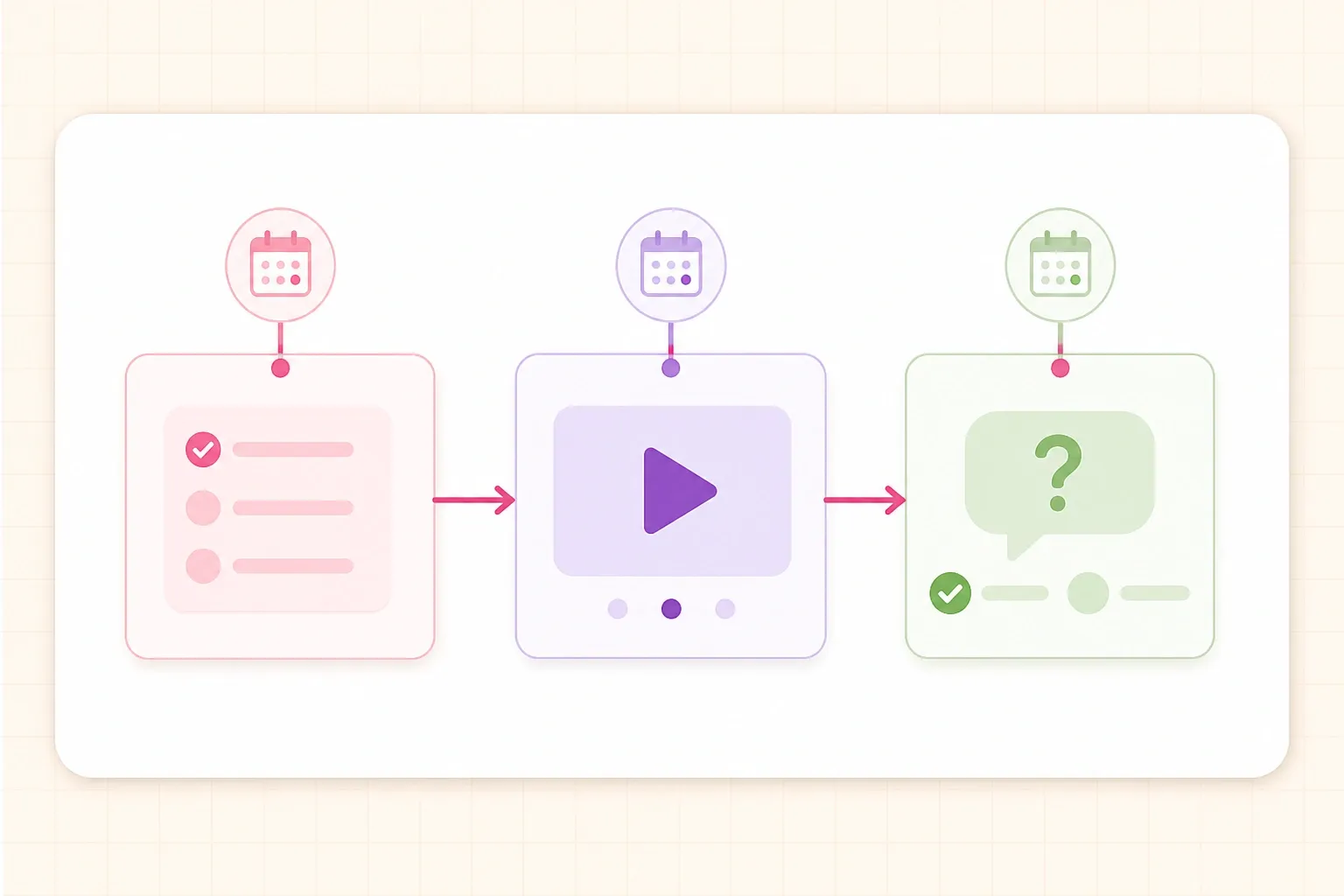
That does not mean posting three times for every upload. If a video takes a month to make, one thoughtful post may be enough. If a channel publishes weekly, the same three moments can create a light, repeatable system.
1. Poll viewers before choosing the next video
A poll is most useful before the idea is fully locked. Give viewers two to four realistic options that the channel could actually produce, then use the results as evidence rather than outsourcing the entire editorial decision.
Examples:
- “Which home-studio problem should the next tutorial solve?”
- “Should the next comparison cover budget microphones or budget cameras?”
- “Which part of the editing process still feels confusing?”
Avoid options that are so broad that the answers cannot guide a video. “What should I post next?” creates work for the audience and usually produces weak information. A focused poll about competing ideas is easier to answer and easier to turn into a script.
A live example makes the distinction clear: MrBeast asks viewers to choose between two concrete outcomes, which is easier to answer than an open-ended “What should I post next?” prompt.
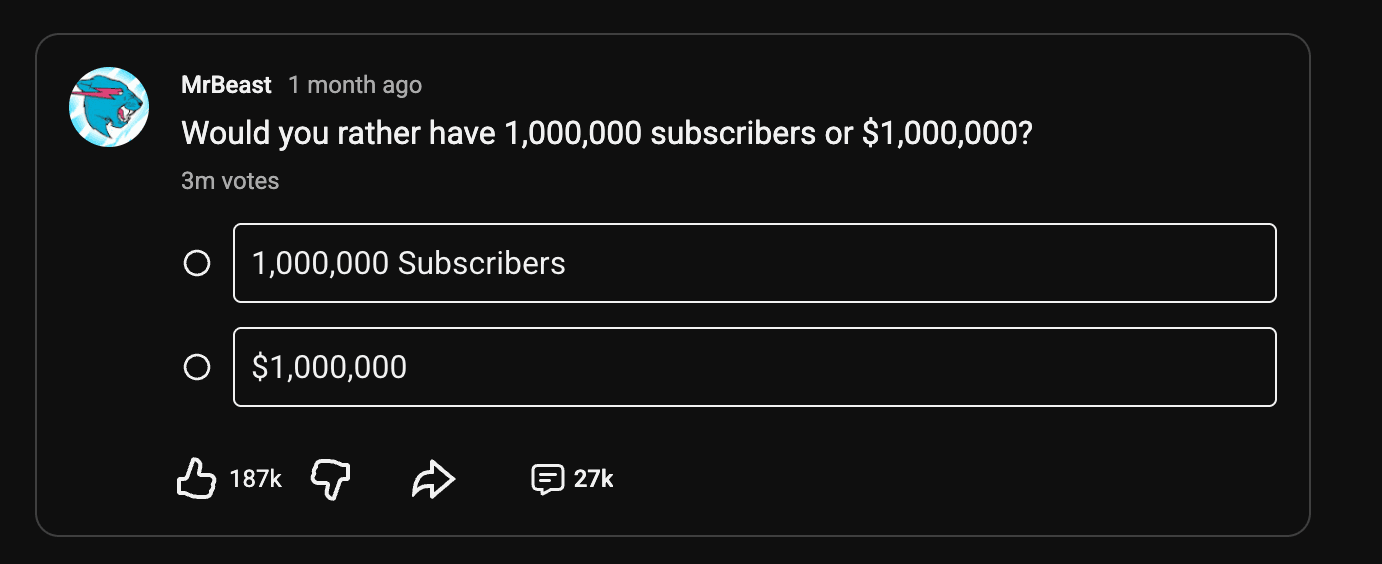
The point is not the size of the channel. It is the structure: two understandable options, one clear question, and a result that can inform the next decision.
2. Ask for the question behind the vote
Poll results tell you what people select, but comments often explain why. Add a short text post after the poll asking voters to describe their situation, experience level, or biggest obstacle.
For a finance channel, “Which investing topic should come next?” can be followed by “What would make that topic useful for your situation?” For a gaming channel, a poll about a game mode can lead to “What should the challenge include?” These replies can improve the angle, not just the subject.
This is also a good way to turn viewer comments into questions for the video. If several people use the same phrase, keep that wording in the outline or title draft because it reflects how the audience describes the problem.
3. Share a preview before publishing
A preview should show enough to create context without giving away the main payoff. Share a behind-the-scenes frame, a cropped result, a prop from the shoot, or a short sentence about the problem the video solves.
Useful preview copy answers one question: why might this upcoming video matter to this viewer? “Testing three microphones in a noisy room” is more informative than “Big video coming soon.” The first tells people what to expect and gives interested viewers a reason to return.
Do not turn every preview into a countdown. If the upload date moves, vague urgency becomes noise. A clear topic and honest timing are usually more useful than repeated “tomorrow” posts.
4. Test a title or topic with a poll
Community posts can help compare two directions before the packaging is final. Ask viewers which question they would click, which promise sounds clearer, or which title feels more useful.
Keep the test narrow. A poll cannot predict the full performance of a title because it does not reproduce the thumbnail, recommendation context, or search result. It can still reveal confusing wording, unfamiliar terms, or a promise that does not match what the audience wants.
If you test titles, show options that describe the same video. Do not compare a specific, useful title with a vague one and treat the result as a scientific A/B test. The goal is language feedback, not certainty.
5. Ask a follow-up question after publishing
Once a video is live, ask a question that makes the viewer think about the content they just watched. “What did you think?” is easy to ignore. A question tied to a decision, example, or unresolved point gives people something specific to answer.
Try:
- “Which of the three setups would you choose, and why?”
- “What should the next test control for?”
- “Did the final example change your mind?”
- “Which step needs a slower explanation?”
Place the question close enough to the upload that the context is fresh, but not so quickly that it feels like an automatic promotion. The post should continue the idea instead of repeating the video title and link.
6. Share a behind-the-scenes image with one useful detail
Behind-the-scenes posts work when the image reveals a real part of the process: a test setup, a failed version, a location problem, a script note, or the small decision that changed the final video.
The caption should add the detail the image cannot explain. “The first setup created too much echo, so the final test moved into the hallway” invites more curiosity than “Behind the scenes.” It also gives viewers a reason to comment with their own experience. A large-scale example from MrBeast follows the same principle: the image shows the unusual production setup, while the caption explains what viewers are about to see.
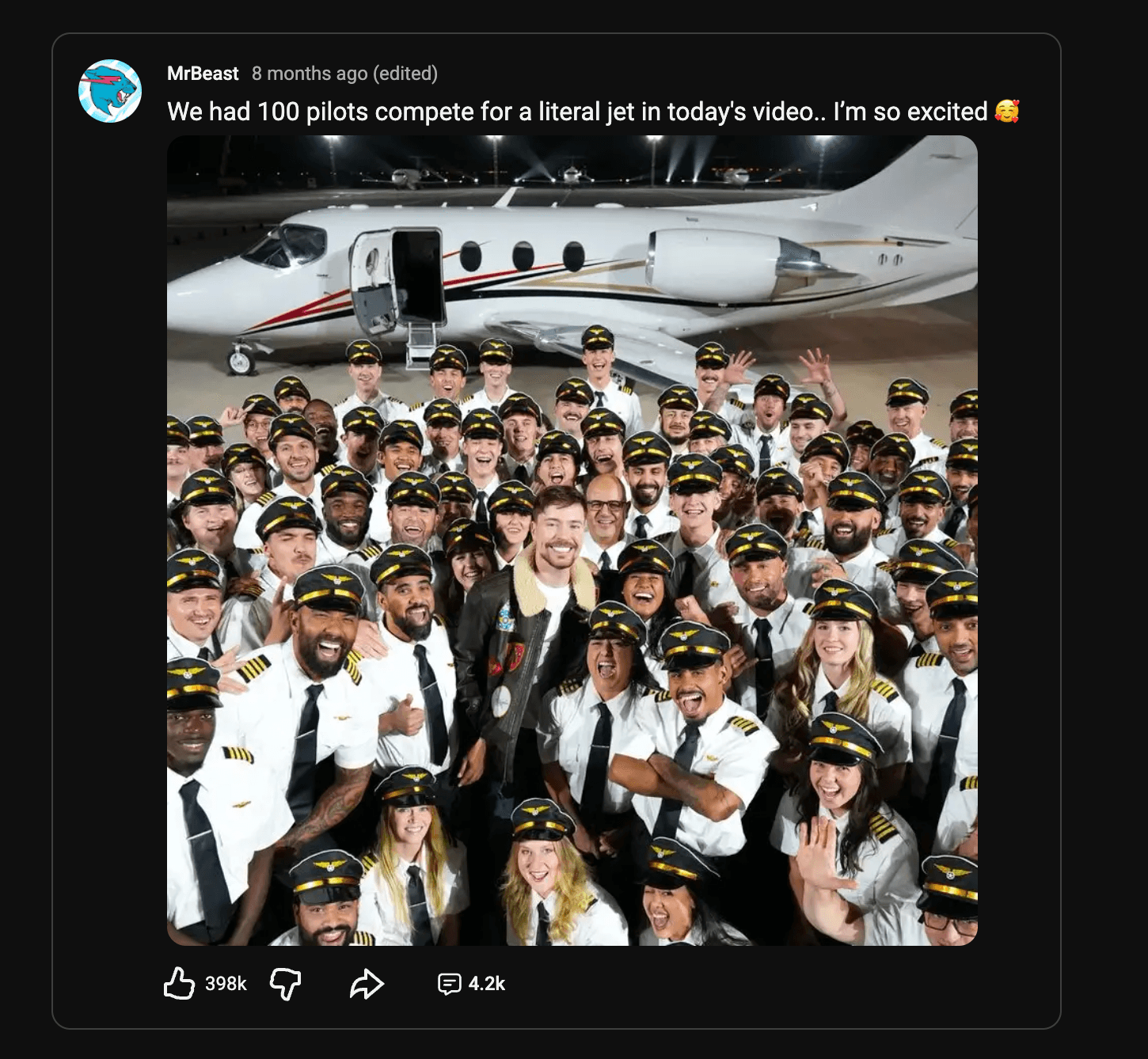
YouTube’s own guide to building community between uploads points to behind-the-scenes photos, polls, quizzes, and conversations as natural ways to keep viewers involved. The useful part is not posting a photo for its own sake; it is showing a decision, process, or moment that viewers would not see in the finished upload.
7. Turn a viewer comment into a new question
A comment can become a Community post when it represents a broader question than the original thread. Quote or paraphrase the idea, then invite more viewers to add their experience.
For example: “A few people asked whether this setup works in a small room. What is the biggest space limitation you are working around?” This keeps the original viewer’s contribution visible while making the conversation useful to people who have not seen the video.
Do not use this format to manufacture disagreement. A respectful question that expands the topic is more sustainable than posting an isolated negative comment just to provoke replies.
8. Reconnect viewers to an older relevant video
An older upload can become useful again when a new question, season, product update, or audience need makes it relevant. Explain why the older video is worth revisiting now instead of dropping a bare link.
Examples:
- “If you are starting the workflow from yesterday’s tutorial, this older video explains the setup step in more detail.”
- “The tool has changed since this upload, but the planning framework still applies. Which part should be updated next?”
- “This is the foundation for the new series. What should be expanded?”
The post should work for someone who has not clicked yet. Give enough context to help them decide whether the older video fits their question.
9. Use a quiz to check audience knowledge
Quizzes are useful when the audience is learning something or following a recurring topic. Ask about a concept from the last upload, a common mistake, or the next step in a process.
A good quiz is not a trick question. It should have one defensible answer and teach something in the explanation or follow-up. For a photography channel, ask which setting changes motion blur. For a language channel, test a phrase from the lesson. For a history channel, ask which event came first.
YouTube’s official guide to Community posts includes polls, images, quizzes, previews, and creator shout-outs. Use the format that matches the conversation you want, rather than treating every post as a poll.
10. Share a creator update without promoting anything
Not every post needs to point to a video. A short update about a break, a production change, a new upload schedule, or a lesson from the creative process can make the channel feel more human and reduce uncertainty.
Keep the update specific. “Editing is taking longer because the test needs another round” is more useful than “Sorry for the delay.” If the schedule changes, state what viewers should expect next. If there is nothing useful to say, skip the post rather than filling the tab with apologies.
Build a simple between-upload rhythm
The right cadence depends on how often the channel publishes and how much attention the audience gives the tab. A weekly creator might use one post before the upload, one launch-day post only when it adds context, and one follow-up question afterward. A monthly creator may use a poll early in production and a preview closer to release.
Use this as a starting rhythm:
- Before filming: ask one focused poll or question that can improve the idea.
- During production: share one useful preview or behind-the-scenes detail.
- After publishing: ask one follow-up question or reconnect the video to a related older upload.
- Between projects: use a quiz, comment-led question, or honest creator update when it has a clear purpose.
This rhythm should support the videos, not compete with them. If the posts take more energy than the upload itself, reduce the frequency and keep the formats that produce useful audience insight.
What to avoid on the Community tab
Avoid posting the same video link repeatedly with slightly different wording. A launch post can point people to the upload, but later posts should add a question, lesson, example, or new reason to watch.
Avoid polls where every option is an idea you do not want to make. Avoid revealing the answer to a story-driven video in the post title. Avoid asking for engagement without giving viewers a real decision to make.
Most importantly, do not confuse activity with community. A smaller number of relevant posts can teach you more about the audience than daily filler.
For posts that support discovery, keep the language consistent with the video’s topic and promise. This guide to YouTube SEO for creators explains how that language connects with titles, descriptions, and topic choices. When the post points viewers to a long tutorial, the related guide to YouTube chapters helps them find the right section.
The practical rule is simple: use Community posts to create the next useful question around a video. Before publishing, ask what the audience wants to see. Around launch, show what is coming. After publishing, continue the conversation with a specific question, useful detail, or relevant older resource. That is enough to keep the channel connected between uploads without turning the tab into a second content treadmill.