

A solo creator can spend an entire week making content and still feel behind. The problem is often not a lack of ideas. It is that every task is competing for attention at the same time: choosing a topic, writing a hook, filming, editing, publishing, answering comments, and trying to understand the numbers.
A workable content workflow for solo creators starts with a limit. Choose one primary platform, give the week one clear objective, and plan around the hours you actually have. Then turn one main piece into a small number of supporting posts instead of trying to create a separate original idea for every platform.
In practice, the sequence is simple: review what happened, choose one useful topic, make the main piece, adapt only the supporting posts that earn their place, and review the results before starting again.
What a weekly content workflow should achieve
The point of a weekly workflow is not to fill every available slot. It is to make the next useful piece easier to produce while leaving enough room for real life, delays, and creative judgment.
A good system should help you:
- decide what the week is trying to achieve;
- protect time for the work that needs concentration;
- reuse the right parts of a main piece without copying it blindly;
- review evidence before choosing the next topic; and
- keep publishing when the week does not go exactly to plan.
The system below works whether you have five hours a week or ten. The hours change the volume and ambition, not the basic order of decisions.
1. Choose one objective for the week
Start by choosing whether the week is mainly about discovery, trust, or action. These objectives can all matter, but trying to optimize for all three in every post makes the workflow harder to judge.
Discovery
Discovery content helps new people understand why they should pay attention. Use an accessible question, a searchable topic, a useful reaction, or a clear explanation of a problem in your niche.
Trust
Trust content helps existing viewers understand how you think and work. Use a behind-the-scenes explanation, a personal process, a case study, a detailed answer, or a transparent lesson from a project.
Action
Action content gives people a sensible next step. That might be downloading a resource, joining a waitlist, visiting a product page, booking a service, or watching a related long-form piece. The next step should fit the relationship you have built with the audience.
Write the objective in one line before choosing the topic. For example: “This week, help new freelance designers discover the account through one practical workflow.” That sentence will make later decisions faster.
2. Set a time and content budget
Do not plan from an imaginary version of your week. Count the time you can protect after client work, school, family responsibilities, admin, and recovery. Then set a content budget that includes production and maintenance.
Your budget should account for:
- idea research and planning;
- scripting or outlining;
- filming or recording;
- editing and packaging;
- publishing and scheduling;
- comment replies and community work; and
- a short analytics review.
If a video takes three hours to make and you have five hours available, publishing five videos is not a serious plan. A smaller schedule that can be repeated will teach you more than an ambitious week followed by silence.
3. Choose one primary platform
Pick the platform where the week’s main piece will live first. This choice gives you a clear format, audience expectation, and analytics view.
The primary platform should usually be the one where:
- your audience is already responding;
- your preferred format is easiest to produce;
- the week’s objective can be measured reasonably; and
- you can maintain a consistent publishing rhythm.
This does not mean abandoning every other platform. It means deciding which platform gets the original idea, the best edit, and the first review. Supporting posts can follow later.
If the primary platform is Instagram, keep the production rhythm realistic rather than treating every trial as a reason to publish more. This guide to choosing an Instagram posting frequency can help you set a cadence that leaves time for quality and review.
4. Review evidence before choosing the topic
Your next idea should come from more than a blank page. Spend a short, defined block of time reviewing:
- analytics from recent posts;
- comments and direct questions;
- posts that earned saves, shares, replies, or profile visits;
- questions that came up more than once; and
- ideas that were useful but did not receive a fair test.
Look for patterns, not just the post with the highest view count. A discovery post may be worth repeating because it reached new people. A trust post may be worth developing because the comments showed thoughtful questions. An action post may have fewer views but still bring the right clicks or enquiries.
For YouTube, the official YouTube Analytics guide can help you separate reach, viewer response, and audience behavior instead of treating views as the only signal.
5. Plan the topic before the hook
Hooks are easier to write when the topic and promise are already clear. Before drafting an opening line, answer four questions:
- Who is this for?
- What problem, question, or desire does it address?
- What will the viewer understand or be able to do by the end?
- Why is this worth publishing this week?
Then choose the format. A topic may become a tutorial, a commentary video, a screen recording, a carousel, a live discussion, or a short email. The format should support the idea instead of being chosen because it is currently fashionable.
For example, “content workflow for solo creators” is a topic. “A five-hour weekly system for a creator who publishes one main YouTube video and three supporting posts” is a more useful promise. It gives the script a boundary and makes the final piece easier to package.
6. Batch similar tasks
Switching between creative modes costs time. Group similar tasks so the week has fewer context changes.
Planning block
Choose the objective, review evidence, select the topic, and outline the main piece.
Writing block
Write the structure, hook, examples, captions, and calls to action. The call to action should match the week’s objective and can be as simple as asking for a response.
Production block
Film or record several related pieces while the setup is ready. Keep notes about takes, files, and missing shots so editing does not become detective work later.
Editing block
Edit the main piece first. Then identify short sections, quotes, screenshots, or ideas that can become supporting posts. Do not create every derivative from scratch.
Publishing and community block
Schedule what is ready, write the final descriptions, check links, and reserve time for replies. Community work is part of the workflow because audience questions often become the next week’s ideas.
Batching does not mean doing all content work on one exhausting day. It means grouping tasks in a way that fits the creator’s energy and available time.
A simple Monday-to-Friday rhythm
The exact days can move around your schedule, but a light weekly rhythm keeps the decisions in the right order:
| Day | Focus |
|---|---|
| Monday | Review signals, choose the objective, and select the topic |
| Tuesday | Outline the main piece and decide which supporting posts are worth making |
| Wednesday | Film, record, or create the main piece in one focused block |
| Thursday | Edit, package, and adapt the selected supporting posts |
| Friday | Publish or schedule, reply to useful comments, and record what to review next week |
When Friday is mainly about distribution, Publer’s social media scheduling platform can keep that block compact. It lets solo creators schedule finished posts across multiple platforms from one calendar and prepare a batch in advance. Adapt the caption, crop, and opening for each platform before adding the posts to the queue.
If your available time is concentrated on the weekend, keep the sequence and move the days. The workflow is a decision order, not a rule that every creator must work Monday through Friday.
7. Turn one main piece into selected supporting posts
Start with one substantial piece, such as a YouTube video, podcast episode, newsletter, tutorial, or detailed carousel. Then select only the derivatives that have a clear job.
One main piece might produce:
- one short discovery clip with a single idea;
- one trust-oriented behind-the-scenes post;
- one quote, checklist, or visual summary;
- one question that invites a useful reply; and
- one link back to the full piece when the context is genuinely helpful.
The goal is not to publish five copies. It is to give the same underlying idea different entry points. A short clip should make sense without the full video. A poll should ask a real question rather than simply announce that a video exists.
8. Adapt the repurposed piece to the platform
Repurposing saves production time, but the final post still needs to feel native to the platform. Adapt the opening, length, framing, caption, on-screen text, and call to action.
For example:
| Platform role | Useful adaptation |
|---|---|
| YouTube | Full explanation, searchable title, chapters, and a clear next video |
| A concise Reel, carousel, or Story sequence with a visual first frame | |
| TikTok | A faster opening, direct delivery, and a question that invites comments |
| Newsletter | Context, a personal explanation, and one useful takeaway |
These are starting points, not rules. A creator may use a different mix depending on where the audience actually responds. The important distinction is between selective adaptation and automatic cross-posting.
9. Leave open slots for the unexpected
A full calendar can look productive while making the system fragile. Leave at least one open slot for a trend that genuinely fits, a collaboration, a delayed edit, a family obligation, or a post that needs another review.
Open space also protects quality. If the main piece takes longer than expected, you can move a supporting post without turning one delay into a week of missed deadlines.
Do not fill the open slot just because it exists. It is a buffer, not a hidden quota.
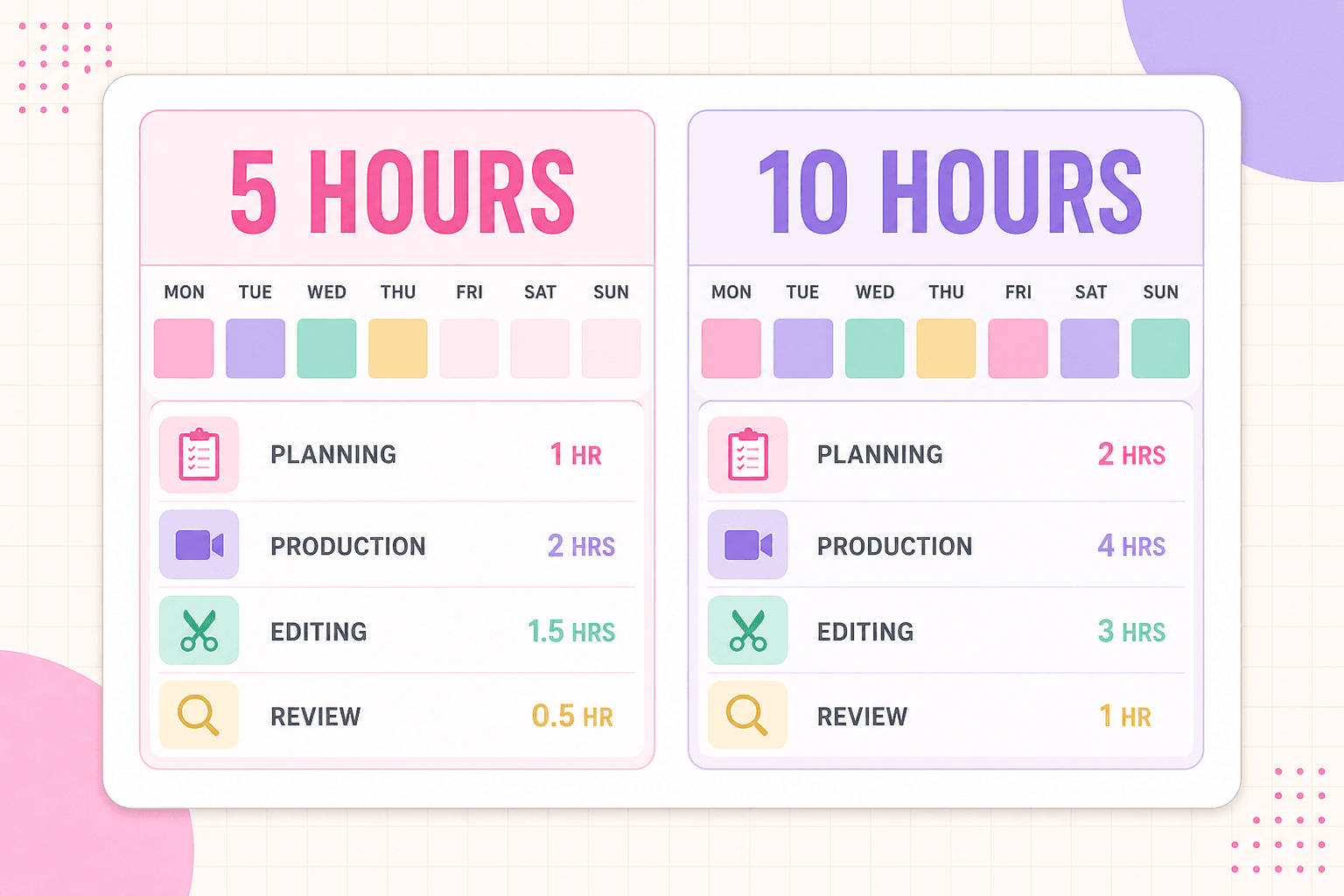
A five-hour weekly schedule
This version suits a creator who wants one main piece and a small amount of supporting content.
| Time | Work |
|---|---|
| 45 minutes | Review analytics, comments, and the previous week’s notes |
| 45 minutes | Choose the objective, topic, format, and outline |
| 2 hours | Film or record the main piece and capture one short supporting asset |
| 1 hour | Edit, package, and schedule the main piece |
| 30 minutes | Adapt one supporting post and write the weekly review |
If the main piece needs more editing, reduce the number of supporting posts. The point of the five-hour plan is consistency, not maximum output.
A ten-hour weekly schedule
With ten hours, a creator can add more testing and adaptation without doubling the number of platforms.
| Time | Work |
|---|---|
| 60 minutes | Review analytics, comments, questions, and possible topics |
| 60 minutes | Choose the objective and plan the main piece plus supporting angles |
| 2 hours | Script, outline, or prepare the production |
| 2 hours | Film or record in batches |
| 2 hours | Edit and package the main piece |
| 90 minutes | Adapt two or three selected supporting posts |
| 30 minutes | Schedule, check links, and complete the weekly review |
The extra time should improve clarity, examples, and learning. It should not automatically become a promise to publish everywhere.
Use the Discover–Trust–Act framework
The three-part framework keeps a week balanced without requiring three separate original ideas. One main piece can do more than one job, but it helps to know which job each supporting post is doing.
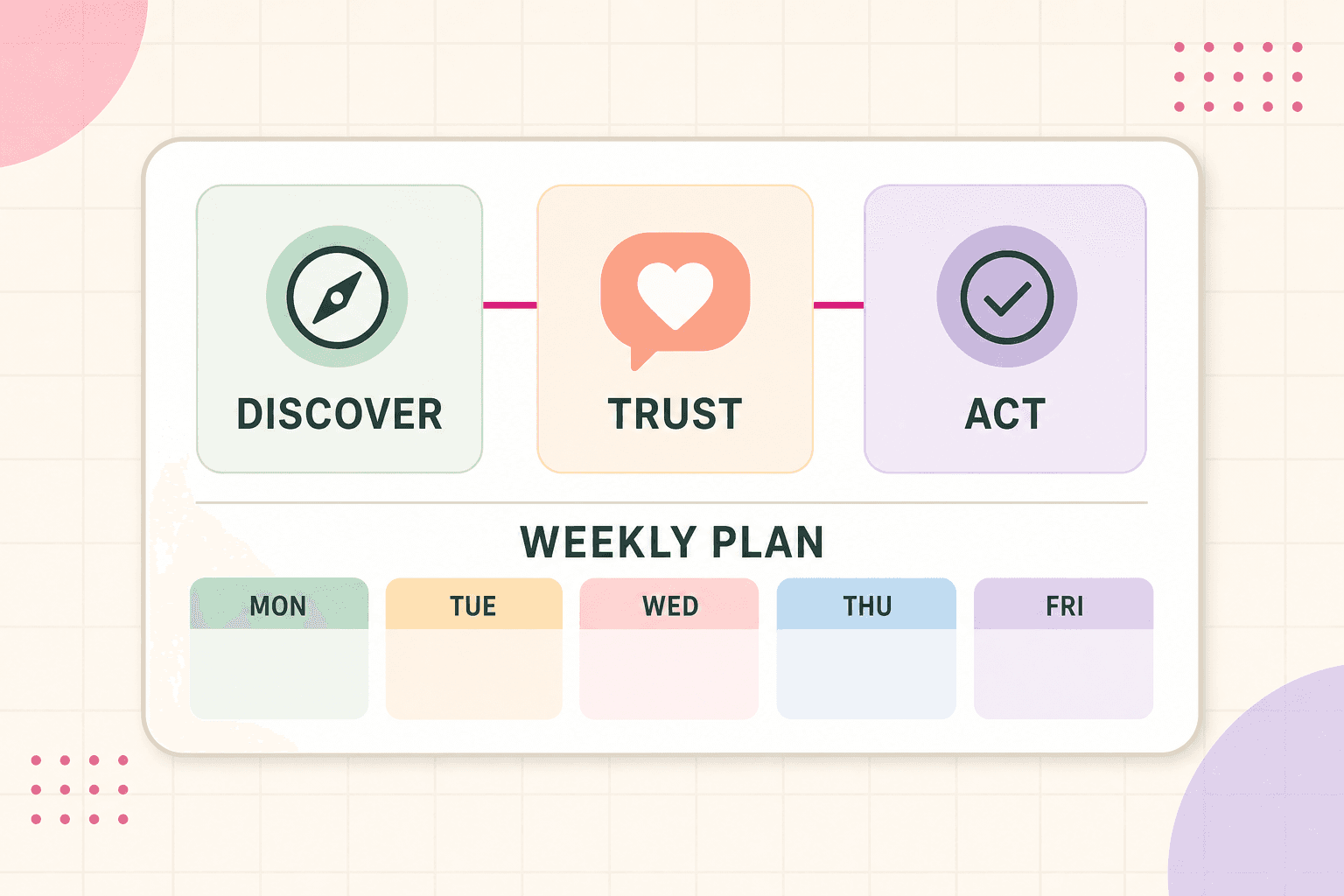
Use the framework to give each post a clear role, then use the table to choose an angle that matches that role.
| Objective | Reader question | Possible content |
|---|---|---|
| Discover | Why should the audience pay attention? | Searchable explanation, reaction, beginner tip, or clear problem |
| Trust | Why should the audience believe or remember this creator? | Process, case study, behind the scenes, or detailed answer |
| Act | What should the audience do next? | Tutorial step, resource, offer explanation, or related piece |
You do not need one post for each category every week. If the main piece builds trust, one short supporting post can handle discovery and another can give the audience a relevant next step. The framework is a way to assign purpose, not a formula for filling a quota.
A weekly planning template
Copy this into a note or workspace before the week starts:
Week of:
Available content hours:
Primary platform:
Weekly objective: Discover / Trust / Act
Evidence from last week:
- Post or question worth developing:
- Signal to understand:
- Audience question to answer:
Main piece:
- Topic:
- Audience:
- Promise:
- Format:
- Hook or opening idea:
- Production deadline:
- Publishing date:
Selected supporting posts:
1. Purpose and platform:
2. Purpose and platform:
3. Purpose and platform:
Open slot or buffer:
What to review next week:
Keep the template short enough to use. If planning takes longer than the production itself, remove fields that do not change the next decision.
Review the week in 10 minutes
At the end of the week, answer these questions:
- Did the main piece support the weekly objective?
- Which post attracted the right kind of response?
- What did people ask, misunderstand, save, share, or click?
- Which task took longer than expected?
- What should be repeated, adapted, dropped, or moved to the idea bank?
- Is next week’s plan realistic with the hours available?
Do not judge the whole workflow by one post. Look for friction in the system. If scripting always expands, make outlines more specific. If editing consumes the week, simplify the visual treatment. If repurposing feels forced, choose fewer supporting posts.
The practical version
A sustainable content workflow for solo creators is a sequence of decisions: set one objective, budget the available time, choose one primary platform, review real audience signals, plan the main topic, batch similar tasks, and repurpose selectively. Leave a buffer so the system can absorb delays and opportunities.
The best workflow is not the one that produces the most posts. It is the one that helps you publish useful work, understand what happened, and make the following week easier to plan.