

Instagram is testing a useful carousel update: multiple captions. Instead of writing one caption for the whole carousel, creators can choose whether a post uses a single caption or separate captions for each carousel item.
That may sound like a small change, but for creators who use carousels to teach, review, sell, recap, or tell stories, it changes the way a post can be structured. A carousel no longer has to carry every detail in one long caption. Each image can have the context it needs.
Instagram’s Help Center now mentions the option to choose Single caption or Multiple captions when sharing a carousel, so this is not just a rumor floating around creator news accounts. Like many Instagram updates, it may still appear account by account, which means some creators may see it before others.
What changed
Until now, most carousel posts worked around one main caption. If every slide needed its own explanation, creators usually had to add text directly on the image, write a numbered caption, or make the audience connect the dots while swiping.
The new option makes the workflow cleaner. When creating a carousel, creators can choose between Single caption and Multiple captions. With multiple captions, each photo or video in the carousel can carry its own written context.
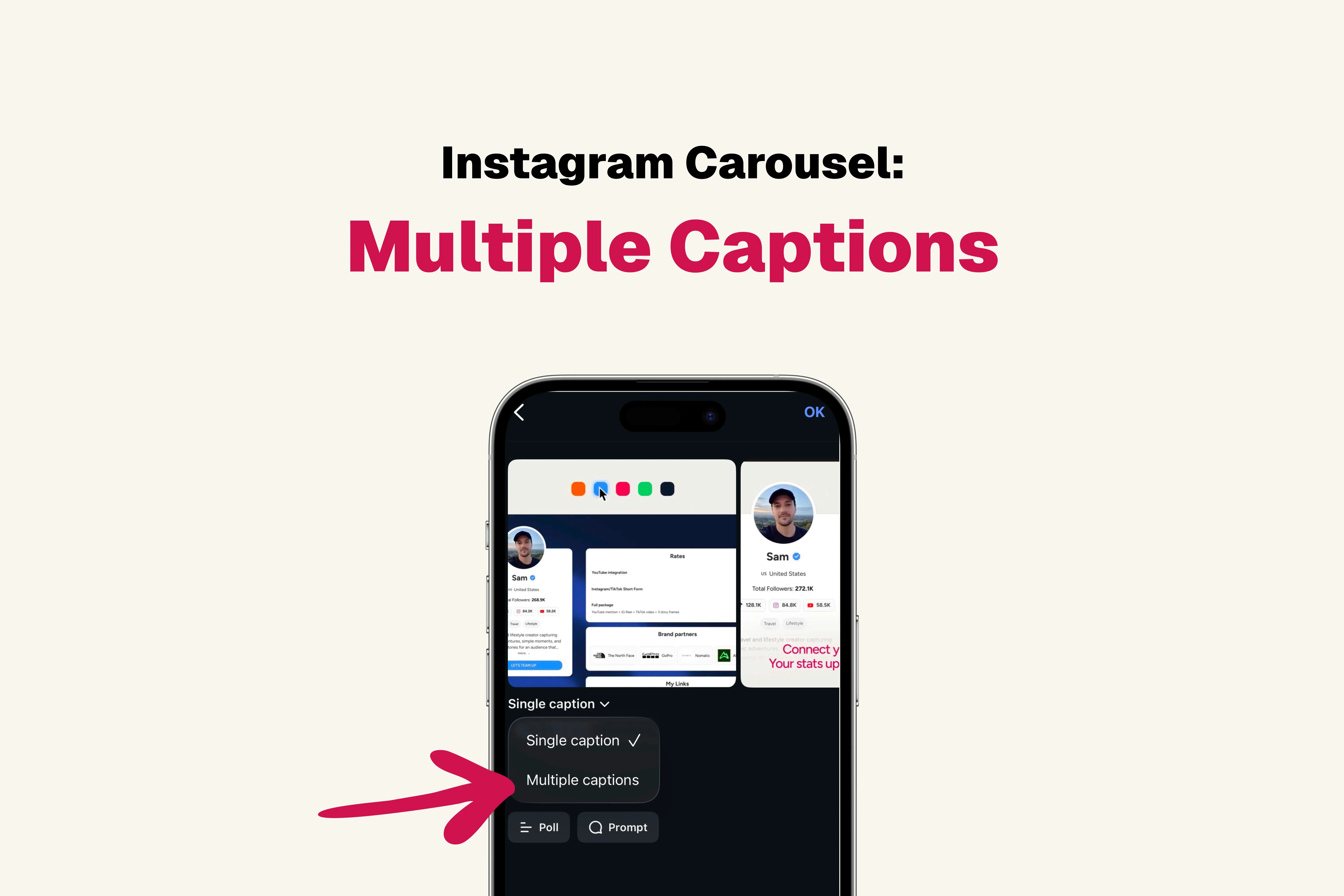
The official Instagram post announcing the feature shows the same choice inside the composer. The useful part is simple: creators can decide whether the carousel should read like one post or like a sequence of smaller moments.
Why multiple captions matter
Carousels work because they slow people down. Someone sees the first slide, swipes to the next, then keeps moving if the sequence feels useful. The problem is that one caption often has to do too much work.
A single caption is fine when the carousel has one clear idea. But it gets messy when the post includes several products, examples, locations, creators, steps, screenshots, outfits, or campaign results. In those cases, the reader may need context at the exact slide they are viewing.
That is where slide-specific captions help. They let the caption explain the image without making the image itself crowded with text. This is especially useful for creators who want clean visuals but still need to explain what each slide means.
When to use one caption or multiple captions
Not every carousel needs multiple captions. In fact, using them everywhere could make simple posts feel heavier than they need to be.
| Carousel type | Best setup | Why |
|---|---|---|
| Simple announcement | Single caption | One message is easier to read. |
| Tutorial | Multiple captions | Each step can explain one action. |
| Product roundup | Multiple captions | Each item can have its own detail. |
| Photo dump | Single caption | The mood matters more than explanation. |
| Campaign recap | Multiple captions | Each result, creator, or asset can be labeled. |
| Opinion post | Single caption | The argument should stay together. |
A practical rule: use multiple captions when the reader would otherwise need a slide-by-slide legend. Keep one caption when the whole carousel is one complete thought.
Good use cases for creators
The first obvious use case is educational content. A creator explaining a process can make each slide one step, then add a short caption that explains what to do or why it matters.
For example, a creator teaching how to pitch a brand could use slide 1 for the opening line, slide 2 for proof of value, slide 3 for the offer, and slide 4 for the follow-up. Each caption can explain that exact step without turning the design into a wall of text.
Product posts are another natural fit. A fashion creator can explain each outfit. A beauty creator can describe each product shade. A food creator can add ingredient notes per dish. A travel creator can label each location without writing one giant caption that nobody wants to untangle.
Creator collaborations can also benefit. If a carousel includes several creators, photographers, editors, or partners, each slide can credit the right person in the right place. That keeps the main caption cleaner and makes the post easier to follow.
What it means for brand deals
For sponsored content, multiple captions can make carousel deliverables more precise. A brand could ask for one slide about the problem, one slide about the product, one slide about the creator’s experience, and one slide about the result.
That can be useful, but it also needs restraint. Slide-specific captions should not become tiny ad scripts attached to every image. If the captions sound too controlled, the post will feel less native.
A better approach is to brief the creator on the points that matter, then let them write captions that sound like their normal content. The best branded carousel still feels like something the creator would have posted anyway.
For collaborations, the same logic applies to distribution. If the post includes another creator or partner, the CreatorsJet guide on whether Instagram Collab posts are worth it is a useful companion because reach only helps when the audience fit is real.
How this changes carousel strategy
This update does not replace the basics. The first slide still needs to earn the swipe. The sequence still needs to make sense. The post still needs a clear reason to exist.
What changes is the amount of context each slide can carry. Carousels can now behave a little more like mini-guides, where each image has one job and each caption supports that job.
That also means creators should be more intentional. Before writing captions, decide what each slide is supposed to do. Is it showing proof? Explaining a step? Comparing two options? Highlighting a detail? If the slide has no clear job, a separate caption will not fix it.
If the bigger question is whether to post a carousel, Reel, or single image, this update fits well with the CreatorsJet guide on Instagram Reels vs carousels vs images. Multiple captions make carousels more flexible, but they still serve a different purpose from video or static posts.
Mistakes to avoid
The first mistake is using multiple captions just because the option exists. If one caption already explains the post clearly, keep it simple.
The second mistake is writing too much. A slide caption should support the image, not compete with it. Short labels, examples, notes, or explanations will usually work better than long paragraphs.
The third mistake is repeating the same point on every slide. If each caption says almost the same thing, the feature adds friction instead of clarity.
The fourth mistake is forgetting the main post caption. Even with multiple captions, the carousel still needs a clear opening idea that tells people why they should swipe.
A simple workflow
Before using multiple captions, write the purpose of the carousel in one sentence. Then give every slide one job.
A clean workflow looks like this:
- Choose the main idea of the carousel.
- Decide what each slide needs to explain.
- Keep each caption short and specific.
- Remove captions that repeat the same point.
- Check whether the carousel still makes sense as a sequence.
- Publish only if the extra captions make the post easier to understand.
The best use of multiple captions is not more text. It is better-placed text.
Final thoughts
Instagram multiple captions give creators more control over how carousel posts are read. The feature is most useful for tutorials, product roundups, campaign recaps, educational posts, and visual stories where each slide needs its own context.
The smart move is to use it selectively. If each image needs a clear explanation, multiple captions can make the carousel stronger. If the post is one simple idea, one caption is still enough.