Know which links get clicks.
Create short, trackable links for your bio, stories, and brand campaigns. See where clicks come from and what to share next.
Available on selected paid plans.




Trusted by 49+ creators across the globe.
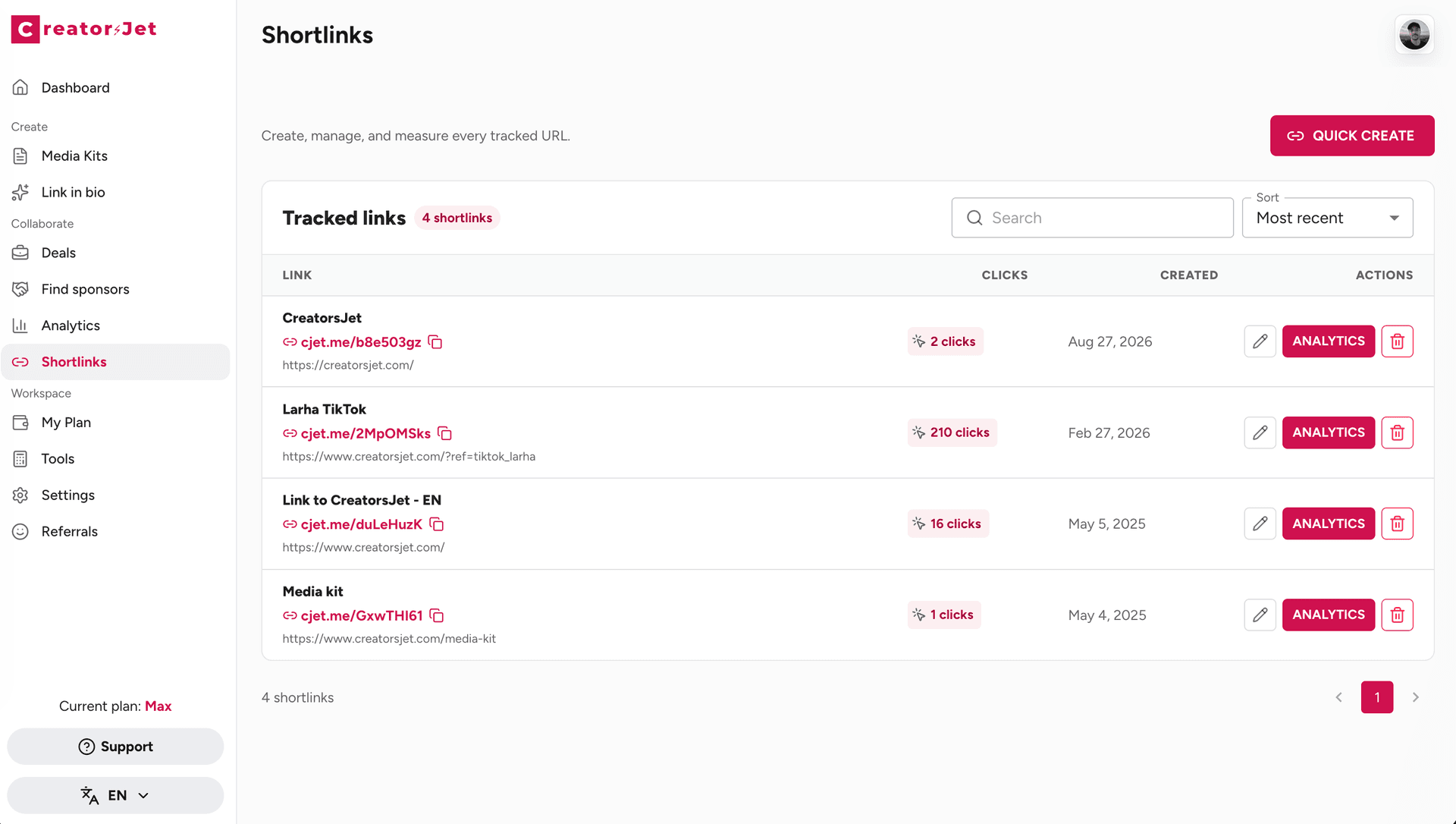
One short link. A clearer picture.
A trackable link takes people to your chosen page and records clicks along the way. Use a different link for each placement to see what brings people there.
Find your best placements
Compare a link in your bio with one in a story or video description. See which gets more clicks.
Show brands the response
Give each collaboration its own link so you can tell a brand how many clicks it received.
Plan your next post
Look at click trends to decide which links to keep sharing and which placements to rethink.
From URL to insight in three steps.
Add a destination, share your short link, and follow the clicks.
Add your destination
Paste the URL you want people to visit and give your link a title you’ll recognize.
Share your short link
Add it to your bio, stories, or messages. Create a separate link for each placement you want to compare.
See how it performs
Open your link’s analytics to review clicks, traffic sources, and audience breakdowns.
Go beyond the click count.
See when people click, where traffic comes from, and how they browse. Use those details to plan your next placement.
Compare the last 7 days, last 30 days, or all time.
Review each link’s results in the same dashboard.
Click trends to see when interest picks up
Referring sites that send traffic to your link
Country and city breakdowns, where available
Device, browser, and language breakdowns
For the links you share every day
From your latest content to your next brand collaboration.
Creators & managers
Track links to your content, media kit, or brand campaigns. See which placements bring in clicks.
Brands & marketing teams
Use a separate link for each creator or channel to compare the traffic each one sends.
Founders & small businesses
Share links to your products, offers, or latest launch and see which channels get a response.
Your link tracking questions, answered.
What is a trackable link?
It’s a short URL that sends visitors to a page you choose while recording click activity. In CreatorsJet, you can review clicks over time and available traffic-source, location, and device data for each link.
Can I compare clicks from Instagram and TikTok?
Yes. Create one link for Instagram and another for TikTok, even if both lead to the same page. You can then compare their click counts. Use separate links for bios, stories, or other placements when you want more detail.
Can I see exactly who clicked my link?
No. Link analytics show click activity and audience breakdowns, not visitors’ names or social profiles. Traffic-source and location data may not be available for every click.
Do I need to install anything on my website?
No. Paste your destination URL, create a short link, and share it. CreatorsJet records clicks through that link, so you don’t need to add tracking code to the destination page.
Can I use tracked links for brand collaborations?
Yes. Create a separate link for each collaboration or placement to measure the clicks it receives. Click counts show traffic to the destination; they do not confirm purchases or sales.
Are trackable links included in every plan?
No. Trackable links are available on selected paid plans, with limits that depend on your plan. Compare plans to check what’s included before getting started.
Share your next link. See what it does.
Give your next post or collaboration a tracked link. Find out where the clicks come from, then build on what works.



