Create a professional media kit online with CreatorsJet's media kit maker
Create, design, and share a modern media kit in minutes, complete with real-time stats, brand collabs, pricing, and links to your top content.





Trusted by 0+ creators across the globe.
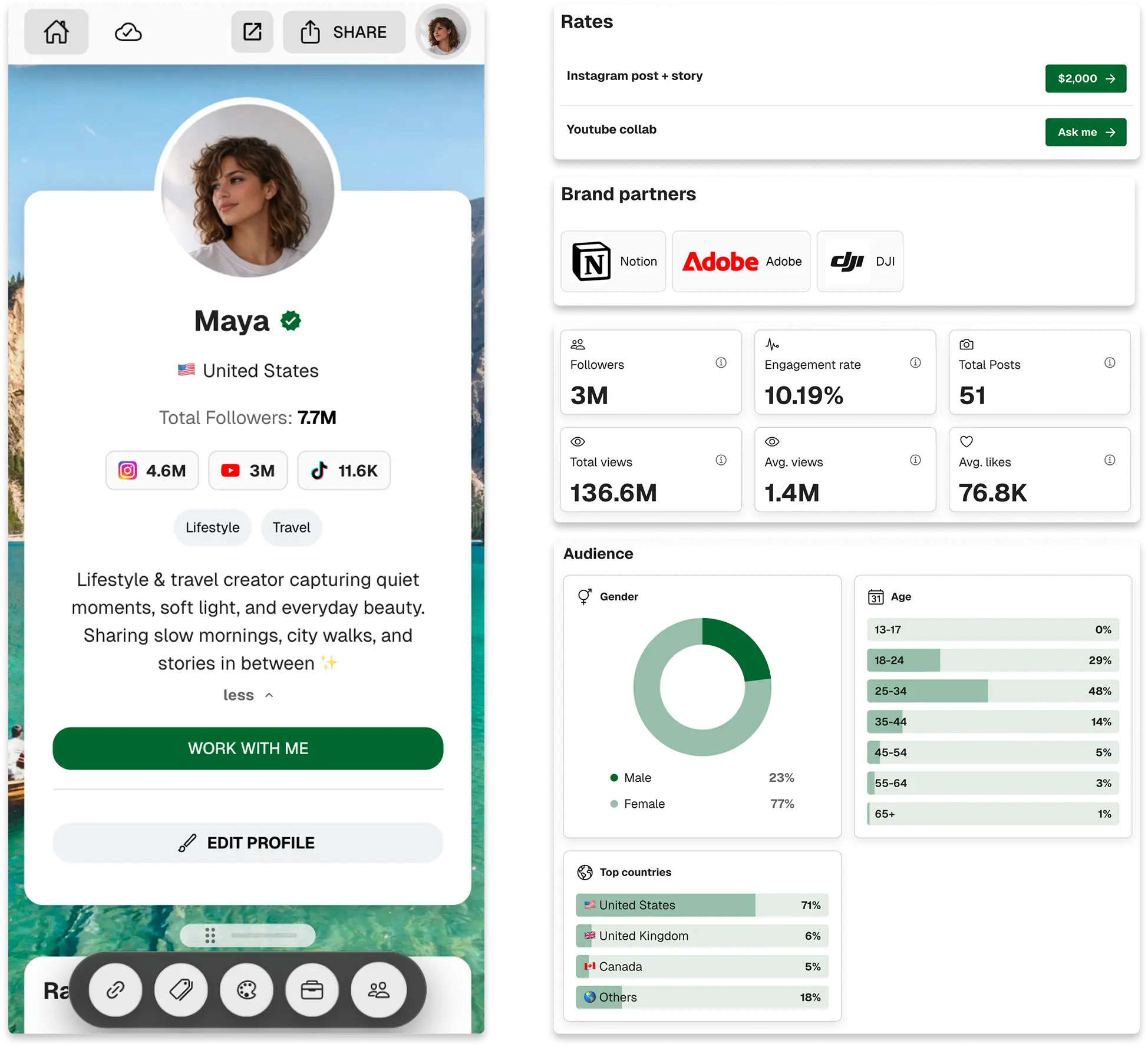
Trusted by the Creators You Follow
We've helped over 0 creators land brand deals. CreatorsJet is the most advanced media kit yet.
Trusted by 0+ creators across the globe.
Build a media kit brands want
What to show brands, how to frame it, and how to share it for replies.
What brands look for
Layout, stats, and proof points that keep decision-makers engaged.
Position yourself fast
Make your niche, results, and collaborations obvious at a glance.
Package clear offers
Show deliverables, rates, and examples without overloading the page.
Share for quick replies
Send one link, track interest, and invite fast responses with strong CTAs.
Show brands exactly what they need to say yes
Package your proof, audience data, and a clear next step in one scroll brands can skim in seconds.
Live audience snapshot
Followers, reach, and engagement refresh automatically across every profile you connect.
Proof you deliver
Drop your partners’ logos, featured links, and case studies so decision-makers see your results fast.
Ready to reply
Add your email so brands can reach you without back-and-forth.
Why Top Creators Use CreatorsJet for Their Media Kits
Unlike static PDFs or DIY tools, CreatorsJet gives you a smart, dynamic media kit that updates in real time and helps you close brand deals faster.
Real-Time Stats
Your media kit auto-updates as your followers, reach, and engagement grow.
One Smart Link
Share your kit with one link, mobile-friendly, trackable, always up to date.
Fully Customizable
Add brand logos, pricing, case studies, links, without needing design skills.
Built for Conversion
Designed to turn brand views into replies and paid collaborations.
Step-by-Step Media Kit Creation Process
Connect your socials, customize the design, add links & rates, showcase brand partners, and share one link with real-time stats.
- step 1
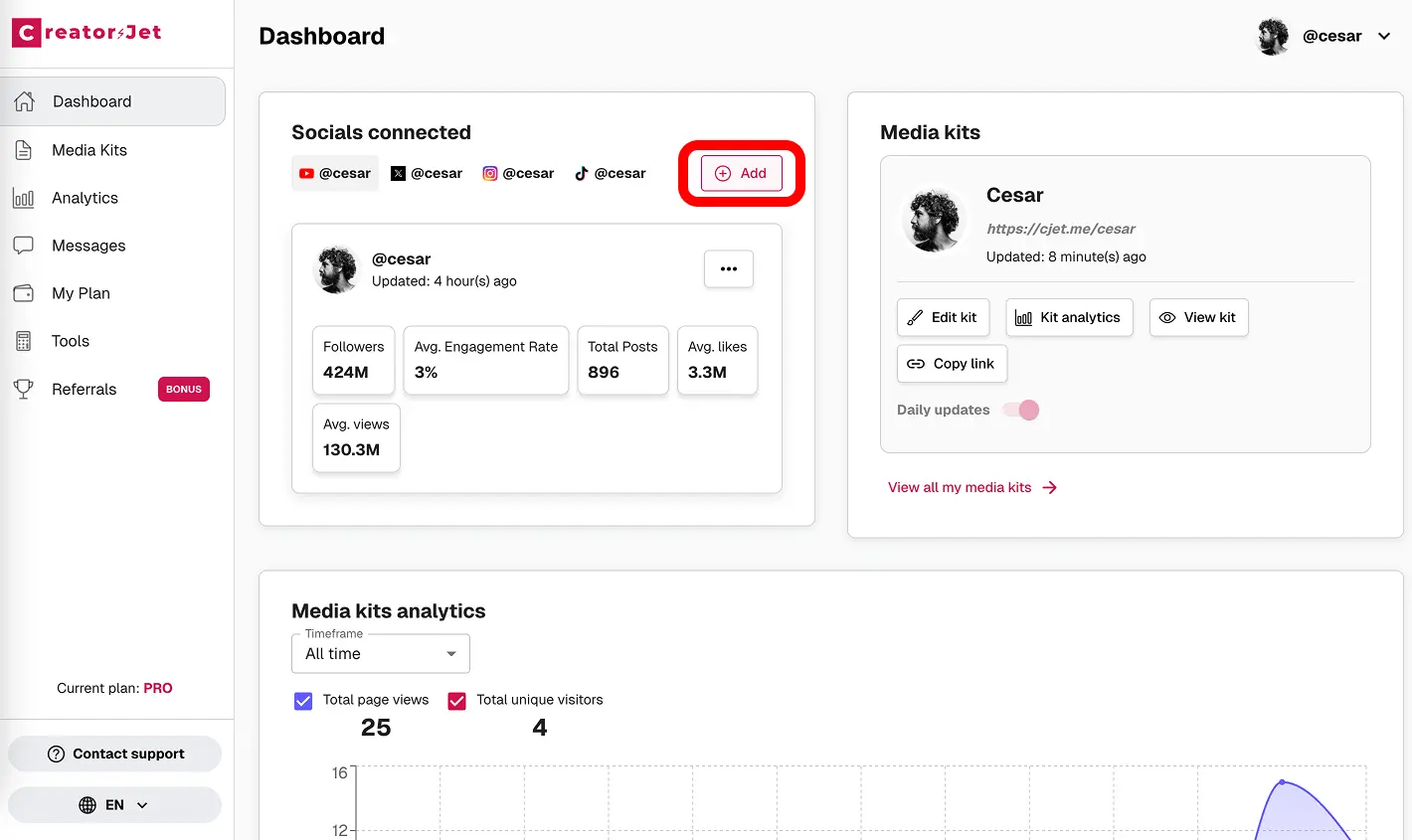
Connect your social accounts
Securely connect YouTube, Instagram, TikTok, X and more. We auto-sync followers, views and engagement so your media kit stays up to date.
- step 2
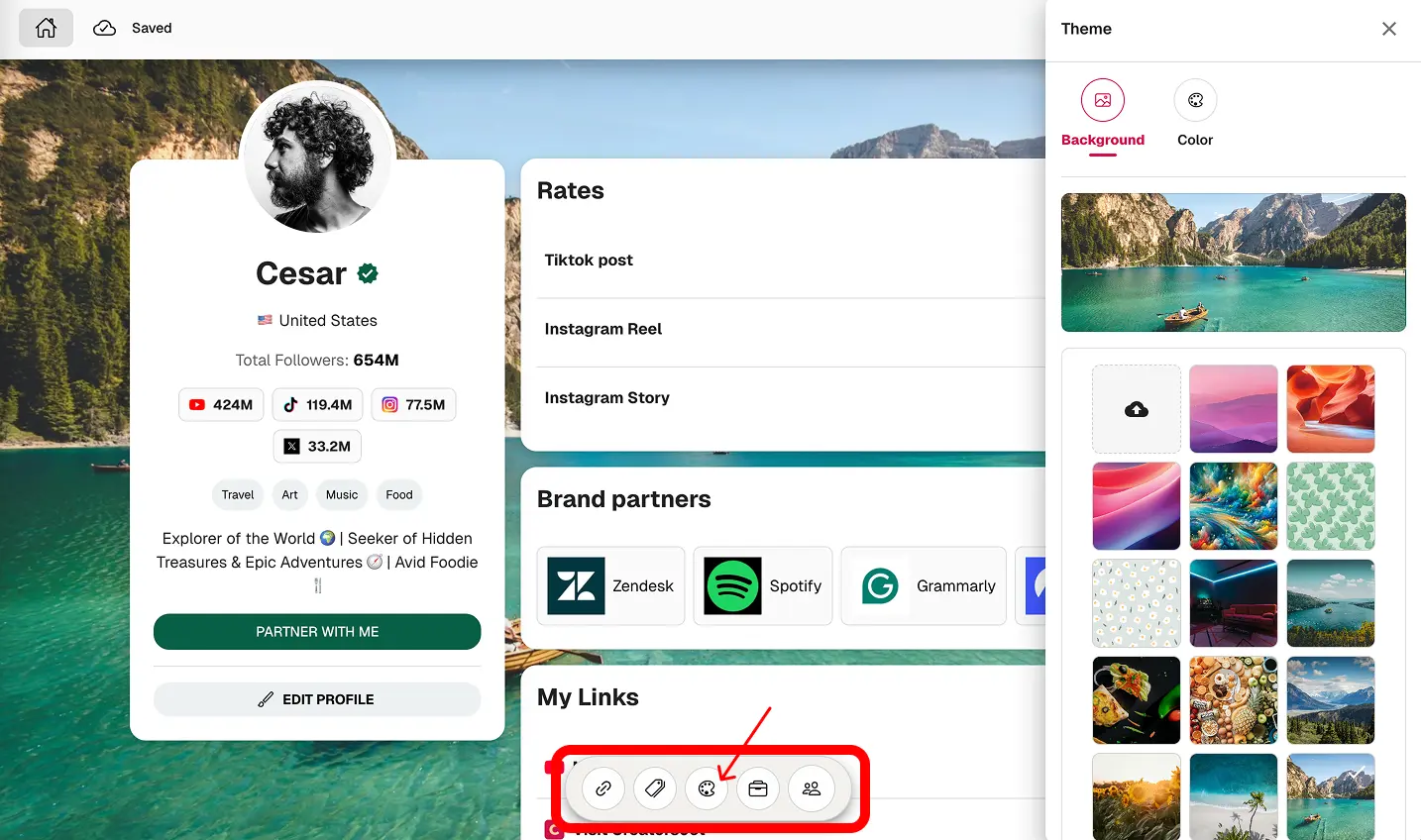
Theme your media kit
Pick a background and brand color to match your aesthetic. A clean, responsive layout that loads fast and looks great on mobile.
- step 3
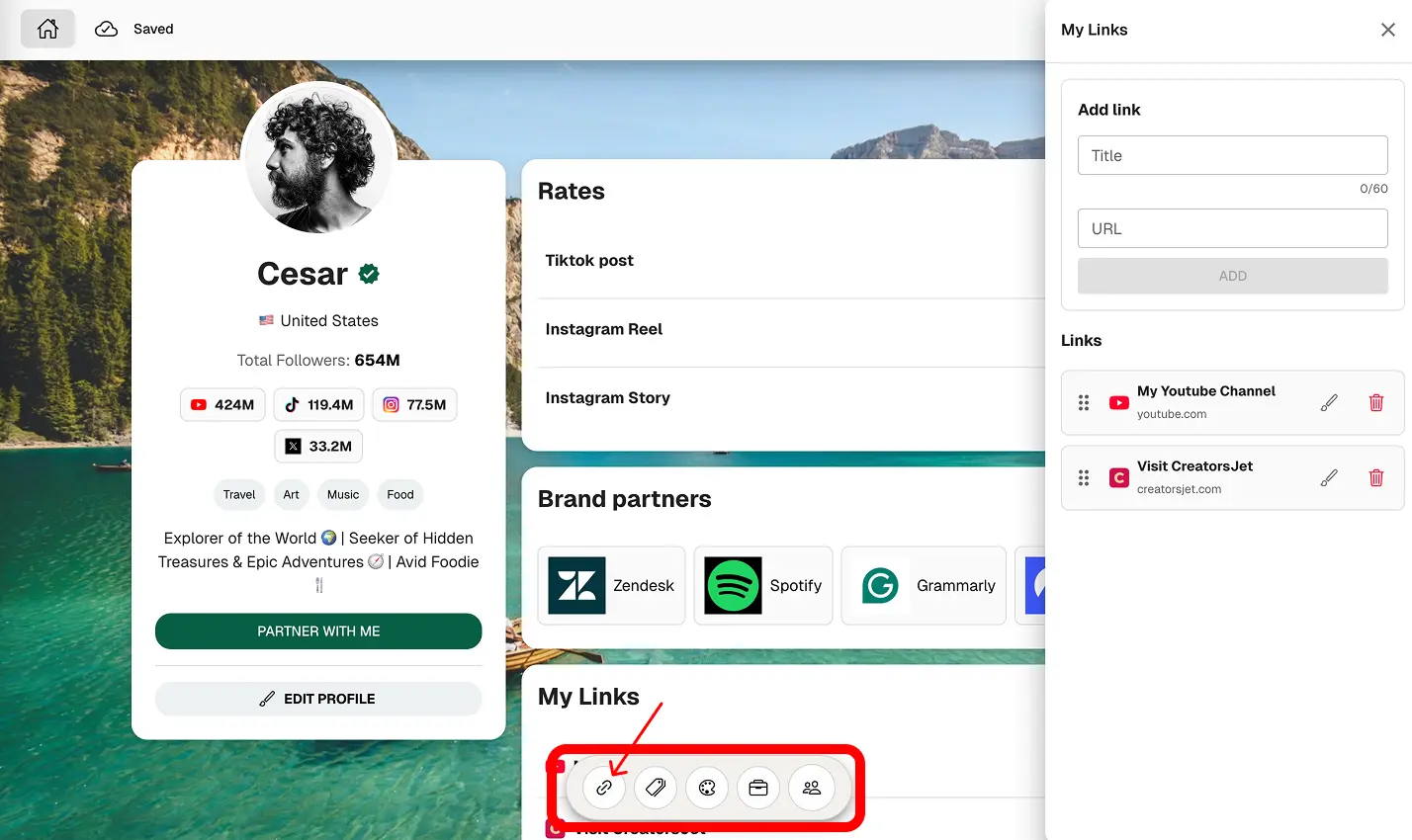
Add your links
Drive clicks to your website, store or campaigns with clean buttons, favicons and safe external links.
- step 4
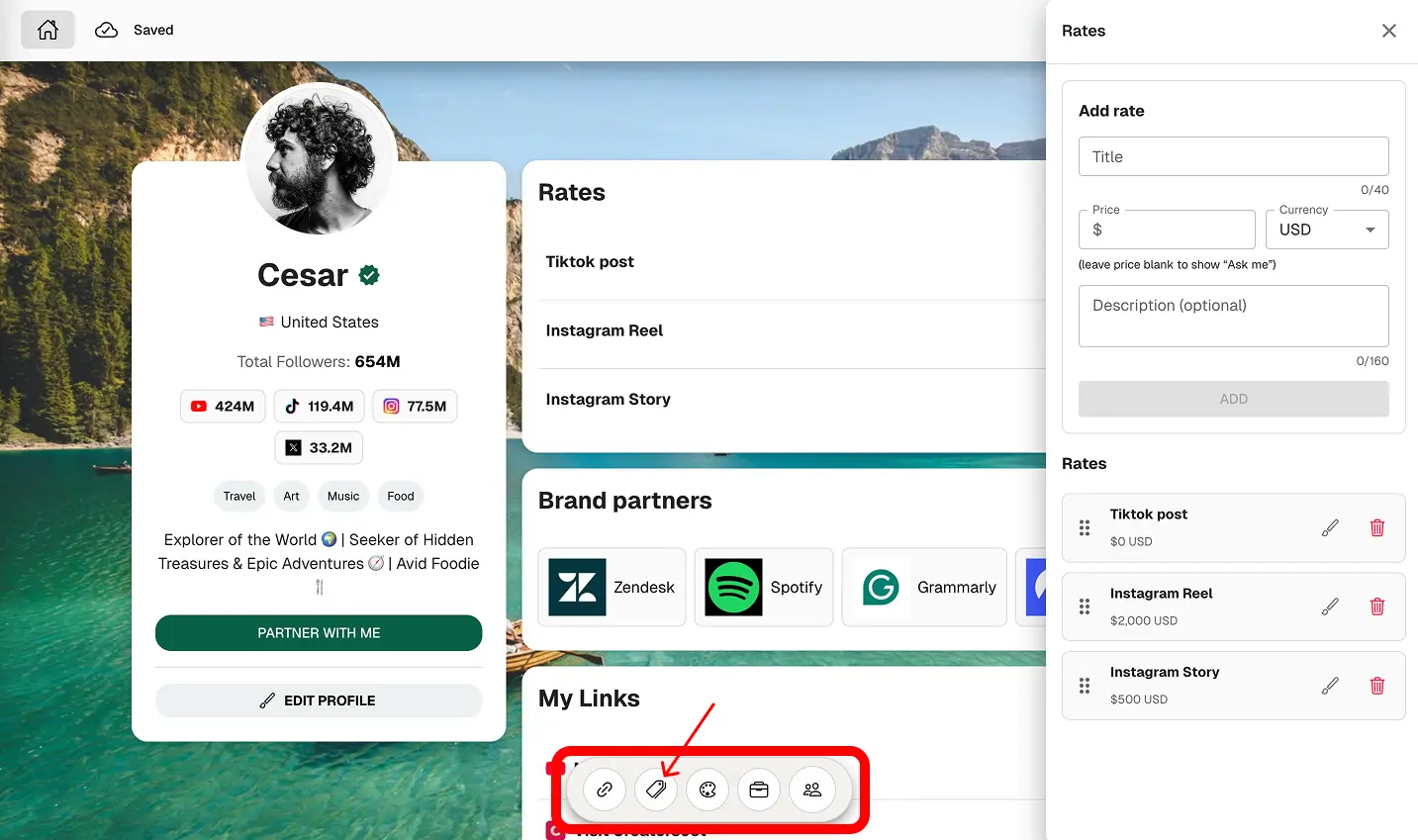
Set your rates
Show transparent pricing or use “Ask me.” Support for multiple packages and currencies.
- step 5
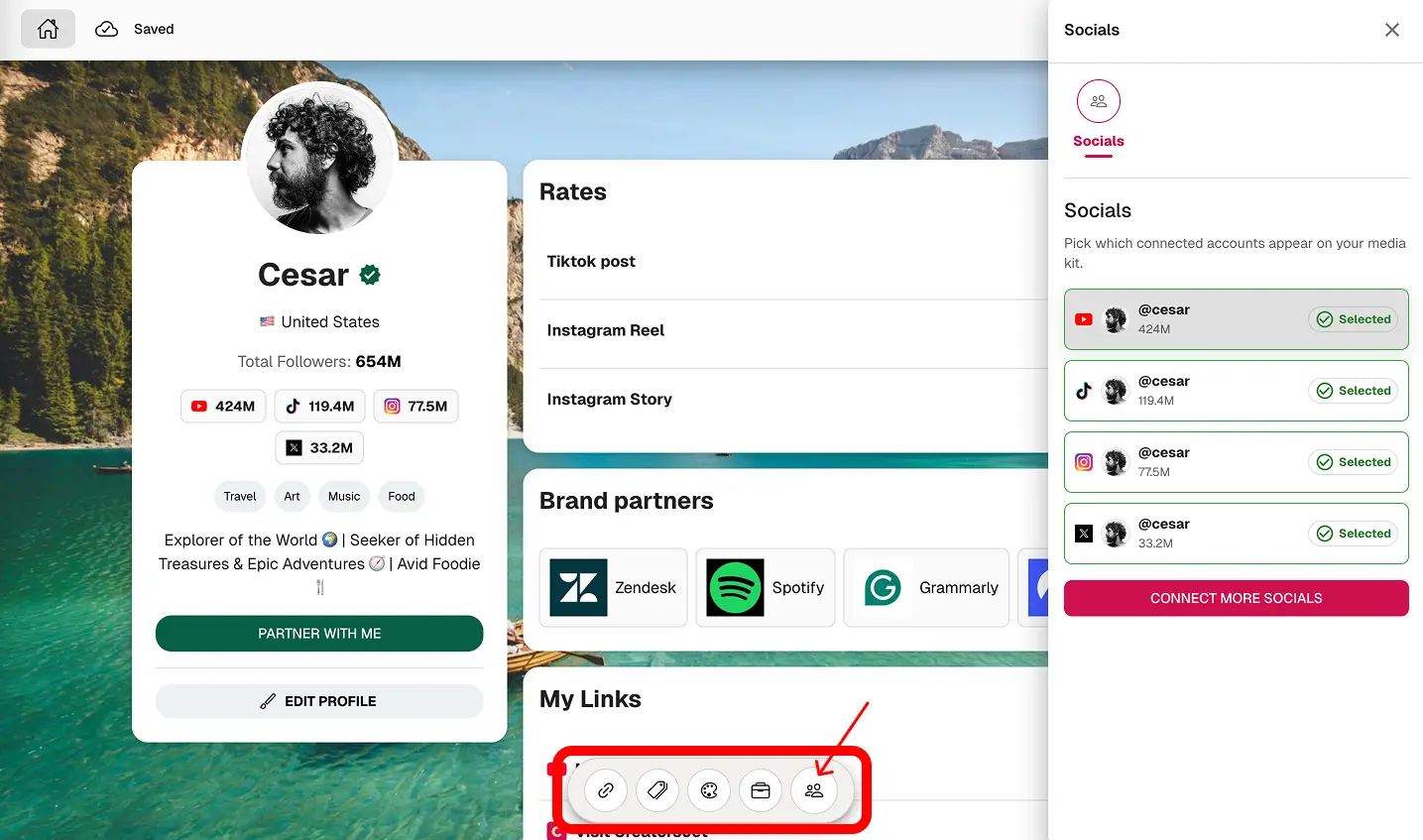
Choose socials to display
Select and reorder connected profiles to highlight your strongest channels.
- step 6
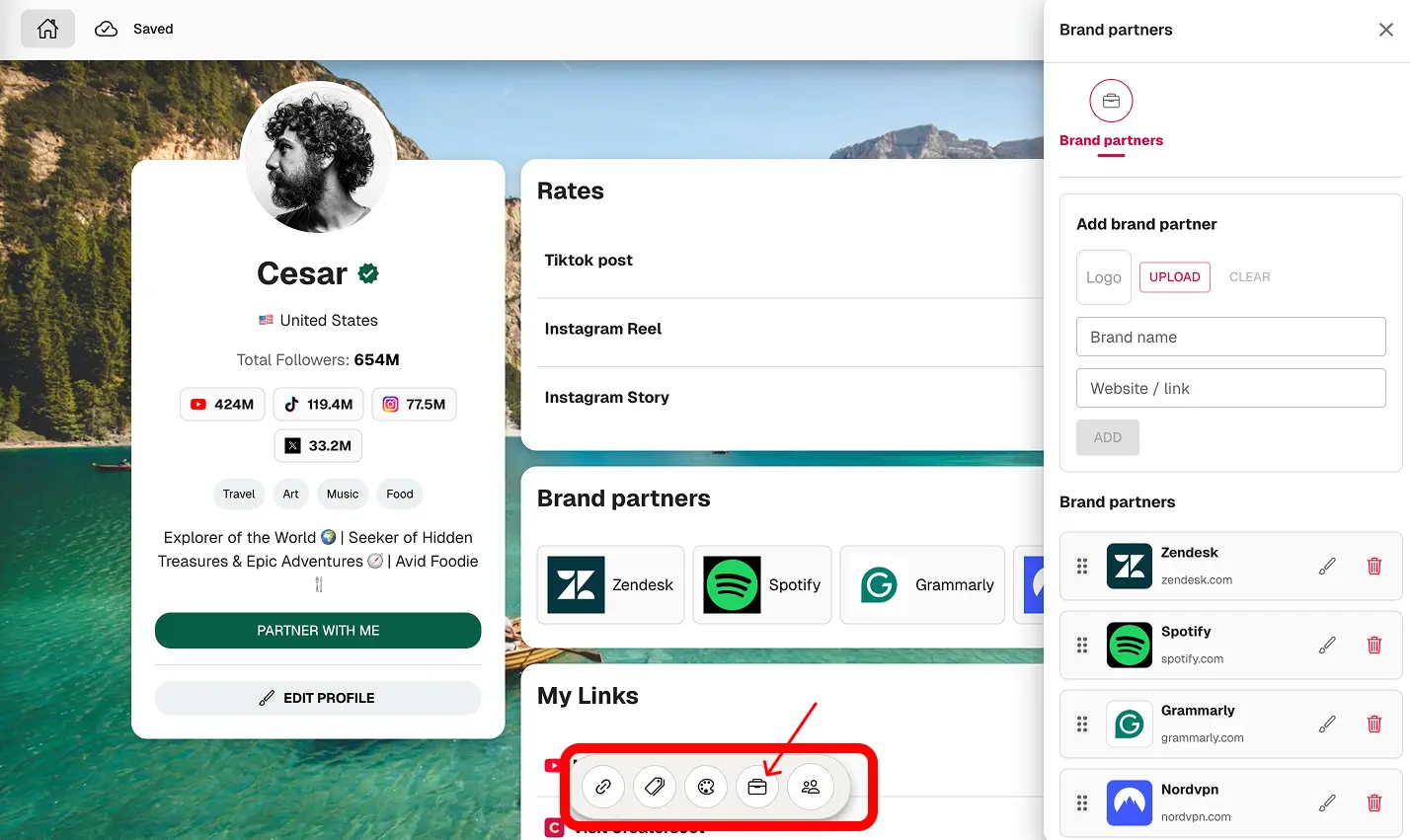
Add brand partners
Show logos and links to brands you’ve worked with to build instant trust.
- step 7
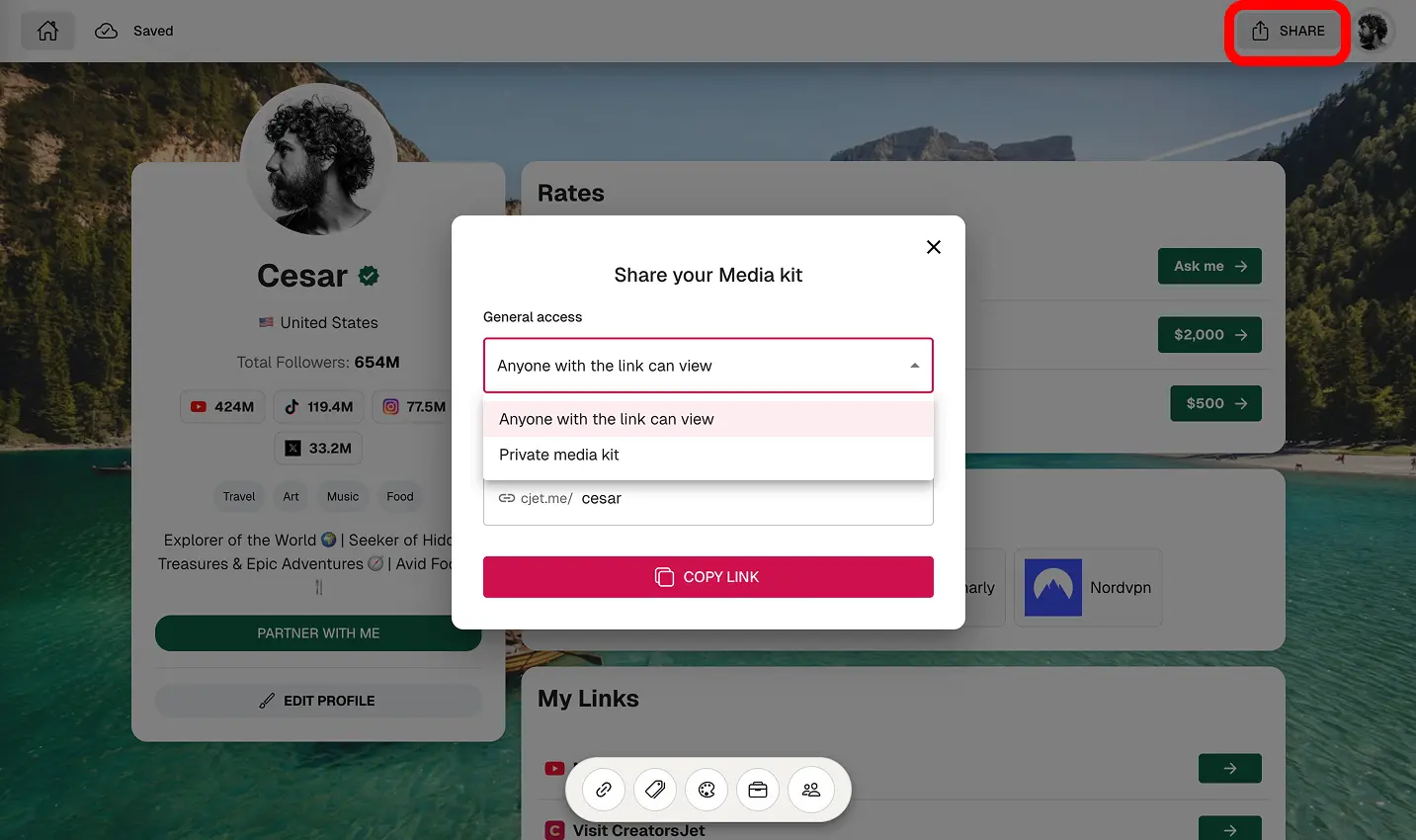
Share your media kit
Publish on a short cjet.me link. Make it public or private and copy the link in one click.
Create your media kit in no time
Getting started is fast, easy & free. Sign up, link your social profiles, and build your media kit in minutes.
Media kit examples
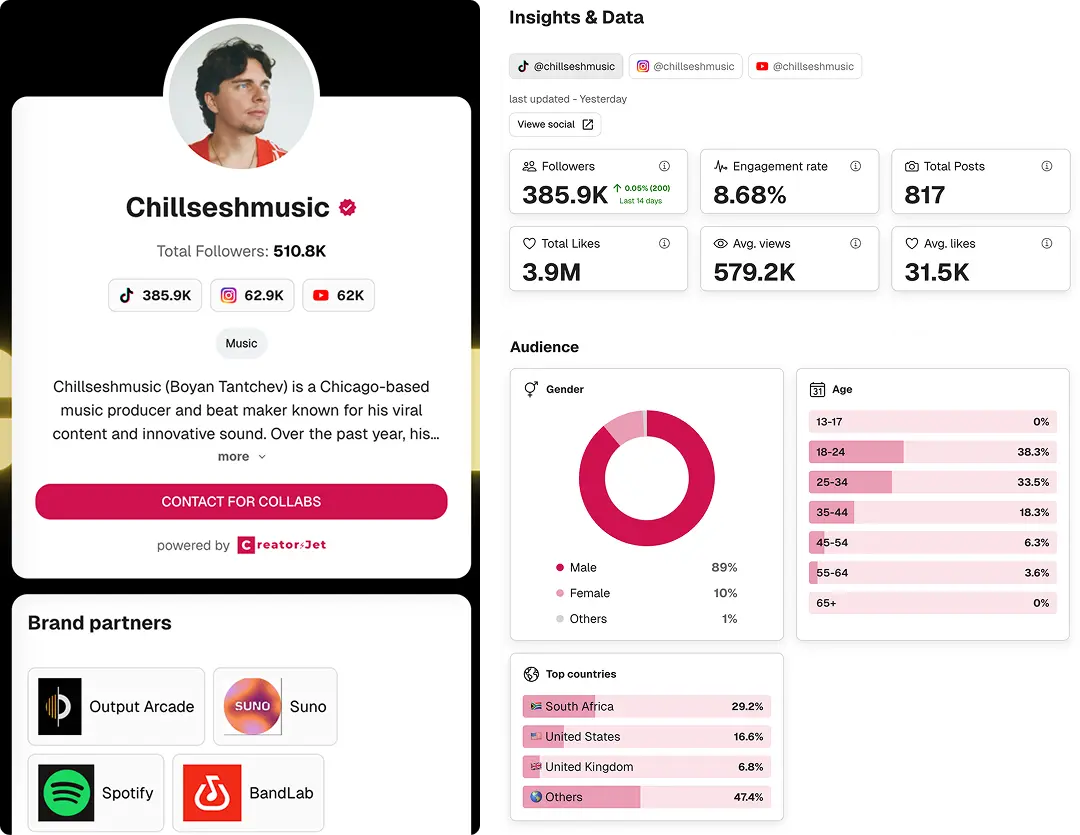
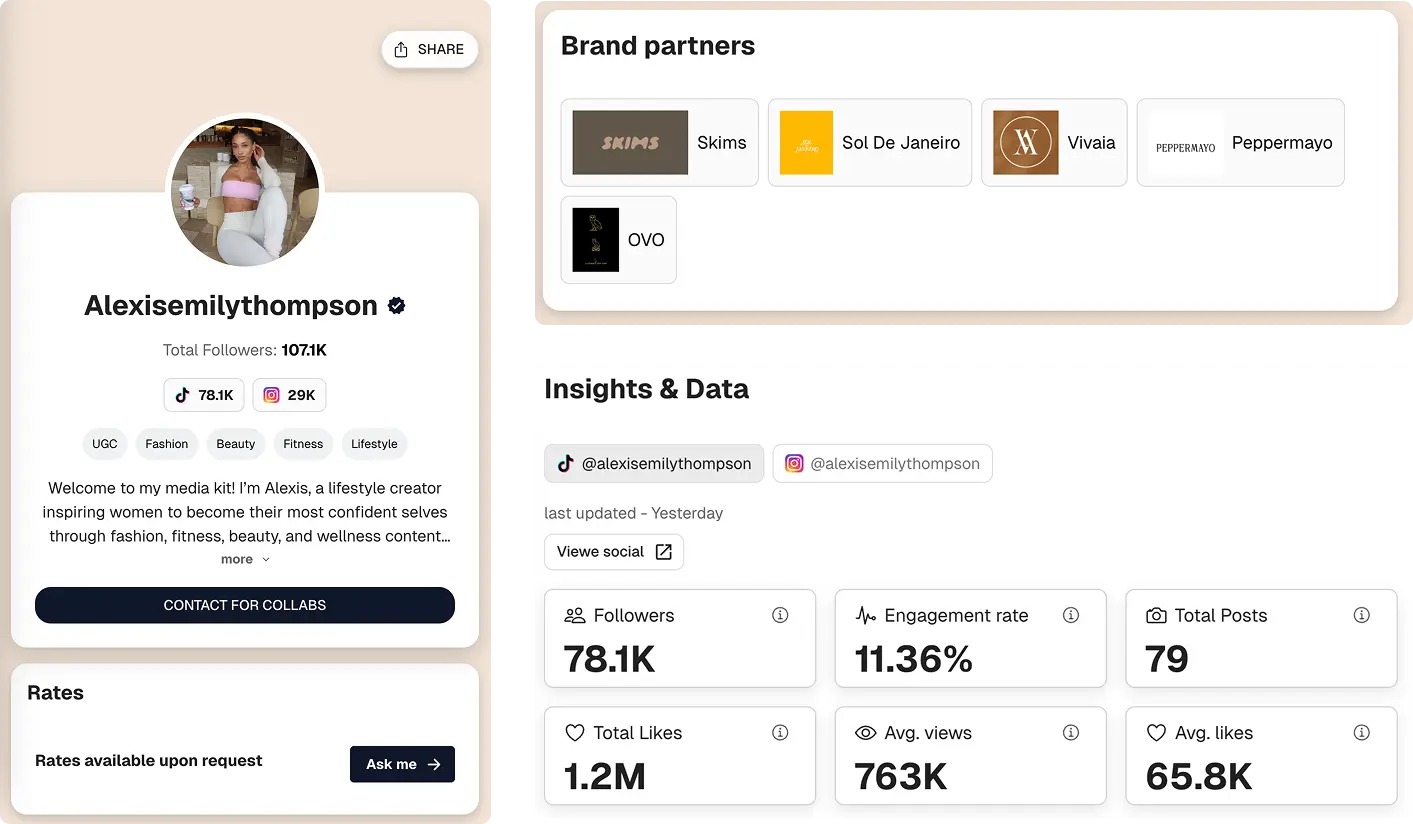
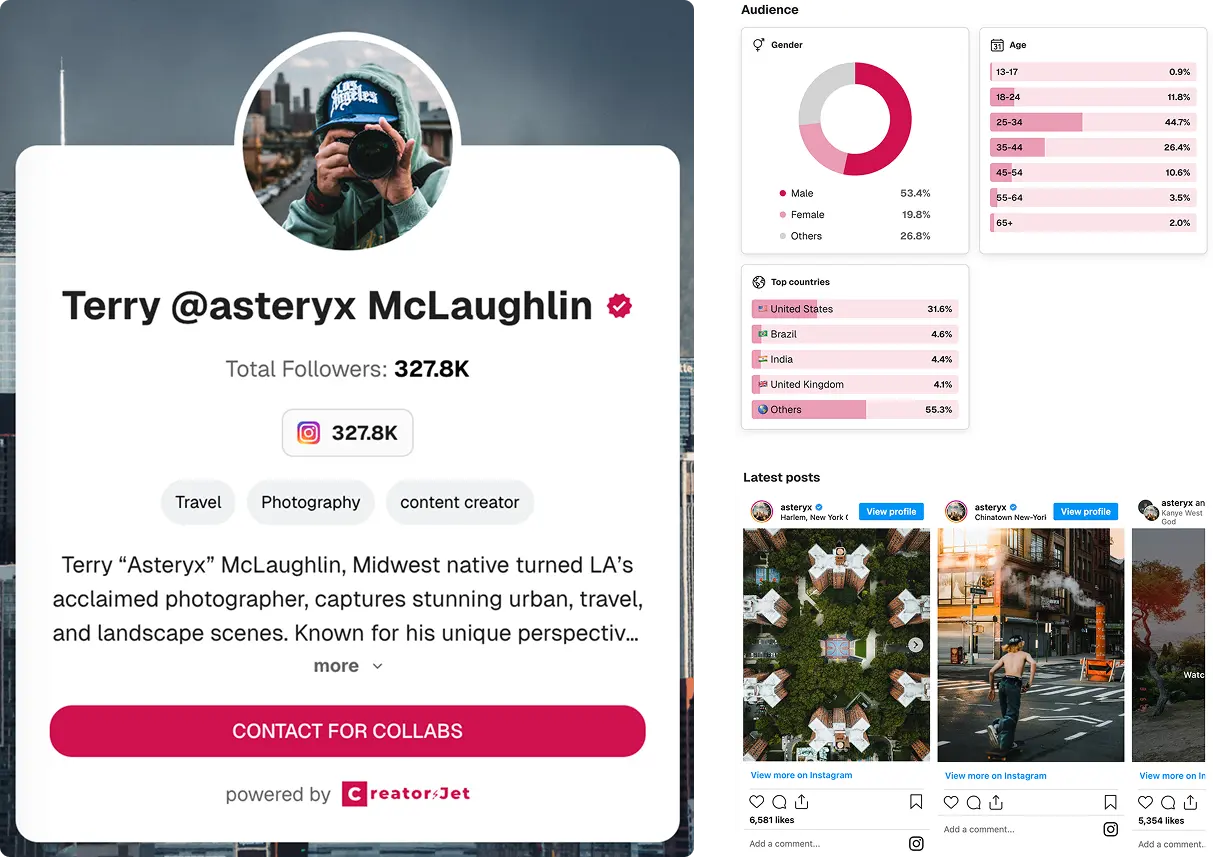
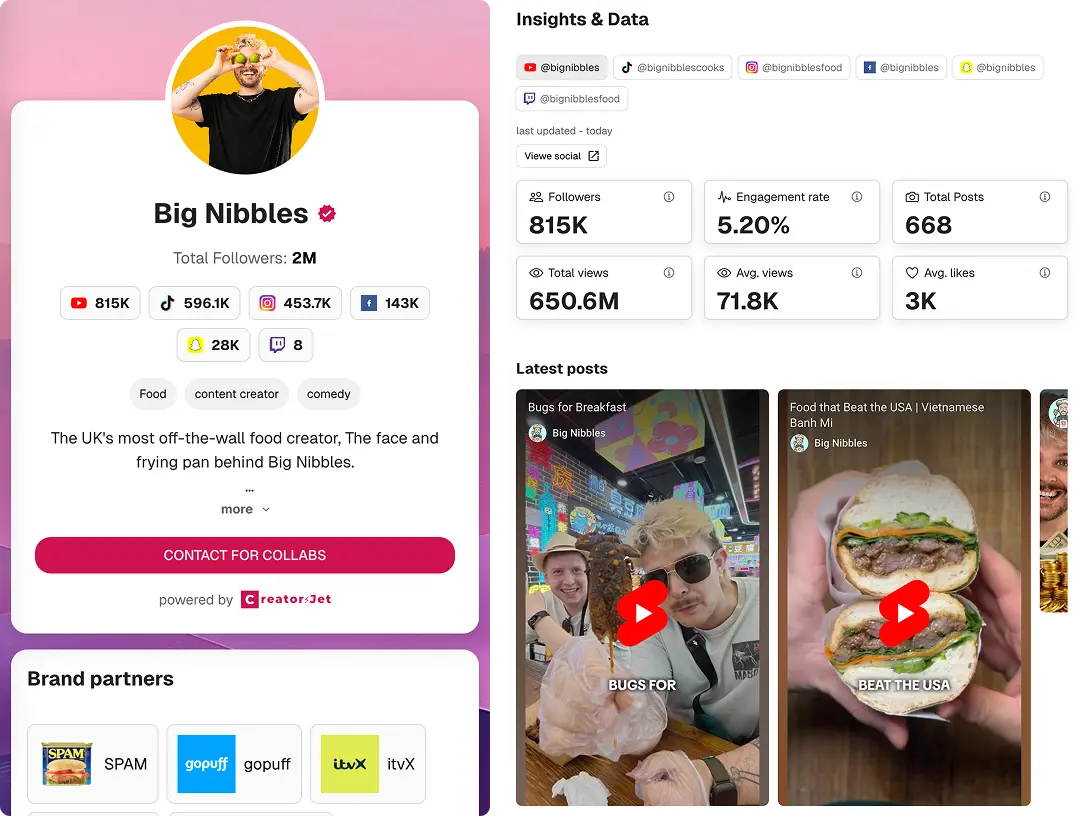
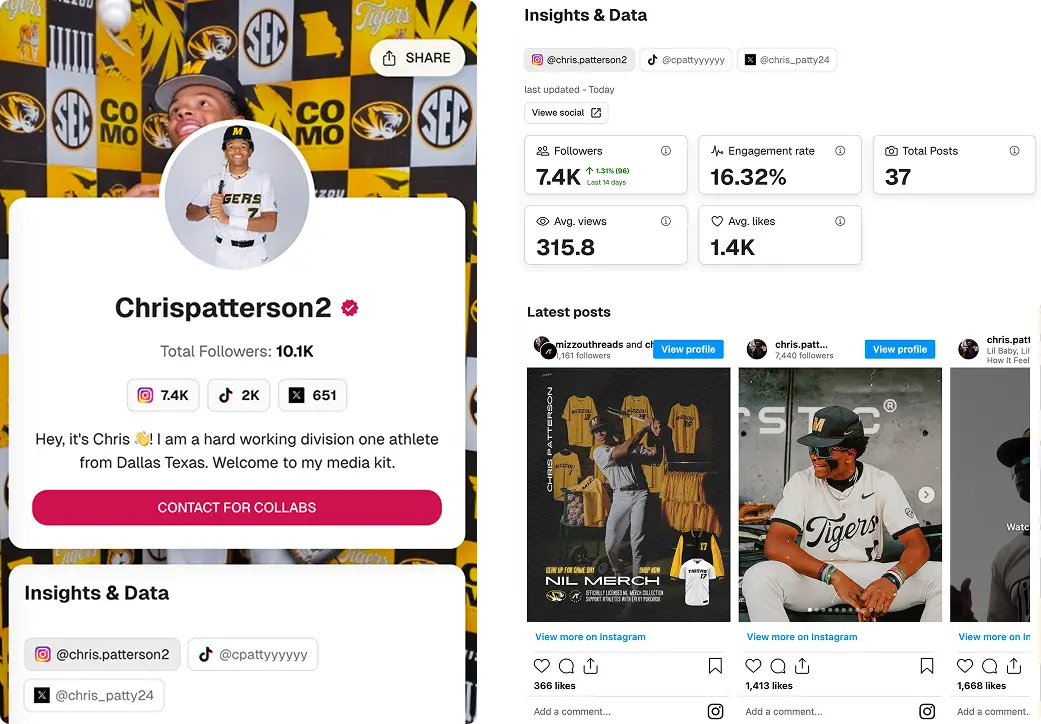
Check out some real-life examples of professional media kits made with CreatorsJet that really nail how creators in different verticals are attracting brands and collaborations. Use these templates for inspiration in crafting your own media kit that's sure to impress.

Media kit fundamentals
What makes a great media kit in 2026?
A media kit should be more than a PDF. Brands want live stats, audience demographics, proof of collaborations, and a single link they can open on any device.
CreatorsJet builds a live media kit with automatic stat updates, audience breakdowns, brand logos, rates, and clear calls-to-action so decision-makers can say yes faster.
Compared to static media kit templates or Canva/PDF exports, a live media kit stays current without manual edits, loads quickly on mobile, and converts outreach with trackable clicks.
Live media kit, not a PDF
Keep followers, reach, and audience data current so brands trust what they see.
Built to convert brands
Logos, rates, calls-to-action, and one link that works on mobile for fast approvals.
Always up to date
CreatorsJet refreshes stats automatically with no re-exporting or redesigning your media kit.
CreatorsJet vs Canva, Notion & PDF
Curious how CreatorsJet stacks up against Canva, Notion, and traditional PDF kits? This comparison table outlines key features like real-time stats, mobile optimization, and link sharing so you can choose the best tool for building a modern, conversion-focused media kit.
| Feature | Canva | Notion | CreatorsJet | |
|---|---|---|---|---|
| Real-time stats | ||||
| Mobile-optimized | ||||
| Shareable link | ||||
| Branded templates | ||||
| Auto stat updates |
Media Kit FAQs
Got questions about building and sharing your media kit? Here’s everything you need to know, from customization to analytics.
What is a media kit?
A media kit is a concise profile that shows your audience, performance and proof so brands and partners can quickly evaluate a fit.
What should a media kit include?
Bio and niche, audience size by platform, reach and engagement, audience demographics, notable collaborations, deliverables or rates, and contact.
Who uses media kits?
Creators and bloggers, businesses, event teams and media outlets use media kits to secure collaborations, sponsors and coverage.
Why are media kits important?
They signal professionalism, centralize key info, act as a sales asset and make it easier for others to feature your work.
What makes CreatorsJet different?
Your kit auto-syncs social stats, stays current, showcases collabs with links and shares as a single link, built for faster brand approvals.
What if I only have 2K followers?
Even micro-influencers land deals. Brands care more about engagement and niche alignment than follower count.
How customizable is my media kit?
You can easily personalize your media kit with your brand colors, logos, pricing, and external links, no design skills needed.
Is it mobile-optimized?
Absolutely. Your media kit link looks great on any device and is perfect for DMs, emails, or pitch forms.
How often does my kit update?
Your media kit updates automatically every 24 hours. Your stats, followers, and engagement metrics are always fresh.
Can I showcase past brand partnerships?
Yes. You can highlight past collaborations by adding brand logos and clickable links to featured content or campaigns.
Can brands contact me directly through my media kit?
Yes. Your kit includes a “Work With Me” button that links to your email, form, or calendar so brands can reach out instantly.
Can I track who views my media kit?
Yes. You can see analytics like link clicks and views to track your outreach and interest over time.
Build a Smarter Media Kit – No Design Skills Needed
Unlike static PDFs or DIY tools, CreatorsJet gives you a smart, dynamic media kit that updates in real time and helps you close brand deals faster.
4x
Get 4x More Responses from Brands
LIVE
36+ media kits online
24h
Social Media Stats - updated daily

Build your professional media kit in minutes with CreatorsJet. The only media kit maker that helps creators secure more brand collaborations.
Creator Resources
Free Tools
Engagement rate calculators
Top Social Platforms
Alternatives
© 2026 CreatorsJet. All rights reserved.